
Figma Tutorials
Master Figma for web and app prototyping through hands-on projects. Learn essential plugins, create landing pages, and design UI variants in these comprehensive tutorials.
Figma's Auto Layout
Explore Figma's Auto Layout feature through practical examples, including UI cards, tables, and navigation bars, to enhance your design workflow and efficiency.

Figma - Advanced Prototyping Tutorials
Learn advanced Figma prototyping techniques for creating interactive designs, from map interactions to music players, micro-interactions, and AR/VR app prototypes. Enhance your UX/UI design skills.

Figma 101
Learn essential Figma skills: grids, color, images, wireframing, components, styles, prototyping, and animations. Hands-on design-along included for practical application.

Figma UI Design Speed Art
Learn Figma UI design through speed art tutorials covering various projects, from coffee shops to finance apps, with tips on effects, plugins, and 3D mockups.
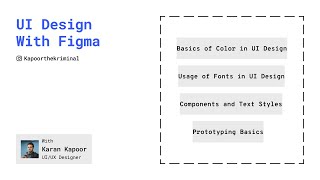
Basics of UI Design in Figma
Learn to create stunning UI designs using Figma's powerful features, including components, prototyping, animations, and responsive layouts. Master essential tools for efficient workflow and captivating user experiences.

Create High-Fidelity Designs and Prototypes in Figma
Learn to create detailed designs and interactive prototypes in Figma, covering visual design principles, design systems, critique sessions, and usability testing to produce polished, user-friendly interfaces.

Chrome DevTools & Finishing the Design Chapter
Learn to use Chrome DevTools, create HTML/CSS layouts, and work with Figma for web design. Covers note-taking, absolute positioning, and vector graphics for effective web development.
Mastering Figma Preview
Learn Figma's interface, tools, and essential features for creating digital designs, including shapes, images, and frames.

Designing a Logo Using a Random Font
Learn to create a unique logo and color palette inspired by a random font, exploring conceptualization, mood boarding, and sketching techniques for effective brand design.
Designing an App in 30 Minutes Using Figma - Challenge
Watch a designer create a concept app in 30 minutes, from wireframing to prototyping. Learn rapid design techniques, color and font selection, and see the final reveal of this time-constrained challenge.
Responsive Website in Figma
Learn to create responsive layouts in Figma using columns for different breakpoints. Master layout grids, understand responsive design principles, and apply them to convert desktop designs to tablet and mobile.

Figma to Webflow - Complete Website Tutorial
Learn to transform Figma designs into fully functional Webflow websites. Master layout, navigation, animations, and responsive design techniques in this comprehensive tutorial.

Figma Tutorial for Beginners - Complete Website from Start to Finish
Learn to create a complete website in Figma, covering interface basics, layout setup, design elements, advanced techniques like masking and gradients, and essential components like navigation and forms.

How to Design a Landing Page - Designing a Landing Page for a New Course
Live design session demonstrating landing page creation for a new course using Figma, covering copywriting, design techniques, and practical implementation over nearly two hours.
Getting Started with Figma - A Beginner's Guide
Learn Figma's interface, tools, and features to create designs and prototypes. Master shapes, colors, text, layers, alignment, and image placement for effective layouts.

Build and Deploy a Fully Responsive Restaurant Website with Modern UI and UX in ReactJS
Aprenda a criar um site de restaurante responsivo em ReactJS, transformando um design Figma em um site funcional com UI/UX moderno e animações atraentes.

Build and Deploy a Fully Responsive Modern UI-UX Website in React JS
Learn to build a responsive React website from Figma design, mastering CSS, animations, and deployment while creating modern UI/UX with reusable components and best practices.
Figma Crash Course
Learn Figma basics through hands-on website design. Master UI/UX principles, prototyping, and essential tools for creating professional designs from scratch.

Ultimate Figma Crash Course - Full Layout by Example
Learn Figma by designing a full layout for desktop, tablet, and mobile. Master UI elements, responsive design, and prototyping through hands-on practice with a real-world project.

Designing and Prototyping Forms in Figma
Master form design in Figma: Learn layout setup, textfield creation, component building, and advanced techniques like floating labels. Enhance your UI/UX skills for effective, user-friendly forms.