Creating Your Personal Brand Identity - Part 2
Learn to create a personal brand identity using Adobe tools. Explore branding strategies, design Instagram templates, and create animated social media assets with expert guidance.
Illustrator's Newest Features: First Takes from Professional Designers
Explore Illustrator's latest features with professional designers, showcasing real-time workflows, iPad integration, and community interaction for enhanced graphic design skills.
Digital Inking Masterclass - Techniques for Photoshop and Fresco
Learn digital inking techniques, custom brush creation, and special effects in Photoshop and Fresco. Master various styles, textures, and patterns for professional illustrations.
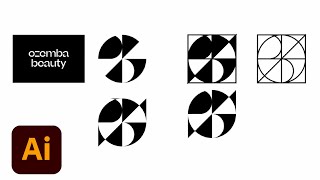
Logo Design for a Fresh Beauty Brand - Part 1
Designer Ben Wagner demonstrates logo creation for a beauty brand, covering sketching, digital transformation, and mockups using Adobe tools. Insights on client communication and design trends included.
Freestyle Vector Art Techniques with Orlando Arocena - Part 2
Explore vector freestyle with Orlando Arocena: evolve abstract doodles into familiar images using Illustrator tools. Learn gradient techniques, vector brushes, and professional insights on creativity and client management.
Illustrator Daily Creative Challenge - Repeating Patterns
Learn to design and apply repeating patterns to letters using Illustrator's tools, enhancing your creative skills in this hands-on challenge.
Ice Cream Packaging Design with Shanti Sparrow - Part 1
Award-winning designer Shanti Sparrow demonstrates the packaging design process for a fictional ice cream company, from market research to final mockups, using Adobe tools and audience collaboration.

Mastering Adobe Fresco Watercolor Brushes - Techniques and Controls
Master Adobe Fresco's watercolor brushes, blending techniques, and advanced features to create stunning digital illustrations with realistic textures and effects.
Drawing for CreateWaves in Adobe Fresco - Part 2
Watch Kelly Malka's drawing process for #CreateWaves using Adobe Fresco. Learn color selection, brush techniques, and gain insights into Kelly's inspiration and artistic journey.
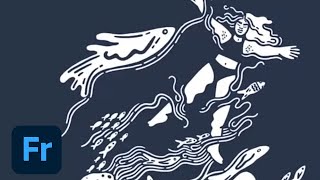
Drawing for #CreateWaves in Adobe Fresco - Part 1
Join Kelly Malka as she demonstrates digital drawing techniques in Adobe Fresco, sharing insights on her creative process, color selection, and professional journey while creating artwork for the #CreateWaves ocean awareness campaign.

Creating a Click-Worthy Newsletter with Adobe Illustrator - Daily Creative Challenge
Design eye-catching newsletters using Illustrator's type tool and clipping masks. Learn layout techniques, text editing, image framing, and how to create visually appealing content for effective communication.
Photoshop Daily Creative Challenge - Poster Design Using Shapes and Shadows
Design a promotional poster using shapes, shadows, and negative space in Photoshop. Learn techniques like creating waves, fish shapes, color overlays, clipping masks, and applying gradients.
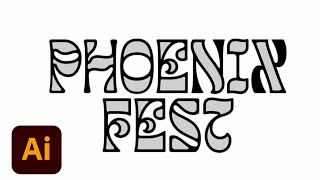
Lettering Design for a Summer Festival - Part 1
Graphic designer Courtney Sonner demonstrates lettering techniques for a summer festival, covering typeface customization, logo design, and branding elements using Adobe Illustrator and Photoshop.
Getting Started with Adobe Fonts in Any App, Anywhere
Comprehensive guide to using Adobe Fonts across various Creative Cloud apps, including tips for customization and integration with Adobe Stock templates.
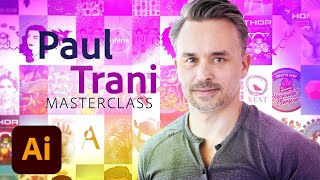
Design Masterclass - Illustrator on iPad
Learn to create unique designs using Illustrator on iPad with Adobe Evangelist Paul Trani. Explore new features, refine outlines, add elements, and master essential tools for professional-quality illustrations.
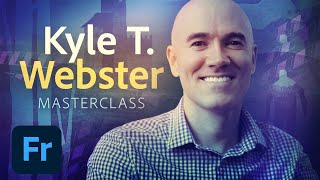
Illustration Masterclass: Live Oil Painting Techniques in Adobe Fresco
Master digital oil painting techniques in Adobe Fresco with Kyle T. Webster. Learn color mixing, brush customization, and realistic texturing to elevate your digital illustrations.

Adobe XD Masterclass - Designing and Animating a Health Potion Bottle - Episode 16
Learn advanced Adobe XD techniques for designing and animating a health potion bottle, including texturing, highlighting, liquid effects, particle creation, reflections, and background integration.
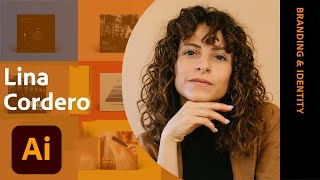
Designing an Ethical Brand Identity - Part 2
Explore ethical brand identity design with Lina Cordero as she applies guidelines to collateral for Arawayuu, a Colombian-inspired slow fashion brand, using Adobe Illustrator.
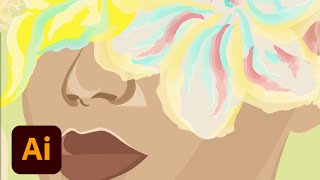
Drawing in Vector - Portrait and Fantasy Illustration in Adobe Illustrator - Part 1
Explore vector portrait creation in Illustrator with Victoria Pavlov, focusing on facial details and color choices for a fantasy half-human, half-bouquet design. Learn workflow tips and techniques from experts.

Adobe Illustrator Daily Creative Challenge - Shapes and Lines
Design fun icons using simple shapes in this 30-minute Adobe Illustrator challenge. Learn essential tools, techniques, and shortcuts to create eye-catching graphics and improve your design skills.
Designing a Psychedelic Music Zine in Illustrator and InDesign - Part 1
Learn to design a psychedelic music zine celebrating Woodstock using Adobe Illustrator and InDesign. Explore shape-building techniques, custom typography, and pattern creation with designer Shanti Sparrow.