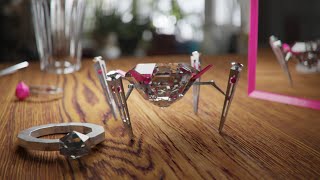
Art Prompt Challenge - Creating a Luxurious Robot
Learn to model, texture, light, and render a luxurious diamond-shaped robot in Blender. Follow along as the artist designs, animates, and creates a detailed scene, exploring creative constraints and advanced rendering techniques.
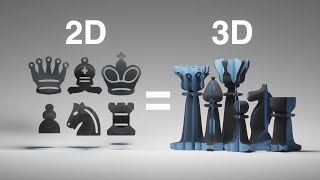
Modeling a Chess Set That Works in 2D and 3D
Learn to create a unique chess set that functions in both 2D and 3D using Blender. Explore boolean modifiers, forced perspective, and innovative design techniques to merge two chess designs seamlessly.
Animating Individual Letters in Blender - Live Questions
Discover techniques for animating individual letters in Blender, from text separation to rotation animation. Learn to add life, color, and texture for visually appealing results.
Animating Arrays and Shapes in Eevee
Learn to animate arrays and shapes in Blender's Eevee renderer. Explore modeling, lighting, camera work, and rigid body simulations in this comprehensive tutorial stream.

The Secret to Creating a Realistic Mockup - Photoshop Tutorial
Learn advanced Photoshop techniques to create realistic bottle mockups, including warping, blending modes, and adding reflections. Master the art of wrapping designs around objects and enhancing them with professional finishes.

How to Create Shadows from Scratch in Photoshop
Learn to create realistic shadows in Photoshop using layer techniques, opacity, and blur filters. Master shadow hardness, intensity, and natural gradients for professional-looking results.

A.I. Does High-End Skin Retouching with 1-Click - Photoshop Plugin Review
Explore an AI-powered Photoshop plugin for automatic high-end skin retouching. Learn its features, compare with manual techniques and other tools, and decide if it's right for your workflow.
The Best Way to Apply Precise Colors in Photoshop
Master precise color application in Photoshop using HSB values, blend modes, and color masking. Learn two techniques to accurately match brand colors or client guidelines for various design projects.
Photoshop's New Depth Blur
Exploring Photoshop 2022's new "Depth Blur" feature, comparing it with Luminar's Portrait Bokeh AI, and evaluating its performance, quality, and usability for creating background blur effects in images.

Photoshop's New Sky Replacement Update
Explore Photoshop's updated Sky Replacement feature, learn to create custom sky presets, and discover tips for better sky matching. Compare with Luminar AI and gain insights on reflections and potential improvements.
Create 3D Ice Text With Dimension and Photoshop
Learn to create realistic 3D ice text using Adobe Dimension and Photoshop. Master techniques for matching perspectives, adding materials, and enhancing the final image for a stunning visual effect.

Best AI to Auto-Color Black and White Photos
Explore cutting-edge AI technology for colorizing black and white photos, with practical Photoshop techniques to enhance results and comparisons to other tools.
How to Replace a Sky in Photoshop
Master sky replacement in Photoshop with expert techniques for selecting, blending, and matching new skies. Learn to enhance images realistically by considering lighting, focus, and color harmony.
How to Make a Poster or Collage in Photoshop
Master the art of creating impactful posters and collages in Photoshop, from planning and resource gathering to assembly and final touches. Perfect for projects, advertisements, and campaigns.
Create High-End Black and White Images Using Multiple Hue-Saturation Layers in Photoshop
Master advanced black and white image creation in Photoshop using multiple Hue/Saturation layers. Learn to target specific colors, control luminosity, and add effects for highly customizable, professional results.
Create Any Kind of Custom Vignette in Photoshop
Learn to create custom vignettes in Photoshop using layer masks. Master techniques for elliptical, rectangular, dark, bright, colorful, grungy, and patterned vignettes to enhance your photo editing skills.
Sketch and Ink Effect Using Difference Blend Mode in Photoshop
Learn to create stunning sketch and ink effects in Photoshop using the Difference blend mode. Master techniques for adding shading, dimension, and realistic paper textures to elevate your digital artwork.

Convert Raster to Vector in Illustrator
Learn to convert raster graphics to vector in Adobe Illustrator using Image Trace. Explore techniques for filled color images and sketches, understand vector advantages, and master file format considerations.

The Smartest Mask Generator for Photoshop
Explore Lumenzia, an advanced Photoshop tool for luminosity masking. Learn essential features, techniques for landscapes, portraits, and custom effects to enhance your photo editing skills.

A.I. Auto-Replaces Sky with Reflection vs Photoshop
Comparison of Luminar's Sky AI 2.0 and Photoshop's Sky Replacement feature, exploring their capabilities in sky reflections, relighting, masking, and various effects for realistic sky replacements in photos.
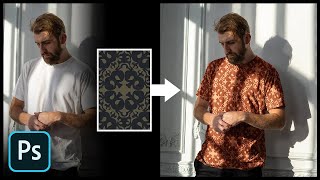
Add Any Pattern to Clothes in Photoshop
Learn to seamlessly add and blend patterns onto clothing in Photoshop using layer styles, blend modes, and warping techniques. Master creating realistic textures and enhancing contrast for professional-looking results.