
Creating a Brand Strategy for a Client Using AI
Explore AI-powered brand strategy creation, from client profiles to creative direction, enhancing your skills as a brand strategist through practical application and analysis.
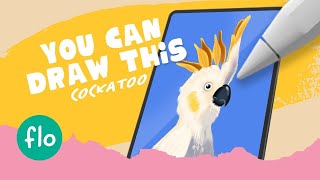
Draw a Parrot in Procreate - Easy Beginner Tutorial
Step-by-step guide to drawing a vibrant parrot using Procreate. Learn digital painting techniques, brush tools, and color blending for stunning results.

Firefly - New Image Gen A.I. Like Midjourney but Made for Creators
Explore Adobe Firefly, a new AI image generation tool for professionals. Learn its features, capabilities, and potential commercial applications compared to Midjourney.
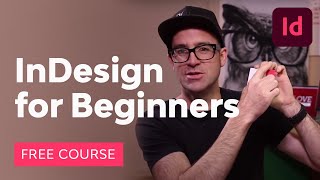
InDesign for Beginners
Learn to create professional brochures using Adobe InDesign. Master tools, techniques, color, fonts, and image handling. Ideal for beginners, with step-by-step guidance and practical projects.

Adobe XD Auto-Animate - From Beginner to Advanced
Master Adobe XD's auto-animate feature to create stunning, authentic animations for your prototypes. Learn basics, staggering, mask animation, and advanced techniques to elevate your design skills.
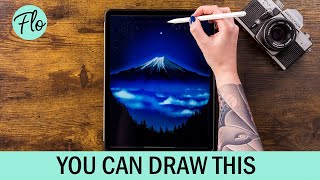
Draw Mount Fuji in Procreate
Step-by-step tutorial for drawing Mount Fuji in Procreate, covering techniques like gradients, textures, and layer blending. Learn to create a stunning digital landscape illustration.

Toon Boom Harmony Tutorial for Beginners - How To Make a Cartoon
Learn to create cartoons using Toon Boom Harmony, covering navigation, drawing tools, animation techniques, sound import, and video export. Perfect for beginners looking to start their animation journey.
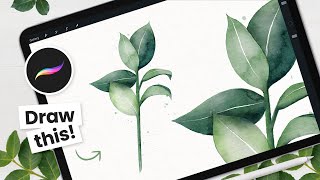
How to Paint Watercolor Leaves - Procreate Tutorial
Learn to create beautiful watercolor leaves in Procreate with step-by-step instructions. Master sketching, color selection, and achieving realistic watercolor effects using digital tools on your iPad.

How to Cartoon Yourself in Procreate - Step-by-Step Tutorial, Pro Tips & Tricks
Learn to transform photos into cartoons using Procreate. Master line art, coloring, shading, and digital art techniques. Discover pro tips for creating stunning illustrations and enhancing your digital art workflow.
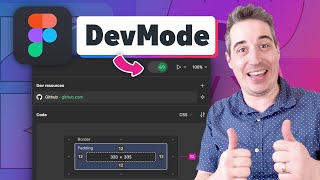
Figma Dev Mode Is Here
Explore Figma's new Dev Mode: enhanced units, VS Code plugin, and features for easier design-to-code workflow. Learn its benefits and limitations for web development.

Buffer - How to Schedule & Automate Your Social Media
Learn to effectively schedule and automate social media posts across platforms using Buffer. Discover strategies for maintaining engagement while saving time and effort in managing multiple accounts.
How to Design a Simple Live Stream Intro with Adobe Express - Creative Live Branding
Learn to create engaging live stream intros using Adobe Express. Discover templates, brand colors, icons, and music integration for professional-looking graphics in this hands-on workshop.

Canva Graphics Design Course
Aprende a diseñar miniaturas de YouTube, editar videos, crear presentaciones, currículums, logos y más con Canva, una herramienta gratuita y fácil de usar.
Let's Design It With Canva
Aprende a diseñar contenido visual atractivo para redes sociales y proyectos con tutoriales específicos de Canva, desde transiciones de video hasta animaciones y efectos creativos.

Create Confidently with Adobe Express - Beginners Tutorial
Learn to create professional graphics, slideshows, and presentations with Adobe Express. Master image editing, video creation, PDF manipulation, and QR code generation in this comprehensive beginner's guide.

Using AI for UX Design is Awesome - Crash Course
Explore how AI enhances UX design processes, from creating user personas to developing color schemes. Learn to leverage GPT-4 for efficient and innovative design solutions.

Sketch for Beginners
Master Sketch for UI and icon design: from interface basics to advanced features like prototyping, collaboration, and plugins. Gain practical skills for professional design projects.

Graphic Design Canva
Learn to create professional logos, YouTube thumbnails, Instagram stories, and more using Canva's powerful design tools and features.
How to Create Videos & Animations in Canva
Learn to create engaging videos and animations using Canva's tools. Master techniques for stop motion, social media content, intros, and digital paintings. Explore music integration and collaborative editing.
Captivate Beginner Tutorial
Learn to create engaging, interactive e-learning content with Adobe Captivate. Master essential features, design techniques, and advanced functionalities to build effective courses from scratch.

Figma Components - The Basics to Creating Robust Components
Learn to create robust Figma components using auto-layout. Master basics, build complex forms, and organize effectively for streamlined design workflows.