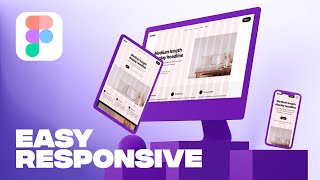
Responsive Website in Figma
Learn to create responsive layouts in Figma using columns for different breakpoints. Master layout grids, understand responsive design principles, and apply them to convert desktop designs to tablet and mobile.
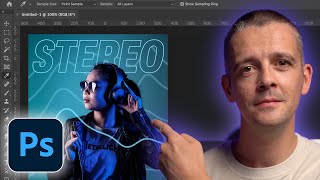
Photoshop 2022 Crash Course - Tutorial for Complete Beginners
Comprehensive tutorial covering essential Photoshop skills for beginners, from basic tools to advanced techniques like masking, retouching, and adding effects.

Designing a Conceptual Brand - Graphic Design Portfolio
Step-by-step guide to developing a conceptual brand identity, from strategy and mood boards to logo refinement, color testing, and final presentation, enhancing your graphic design portfolio.
How to Choose Fonts - Step by Step
Step-by-step guide to selecting fonts for web design projects, covering identification of needs, exploring options, pairing, and testing to ensure the best choice for your design goals.

How to Select Colors - Step by Step
Learn a step-by-step process for confidently selecting colors in design, including demos, examples, and practical tips to enhance your color selection skills and create visually appealing designs.

Figma to Webflow - Complete Website Tutorial
Learn to transform Figma designs into fully functional Webflow websites. Master layout, navigation, animations, and responsive design techniques in this comprehensive tutorial.

Figma Tutorial for Beginners - Complete Website from Start to Finish
Learn to create a complete website in Figma, covering interface basics, layout setup, design elements, advanced techniques like masking and gradients, and essential components like navigation and forms.

How to Design a Landing Page - Designing a Landing Page for a New Course
Live design session demonstrating landing page creation for a new course using Figma, covering copywriting, design techniques, and practical implementation over nearly two hours.

Client Onboarding - Complete Walkthrough
Comprehensive walkthrough of client onboarding and off-boarding processes, covering tools, project management, communication, contracts, and best practices for successful client relationships.
Mobile-First Approach and Testing - Push the Boundaries - LambdaTest and Applitools Webinar
Explore the mobile-first approach in web development, its benefits, and how to implement effective testing strategies using LambdaTest and Applitools for improved user experience and performance.

Creating a Tricky Orbiting Icon Animation
Learn to create an orbiting icon animation with CSS, covering HTML structure, color generation, styling, rotation, hover effects, and throbbing animation techniques.
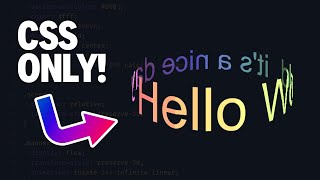
3D Text Animations With CSS
Learn to create stunning 3D text animations using CSS, from basic setup to advanced techniques like twisting, rotating, and adding depth, with expert guidance and practical examples.
Cloning Google Font's Light-Dark Mode Toggle
Learn to clone Google Font's light/dark mode toggle with CSS animations, custom properties, and accessibility features in this step-by-step tutorial by Kevin Powell.
Getting Started with Figma - A Beginner's Guide
Learn Figma's interface, tools, and features to create designs and prototypes. Master shapes, colors, text, layers, alignment, and image placement for effective layouts.
Coding a Responsive Webpage From Start to Finish
Learn to build a responsive webpage from scratch using HTML and CSS, covering mobile and desktop layouts, typography, navigation, and various sections like hero, products, and footer.

How to Use PowerPoint 2019
Comprehensive tutorial covering PowerPoint basics to advanced features, including text formatting, graphics insertion, object manipulation, and SmartArt creation for impactful presentations.
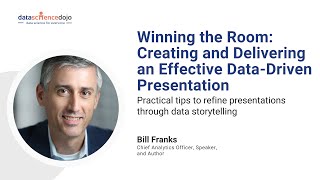
Winning the Room - Creating and Delivering an Effective Data-Driven Presentation
Learn strategies for creating compelling data-driven presentations that engage non-technical audiences. Master techniques to clarify, simplify, and refine your message while maintaining accuracy and maximizing impact.
How to Create a One-Page Website in WordPress
Learn to create a one-page WordPress website in 5 simple steps. Master design selection, content editing, menu creation, and contact form integration for a professional online presence.
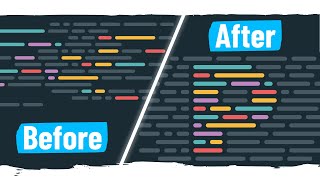
Can I Create This Very Complex CSS Animation?
Recreate the Prettier logo animation using complex CSS techniques, including load and slide effects, with step-by-step guidance and practical coding examples.
Illustrator Advanced Tutorial
Comprehensive tutorial covering advanced Illustrator techniques, from creative tools to 3D objects, blending, and typography. Master complex designs and enhance your digital illustration skills.

InDesign Advanced Tutorial
Comprehensive tutorial covering advanced InDesign features, including nested styles, master pages, interactive elements, and data merging. Ideal for designers seeking to enhance layout skills and productivity.