Carbon Fibre Effect on Anything - Adobe Photoshop Tutorial
Learn to create realistic carbon fiber effects in Photoshop using layer styles and custom pattern brushes. Apply this versatile technique to text, shapes, and more for stunning designs.
How to Make Your Own Font - From Research to Completion
Learn to create your own font from research to completion using Illustrator and Fontself. Covers sketching, ideation, and practical tips for efficient glyph creation and exporting.

Typography Theory - The Basics of Type - Basics for Beginners
Explore essential typography concepts, terminology, and font variations to enhance your design skills and create visually appealing text layouts.
Intro to ProCreate - Getting Started
Learn essential ProCreate features and techniques in this beginner-friendly tutorial, covering color palettes, painting tools, shape creation, and more for digital art enthusiasts.
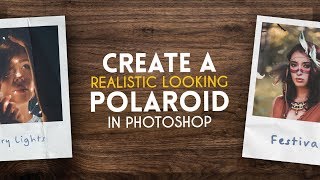
Create a Realistic Polaroid - Photoshop Tutorial
Learn to create a realistic Polaroid photograph in Photoshop with step-by-step guidance on image manipulation, texturing, and finishing touches for an authentic vintage look.

The Role of Sketching in Graphic Design - Basics for Beginners
Explore the importance of sketching in graphic design, learn essential tips, and see live examples for creating effective leaflets and other designs.
Clipping Masks, Gradients & More - Photoshop Elements Tutorial 2022
Learn to create dynamic designs in Photoshop Elements with techniques like image cutting, drop shadows, bevels, strokes, text effects, filters, and clipping masks in this step-by-step tutorial.
Product Optimization with Adaptive Experimentation at Facebook
Discover adaptive experimentation: AI-powered testing for product optimization. Learn concepts, applications, and open-source tools like Ax and botorch to enhance products, infrastructure, and marketing campaigns.
Tips to Choose and Layout Fonts - Design Hacks for Video Editors
Learn essential font selection and layout techniques for video editors, including contrast, simplicity, hierarchy, and measurement units. Improve your design skills with practical tips and guidelines.
Choosing Colors That Pop - Design Hacks for Video Editors
Learn to choose impactful colors for video design using Value Structure. Enhance readability, make designs pop, and eliminate guesswork in color selection for more effective visual communication.

Advanced Shape Layer Techniques in After Effects - With Alex Deaton
Learn advanced shape layer techniques in After Effects to streamline your workflow, reduce clutter, and create more efficient animations using groups, merge paths, and simple path expressions.
Digital Painting Basics for Beginner Digital Artists - Essential Tools, Workflow, Layers & More
Learn essential digital painting tools, techniques, and workflow for beginners. Covers workspace setup, canvas creation, brushes, layers, blending modes, and a step-by-step artwork example.
How to Paint - Digital Painting Tutorial for Beginners
Learn digital painting techniques from basics to final touches in this comprehensive tutorial for beginners, covering drawing, color, light, form, and detailing.
Digital Inking in Manga Studio 5 with Commentary
Learn digital inking techniques for comics using Manga Studio 5, with tips on focal points, line work, and texturing. Enhance your comic art skills through practical demonstration.
Shading Workflow for Comics - Krita
Aprenda técnicas avançadas de sombreamento em quadrinhos usando Krita, incluindo configuração de camadas, modos de mesclagem e seleção por rótulo de cor para um fluxo de trabalho eficiente.
Let's Paint a Study - Digital Painting Tutorial
Learn digital painting techniques for beginners through a practical study. Improve your art skills by painting from reference, focusing on shapes, values, colors, and essential tools.
Procreate Painting Brushes and Tips
Explore favorite Procreate painting brushes, learn their uses, and discover tips for color blocking, layering, shading, and airbrushing in digital art creation.
Total Beginners Guide to Drawing in Photoshop 2022
Learn essential Photoshop skills for digital art: canvas setup, brushes, layers, effects, selections, and more. Includes real-time tutorial and time-lapse drawing demo for absolute beginners.

Independence Day Crafts - 4th of July Gnome Decor
Learn to create charming 4th of July gnome decor with step-by-step instructions. Perfect for patriotic home decorations or as a fun craft project to celebrate Independence Day.
How to Paint Skin Tutorial
Learn digital skin painting techniques, color theory, and basic anatomy to create realistic and vibrant skin tones. Gain practical tips for enhancing depth and believability in your digital artwork.
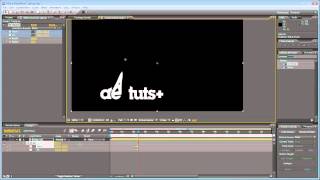
Create Whispy Spirit-like Text Tutorial - After Effects Animation Techniques
Learn to craft ethereal, spirit-like text effects using After Effects. Master techniques like smear, meshwarp, and motion blur to create captivating, ghostly animations for your projects.