Posing Tools and Character Manipulation in Daz Studio - Masterclass 26
Master essential character posing techniques in Daz Studio, from direct manipulation to Power Pose Tab features, enabling you to create natural and dynamic figure poses for compelling 3D scenes.
Working with Accessories in Daz Studio - Masterclass 33
Master the handling of different accessory types in Daz Studio, from smart props to rigged figures, while learning essential techniques for fitting glasses, hats, and other accessories to 3D characters.
Fixing Poke Through Issues Using the Geometry Editor in Daz Studio - Masterclass
Master the Geometry Editor in Daz Studio to fix clothing poke-through issues, create custom surface zones, and efficiently manage vertex selections for enhanced 3D character modeling.
Clothing Adjustment Techniques in ZBrush for Daz Studio - Part 38
Master clothing adjustment techniques in ZBrush with hands-on demonstrations of smoothing garments, fixing underarm areas, and managing hair-accessory interactions for more realistic 3D character designs.
Adjusting Clothing with Blender Vertex Tools - Masterclass
Master clothing adjustments in Blender using vertex tools, from basic navigation to advanced editing techniques. Learn data exchange with Daz Studio and create precise garment modifications for Genesis characters.
Iray Tone Mapping in Daz Studio: Post-Production Techniques - Masterclass 43
Master Iray tone mapping techniques in Daz Studio to enhance render quality through exposure control, color balance adjustment, vignette creation, and understanding the principles behind real-time image modifications.
FilaToon Shader Tutorial for Creating Anime Characters in Daz Studio 4.23
Master the FilaToon Shader in Daz Studio to create stunning anime and manga-style 3D characters, exploring toon anatomy features and essential shader techniques for professional results.
Creating Custom Faces in FaceGen Artist Pro 4 - From Daz to Blender Workflow - Part 1
Learn to create custom character faces using FaceGen Artist Pro 4, from photo requirements to marker placement, face generation, and exporting to Daz Studio for 3D modeling.
Daz to Blender Workflow: FaceGen to Daz Studio Character Creation - Part 2
Master the process of importing and customizing FaceGen characters in Daz Studio, including shape application, texture mapping, and skin adjustments for optimal character creation workflow.
How to Render Clean Hair Animations in Blender - Reducing Noise and Artifacts
Master advanced hair animation rendering techniques in Blender by learning to reduce noise, artifacts, and flickering through optimized shader settings, denoising configurations, and resolution management.
Diffeomorphic Daz to Blender 4.1.0 - Animation Retargeting with BVH and FBX
Master the Diffeomorphic Daz To Blender Importer 4.1.0, including installation, character importing, and animation retargeting for both body and facial movements using BVH/FBX files in Blender.
How to Save and Reuse Facemotion3D Facial Animation on Daz3D Characters with Animate2
Master facial animation techniques in Daz Studio by learning to save and reuse Facemotion3D animations across different Daz3D characters with Animate2, enabling efficient creation of 3D animated short films.
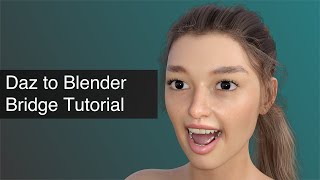
Daz to Blender Bridge Tutorial - Daz3D Tips
Learn to seamlessly export Daz3D objects into Blender using the Daz to Blender Bridge. Master posing, materials, asset transfer, animations, and compare rendering options for enhanced 3D workflows.
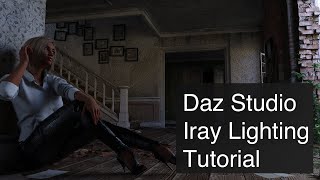
Daz Studio Iray Lighting Tutorial - Daz3D Tips
Comprehensive guide to Iray lighting in Daz Studio, covering environment, sun-sky, HDRI, and scene lighting techniques. Learn three-point lighting setup and explore add-on products for enhanced results.
Rendering with NVIDIA Iray and Raytracing Fundamentals - Part 21
Discover the fundamentals of raytracing and NVIDIA Iray rendering in Daz Studio, including optimal settings configuration, denoising techniques, and practical workflow tips for creating stunning 3D renders.
Re-draping Daz Clothing with Marvelous Designer - Masterclass 40
Master advanced clothing draping techniques using Marvelous Designer's powerful engine to achieve professional-quality, precise fits for 3D garments in Daz Studio environments.
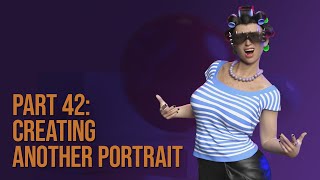
Portrait Rendering Techniques in Daz Studio - Masterclass 42
Master portrait rendering in Daz Studio through hands-on demonstration of outfit selection, posing, lighting, and Iray rendering techniques. Learn essential steps from character customization to final image production.
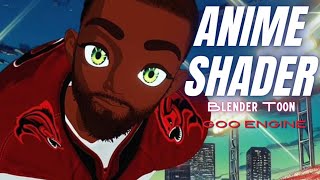
How to Make Anime in Blender Using Goo Engine - Cel-Shading Tutorial
Master cel-shaded anime creation in Blender using Goo Engine, exploring specialized toon shaders, character setup, and advanced techniques for achieving authentic anime-style 3D renders.
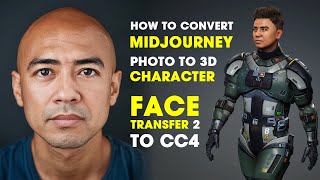
Midjourney Photo to 3D Character Using Face Transfer 2 - DAZ Studio to Character Creator 4
Learn how to transform Midjourney-generated photos into fully animated 3D characters using DAZ Studio's Face Transfer 2, preparing them for iClone and Unreal Engine implementation.
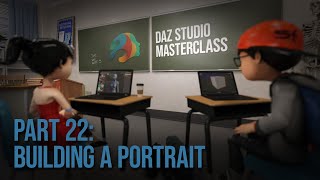
Creating a Portrait in Daz Studio - From Character Design to Final Render - Part 22
Master the complete workflow of creating character portraits in Daz 3D, from initial concept and asset selection to final rendering, covering lighting, posing, troubleshooting, and advanced techniques.

Daz Studio Workflow Optimization Tips and Tricks - Part 1
Master essential Daz Studio workflow optimization techniques, from managing VRAM and geometry to improving render efficiency through interactive updates, subdivision levels, and scene organization.