
Microsoft Excel Tutorial - Beginners Level 1
Comprehensive introduction to Excel basics, covering interface, data entry, formatting, formulas, functions, and charts for beginners to start using the spreadsheet tool effectively.

Covid 19 Data Analysis
Learn to analyze COVID-19 data using professional data science tools. Covers web scraping, data manipulation, and visualization techniques to extract insights from reliable sources.
Smart Data Pipelines to Azure - Ingesting and Migrating Data the DataOps Way
Explore StreamSets' DataOps platform for optimizing data ingestion and migration to Azure. Learn about smart data pipelines, integration with Azure services, and how to speed up cloud adoption using modern data engineering practices.
Introduction to Microsoft 365 Excel and Conventions for Class
Learn essential Microsoft 365 Excel basics, including file management, interface navigation, keyboard shortcuts, formulas, and data alignment. Master fundamental concepts for efficient spreadsheet creation and analysis.
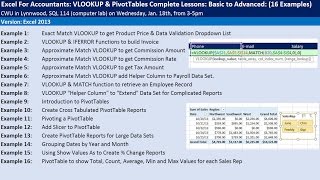
Excel for Accountants - VLOOKUP & PivotTables - Complete Lessons from Basic to Advanced
Comprehensive tutorial on VLOOKUP and PivotTables for accountants, covering basic to advanced techniques. Includes practical examples, efficiency tricks, and number formatting tips for Excel mastery.

Import Multiple Excel Files & Sheets into Excel - Power Query Get & Transform
Learn to import and combine multiple Excel files and sheets using Power Query, create PivotTables, and automate data updates for efficient analysis and reporting.
Excel 2016 - Macro Recorder Basics & Copying VBA Code From Internet
Learn to record macros, use absolute and relative references, convert data formats, and implement online VBA code in Excel 2016. Enhance your spreadsheet automation skills with practical examples and techniques.
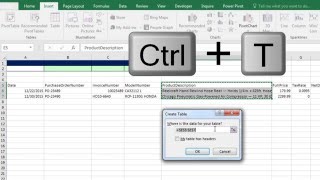
Build Database with Excel Table Feature and VLOOKUP to Get Invoice Detail
Learn to create dynamic databases in Excel using Tables, master VLOOKUP for invoice details, and explore advanced features like structured references and data validation.
Mysteries of VLOOKUP Function Revealed - Amazing Examples
Comprehensive tutorial on VLOOKUP function in Excel, covering 15 examples from basic to advanced usage, including exact and approximate matches, dynamic tables, and error handling.
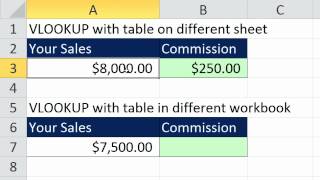
Excel VLOOKUP Function - All You Need to Know
Comprehensive guide to mastering VLOOKUP function in Excel, covering basic to advanced techniques for efficient data lookup and manipulation.
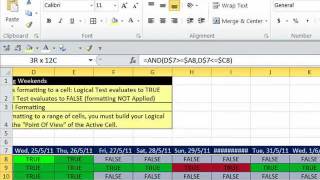
Conditional Formatting Basic to Advanced - 30 Examples
Comprehensive tutorial on Excel's conditional formatting, covering 30 advanced techniques for data visualization, analysis, and highlighting specific information in spreadsheets.

Excel Basics - Introduction to Excel - Formatting, Formulas, Cell References, Page Setup
Learn Excel basics: formatting, formulas, cell references, and page setup. Master essential skills for data entry, calculations, and spreadsheet organization in this comprehensive introduction.
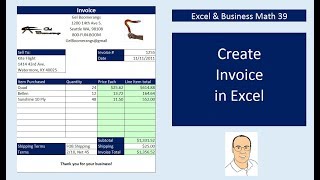
Create Excel Invoices, Data Validation Drop-Down, VLOOKUP & IF Functions
Learn to create reusable Excel invoices using advanced functions like VLOOKUP, IF, and data validation. Master invoice formatting, calculations, and automated invoice numbering for efficient business operations.

Excel & Business Math - IF Function, IS Functions & Building a Check Register and Other IF Tricks
Learn to create a check register using Excel's IF and IS functions, with practical applications of conditional formatting, data validation, and advanced formula techniques.

Excel & Business Math - Bank Reconciliation Made Easy
Learn bank reconciliation concepts, Excel techniques for side-by-side worksheets, and conditional formatting. Master check components, endorsements, and bank services while practicing reconciliation examples.
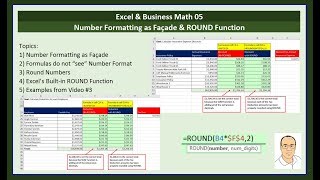
Excel and Business Math - Number Formatting and When You Must Use Round Function
Master number formatting in Excel, understand its limitations, and learn when to use the ROUND function to avoid calculation errors in business math applications.
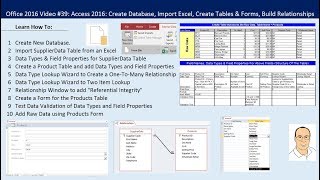
Access 2016 - Create Database, Tables & Relationships, Import Excel Table Too
Learn to create databases, tables, and relationships in Access 2016. Import Excel data, set up data types, use lookup wizards, establish referential integrity, and create forms for efficient data entry and validation.
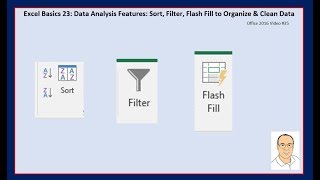
Excel Basics - Data Analysis Features: Sort, Filter, Flash Fill to Organize & Clean Data
Learn essential Excel data analysis techniques: sorting, filtering, and Flash Fill. Master organizing and cleaning data efficiently for improved productivity and insights.

Excel Basics - PivotTable Power - Amazing PivotTable Reporting Tricks - Slicers to Show Values As
Master advanced PivotTable techniques in Excel, including slicers, custom calculations, and data analysis. Learn to create powerful reports and gain insights from complex datasets.
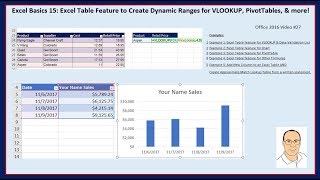
Excel Basics - Excel Table Feature & Dynamic Ranges for VLOOKUP, PivotTables, & More
Learn to leverage Excel's Table feature for dynamic ranges in VLOOKUP, PivotTables, charts, and more. Master efficient data management and analysis techniques for improved productivity.
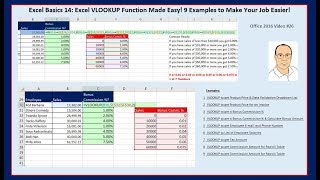
Excel Basics - Excel VLOOKUP Function Made Easy
Master Excel's VLOOKUP function with 9 practical examples, from exact matches for product pricing to approximate matches for commission calculations, enhancing your data analysis skills.