Data Cleaning in Excel - Text Functions and Power Query
Learn essential data cleaning techniques in Excel using text functions and Power Query. Master importing, formatting, and manipulating data for accurate analysis and improved efficiency.

MS-Excel
Comprehensive Excel training covering basics to advanced features, including formulas, functions, charts, pivot tables, and keyboard shortcuts for enhanced productivity.
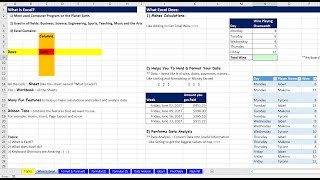
The Magic of Excel - Formulas, PivotTables, Charts, Flash Fill, Sort, Filtering, Functions & More
Discover Excel's powerful features: formulas, PivotTables, charts, and more. Learn essential skills to boost efficiency and data analysis capabilities for work, school, and personal projects.

Excel Beginner Tutorial - From Basics to Advanced Features
Comprehensive tutorial covering Excel basics to advanced features, including formulas, functions, data management, charts, and automation techniques for improved efficiency and data analysis skills.

How to Build and Design Charts and Dashboards in Excel
Master Excel data cleaning, custom formatting, and chart creation to transform raw information into visually impactful dashboards and presentations.
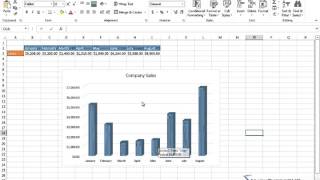
Learn Microsoft Excel
Master Excel essentials to advanced features: data entry, formulas, formatting, charts, pivot tables, and more. Gain practical skills for efficient spreadsheet management and data analysis.

Microsoft Excel Tutorial - Beginners Level 1
Comprehensive introduction to Excel basics, covering interface, data entry, formatting, formulas, functions, and charts for beginners to start using the spreadsheet tool effectively.
Excel 2016 - Macro Recorder Basics & Copying VBA Code From Internet
Learn to record macros, use absolute and relative references, convert data formats, and implement online VBA code in Excel 2016. Enhance your spreadsheet automation skills with practical examples and techniques.
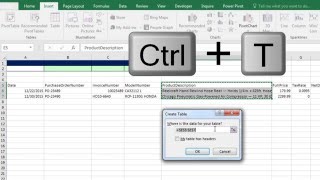
Build Database with Excel Table Feature and VLOOKUP to Get Invoice Detail
Learn to create dynamic databases in Excel using Tables, master VLOOKUP for invoice details, and explore advanced features like structured references and data validation.

Excel Basics - PivotTable Power - Amazing PivotTable Reporting Tricks - Slicers to Show Values As
Master advanced PivotTable techniques in Excel, including slicers, custom calculations, and data analysis. Learn to create powerful reports and gain insights from complex datasets.
Excel Tips and Tricks for Beginners
Learn essential Excel skills including dark mode, formatting, cell manipulation, error handling, and data protection in this comprehensive tutorial for beginners and intermediate users.

Microsoft Excel Tutorial - Getting Started in Microsoft Excel 2021
Comprehensive tutorial covering Excel 2021/365 basics: interface, formulas, functions, formatting, and data management. Includes practical exercises for hands-on learning and skill development.

Authenticate Google Sheet API Using Python
Learn to authenticate and interact with Google Sheets API using Python. Covers creating, modifying, reading, and formatting spreadsheets, as well as advanced features like conditional formatting and scripting.

Learn Windows PowerShell in a Month of Lunches
Master Windows PowerShell through hands-on practice and real-world scenarios. Learn essential commands, scripting techniques, and automation skills to boost productivity and streamline system administration tasks.
Excel 2021 Intermediate Tutorial - Part 2 of 3
Enhance data analysis skills with advanced Excel features: tables, pivot tables, data validation, conditional formatting, and more. Learn to visualize and protect your data effectively.
Excel 基礎教學
從入門到進階,全面掌握Excel技能。學習表格設計、資料處理、函數應用、圖表製作等實用功能,提升工作效率和數據分析能力。
Excel Tutorial - Beginner to Advanced
Comprehensive Excel training covering basics to advanced topics, including formulas, functions, data analysis, and dynamic arrays. Hands-on exercises reinforce learning for all skill levels.
Excel for Emerging Leaders - Use Excel to Look Like a Boss
Master Excel skills for leadership: data retrieval, validation, XLOOKUP, tables, and advanced functions. Enhance decision-making and efficiency in your professional role.
Open Science Tutorial: Open Data Principles and Practices - Unit 5
Explore open data principles, ethical considerations, and practical methods for sharing research data effectively, enhancing transparency and reproducibility in scientific practices.
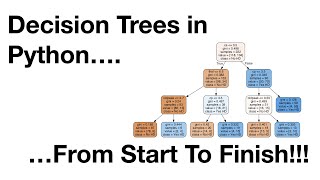
Classification Trees in Python from Start to Finish
Comprehensive guide to building and optimizing classification trees in Python, covering data preparation, model construction, pruning techniques, and visualization.
Python Tutorial - Working with JSON Data Using the JSON Module
Learn to manipulate JSON data in Python: load from strings/files, convert to Python objects, format output, and work with real-world examples like Yahoo Finance data.