CrazyTalk 8.1 Tutorial - Advanced Accessory Import
Learn advanced techniques for importing custom accessories in CrazyTalk 8.1, including using Google Sketchup files and preserving spring effects from iClone, to enhance character customization.
CrazyTalk 8.1 Tutorial - Creating Unique Characters
Learn to customize iAvatar characters in CrazyTalk 8.1 with accessories, material values, and custom face textures. Step-by-step guide for creating unique animated characters.
iClone 6.5 Tutorial - Walking and Changing Direction
Learn various methods for character locomotion in iClone 6.5, including path following, direction changes, and combining motion clips for natural movement in 3D scenes.
Quickly Create a 3D Head from One Image - CrazyTalk 8 Tutorial
Learn to create realistic 3D heads from single images using CrazyTalk 8's face fitting technology. Master tools, techniques, and tips for optimal results, including texture blending, morphing, and character customization.

Creating and Animating a Character Scene in iClone
Learn to create engaging 3D scenes in iClone, from basic setup to character animation and camerawork. Master scene construction, lighting, dialogue, and filming techniques for storytelling.
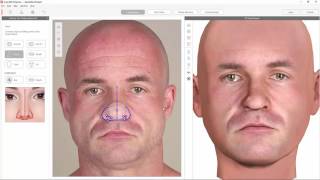
Create 3D Heads with CrazyTalk 8 & 3D.sk Photos
Learn to create 3D animated heads using CrazyTalk 8 and 3D.sk photos. Transform 2D images into lifelike characters with lip-syncing and facial animation tools for quick, creative character development.
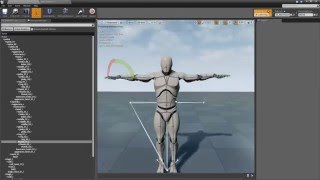
Character Creator Tutorial - Animation Retargeting in Unreal
Learn animation retargeting in Unreal for Character Creator models. Master rig asset creation, T-pose harmonization, and anim asset duplication to unlock a vast library of motions for your characters.

Create Custom Morph Sliders for Stylized 3D Characters in Character Creator v1.4
Learn to create custom morph sliders for stylized 3D characters in Character Creator v1.4. Transform iAvatar/Obj files into unique morphs, blend them, and generate character families quickly.

CrazyTalk 8 Tutorial - Exporting Heads to 3D Tools
Learn to export and customize 3D heads created in CrazyTalk 8 to other 3D tools. Master techniques for enhancing facial features, textures, and morphing, then export to popular 3D formats.
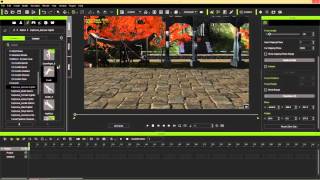
iClone Fighting Motion Library Demo - Explosive Studios
Learn to create dynamic fighting scenes in iClone using Explosive Studios' motion library. Combine clips, manipulate effects, and add strategic camera movements for impressive action sequences.
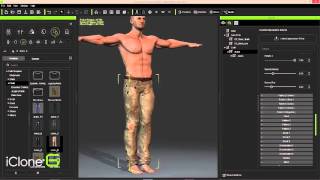
iClone Character Creator to Unity3D - Part 1: Character Design and Customization
Design and build game-ready 3D characters using iClone Character Creator. Shape bodies, customize faces, edit clothing and skin, and finalize designs with powerful morphing tools and appearance editors.
Speed Up Action Sequence Creation in Animation - Master Class
Learn efficient techniques for creating dynamic action sequences using iClone and Character Creator. Discover time-saving methods for managing combat scenes, building environments, and enhancing cinematic quality in animations.
Going PRO with 3D Animation - Secrets to Professional Visuals in iClone
Discover professional 3D animation secrets with iClone. Learn material pickup, fire distortion, multi-camera techniques, lighting, and color grading for stunning visuals in record time.
Eye-popping Effects with PopcornFX - Webinar
Learn to create stunning visual effects using PopcornFX plugin for iClone 7. Master customization techniques, explore sample effects, and integrate them into your 3D animation projects for professional-looking results.
Converting Daz Content to Reallusion Format in Character Creator 3 - Tutorial
Learn to convert Daz content to Reallusion format in Character Creator 3. Master exporting, importing, fixing textures, saving accessories, and applying converted content for seamless 3D character creation.
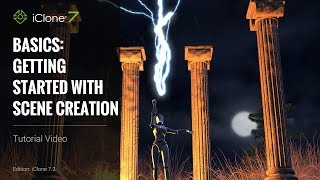
iClone 7 Basics Tutorial - Getting Started with Scene Creation
Learn to create engaging 3D scenes with iClone 7, covering environment setup, character animation, camera work, and visual effects in this comprehensive tutorial for beginners.
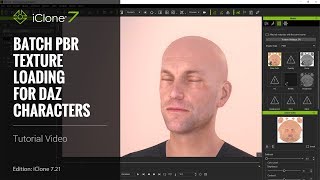
iClone 7.21 Tutorial - Daz Genesis Pipeline: Batch PBR Texture Loading - Part 3
Learn efficient texture management for Daz Genesis characters in iClone, including batch loading, material adjustments, custom .ini file usage, and texture linking to optimize resources and streamline workflow.
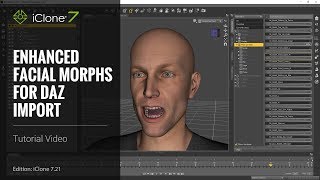
iClone 7 Tutorial - Daz Genesis Pipeline: Enhanced Facial Expression Import - Part 1
Learn to import and animate Daz Genesis characters in iClone 7.21 using the Daz Genesis Extension. Covers DUF file application, character export, and iClone's animation tools for enhanced facial expressions.
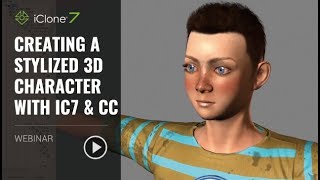
Creating a Stylized 3D Character with iClone 7 and Character Creator
Learn to create custom 3D characters using Character Creator and iClone 7. Master techniques for head creation, morphing, texturing, outfit customization, and quick animation and lighting.
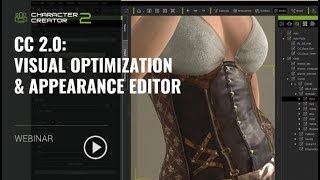
Character Creator 2.0: Visual Optimization and Appearance Editor
Explore Character Creator 2.0's upgrades including Image-based Lighting, Physically-based Rendering, and customizable lighting. Learn to create materials with Generators and use Substance materials for visually stunning 3D characters.

iClone 7.2 Tutorial - Applying Magic Particle Effects
Master iClone's PopcornFX Library to create stunning magical effects. Learn to apply character auras, lightning attacks, and ambient lighting for captivating visual scenes in your 3D projects.