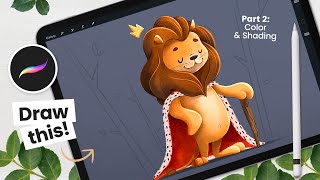
Drawing a Cute Lion - Colors and Basics of Shading
Learn to color and shade a cute lion illustration in Procreate. Master basic coloring techniques, understand shading principles, and refine your digital artwork with step-by-step guidance from an experienced illustrator.
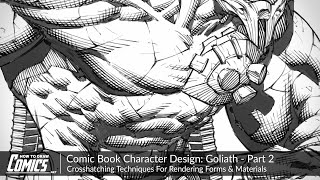
Comic Book Character Design: Goliath - Crosshatching Techniques for Rendering Forms
Explore advanced crosshatching techniques for comic book character rendering. Learn to control tone, create depth, and enhance form using hatch thickness, length, and spacing in Photoshop.

How to Creatively Use the Difference Blending Mode in Photoshop
Explore creative uses of Photoshop's Difference blending mode to recreate the Scream VI poster, incorporating tri-tone color schemes, gradient maps, and efficient group management for striking graphic effects.

Add Graphics or Patterns to Clothes Photoshop Tutorial
Learn to add graphics and patterns to clothing using Photoshop's puppet warp, transform warp, and liquify tools. Master techniques for preparing images, creating templates, and molding designs onto garments.

How to Use Blend If Creatively in Photoshop Tutorial
Learn creative Blend If techniques in Photoshop to combine images into a stunning composite. Master selections, masking, dodging, burning, and color grading for professional-looking results.

How to Create Golden Hour in Photoshop Tutorial 2022
Learn to create stunning golden hour effects in Photoshop using sky replacement, color adjustments, and atmospheric elements. Master techniques for landscapes, cityscapes, and portraits.

How to Remove a Background in Photoshop Tutorial 2022
Learn essential techniques for removing backgrounds in Photoshop, including one-click removal, lasso tool tricks, select and mask workspace, and advanced methods like pen and channel selections.

How to Use Overlays, Textures and Presets in Photoshop
Aprenda técnicas avançadas de edição em Photoshop: sobreposições, texturas e predefinições para aprimorar suas imagens com efeitos profissionais de iluminação, cor e profundidade.

How to Remove Background in Photoshop Tutorial - And Add Grain, Shadow, and More
Learn advanced Photoshop techniques for background removal, adding grain and shadows, using curve presets, and more. Enhance your image editing skills with professional tips and tricks.

How to Blend Layers in Photoshop
Learn to recreate "The Card Counter" movie poster using advanced Photoshop techniques. Master layer blending, gradients, camera raw, curves, and more for realistic, professional-looking designs.

How to Create a Dune-Style Poster in Photoshop - With the Fremen Eyes
Learn to recreate Dune's iconic character poster, mastering eye color change, skin retouching, and advanced Photoshop techniques like frequency separation and blending options in this comprehensive tutorial.

How to Create a Damaged Bitmap Effect in Photoshop
Learn to recreate the damaged bitmap effect from the Mile 22 poster using Photoshop techniques like mosaic effects, blending modes, gradient maps, masks, grunge textures, and typography.

How to Use Gradient Maps and Curves in Photoshop
Learn to recreate the Mauritanian movie poster using Photoshop tools like gradients, guide layouts, shapes, blending modes, masks, and channel mixer. Enhance your design skills with practical application.

How to Create a Grunge Background in Photoshop
Learn to recreate the 007 No Time to Die movie poster in Photoshop. Master compositing, selection, masking, gradient maps, grunge effects, titling, and color grading techniques in this comprehensive tutorial.

Photoshop Overlays Tutorial
Learn advanced Photoshop techniques to recreate the Chaos Walking movie poster, including overlays, masking, color grading, and text styling for dramatic and cohesive image composites.

How to Create Snow Using Optics in Photoshop
Learn to create realistic snow effects in Photoshop using Optics by Boris FX. Master EZ Mask, intersecting masks, clouds filter, Light Leaks, and Film Stocks to enhance your winter scenes.

How to Turn Day to Night Using Optics by Boris FX in Photoshop
Transform daytime photos into stunning nightscapes using Optics in Photoshop. Learn to apply filters like Day for Night, Lens Flare, Night Sky, and more for realistic night effects.

The Haunting of Bly Manor Fading Portrait Tutorial – Photoshop Live Q&A
Learn to create a faded portrait effect inspired by The Haunting of Bly Manor's opening title. Master compositing techniques, including patch tool, painting, and blending modes in this comprehensive Photoshop tutorial.

Optics by Boris FX - Comprehensive Review and Tutorial
Comprehensive tutorial on Optics plugin by Boris FX for Photoshop, covering workspace, filters, effects, and integration into compositing workflow. Includes tips, tricks, and instructor's insights on the software.

The Orb Photoshop Composite Tutorial
Learn to create a sci-fi photo composite featuring a floating orb, including background replacement, sphere creation, lighting effects, atmosphere addition, and color grading techniques in Photoshop.

Ascension Photoshop Composite Tutorial
Learn to create a stunning astronaut in space composite using Photoshop. Master gradient maps, advanced brushes, blending modes, and color grading techniques in this hands-on tutorial.