
Visualizations in Power BI - Full Tutorial
Comprehensive tutorial on Power BI visualizations, covering tables, charts, formatting, and interactive elements. Learn to create impactful data presentations and enhance report design for effective business intelligence.
Creating a Power BI Report - Detailed Power BI Tutorial
Learn to design Power BI reports with titles, navigation, visualizations, and charts. Master card filtering, line charts, stacked columns, and treemaps for effective data representation.
How to Use Our Favorite Microsoft 365 Apps - Microsoft To Do, Planner, Power Automate, and More
Explore Microsoft 365's productivity apps: To Do for organization, Forms for feedback, Planner for project management, OneDrive for cloud storage, Power Automate for workflows, and SharePoint for collaboration.
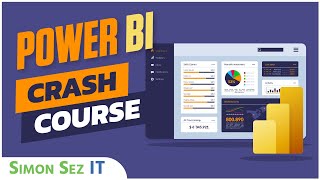
Microsoft Power BI for Beginners - Power BI Crash Course
Learn Power BI essentials: data import, transformation, modeling, DAX, visualizations, and publishing. Master key features for effective business intelligence and data analysis in just two hours.
Pivot Tables Excel - Detailed Beginners Pivot Table Tutorial
Comprehensive tutorial on creating and manipulating Pivot Tables in Excel, covering data preparation, table creation, field management, aggregation methods, and advanced formatting techniques.
Camtasia Video Editing Tutorial for Beginners
Learn essential Camtasia video editing techniques, from importing media to exporting final productions. Master cutting, splitting, using templates, adding effects, and enhancing videos with callouts and narration.
Excel Formulas for Beginners
Master essential Excel formulas and functions, from basic calculations to advanced techniques like VLOOKUP. Learn time-saving features and best practices for efficient spreadsheet management.
Microsoft Word 2019 Advanced Tutorial
Enhance productivity with advanced Word functions: formatting, navigation, tables, graphics, layout, and data integration. Master time-saving features for efficient document creation.
Shopify Tutorial for Beginners - Introduction to Shopify
Comprehensive guide to creating and managing a Shopify store, covering setup, customization, product management, and essential features for launching an online business.

Jira Tutorial for Beginners - Jira Project Management
Comprehensive introduction to Jira Software for agile project management. Learn key concepts, create projects, navigate interfaces, and customize Scrum boards to effectively manage team workflows.
Microsoft Power Automate Tutorial for Beginners
Learn to create automated workflows using Microsoft Power Automate. Master different flow types, navigate the interface, and build flows from templates and scratch in this comprehensive tutorial.

Microsoft SharePoint Online Tutorial - Crash Course
Comprehensive guide to SharePoint Online basics: site creation, navigation, lists, libraries, web parts, alerts, and more. Learn to build and manage collaborative workspaces efficiently.
Macros in Excel - Excel Macros for Dummies & Basic VBA
Learn to create, edit, and automate Excel tasks with macros and VBA. Master recording, running, and customizing macros for efficient spreadsheet management.
How to Create a Stunning Interactive Dashboard in Excel - Sales Excel Dashboard Crash Course
Step-by-step guide to creating an interactive sales dashboard in Excel, covering data setup, calculations, dynamic charts, and advanced features for a comprehensive and visually appealing analysis tool.
Edit a Macro Using VBA in Excel Tutorial
Learn to edit, debug, and create Macros using VBA in Excel. Explore the VBA Editor, understand code structure, and gain practical skills for automating Excel tasks.
How to Use Todoist for Beginners - Todoist Setup
Learn to organize tasks efficiently with Todoist. This comprehensive tutorial covers interface navigation, task management, customization, and premium features for improved productivity and time management.
Microsoft Word Advanced Tutorial - Tips and Tricks
Explore advanced Microsoft Word features to boost productivity: shortcuts, formatting, object manipulation, views, tables, and more. Master tools for efficient document creation and management.
Microsoft Visio 2019 Tutorial - Visio Crash Course
Comprehensive tutorial covering Visio 2019 essentials: interface, drawing tools, shapes, organization charts. Hands-on exercises for practical learning and mastery of key features.

Getting Started with Microsoft OneNote
Comprehensive tutorial covering OneNote essentials: interface, notebooks, content creation, formatting, and organization. Ideal for beginners seeking to master this versatile note-taking tool.
Advanced Excel Formulas - IF, IFS, INDEX, MATCH, SUMPRODUCT, XLOOKUP, OFFSET, CHOOSE
Master advanced Excel formulas including IF, INDEX, MATCH, XLOOKUP, and more. Learn to perform complex lookups, extract text, and create dynamic calculations for enhanced spreadsheet functionality.
Microsoft Visio Tutorial for Beginners - How to Use Visio 2016
Comprehensive guide to Microsoft Visio 2016, covering drawing tools, shapes, diagrams, and organizational charts. Ideal for beginners looking to master Visio's features and create professional visualizations.