
Fusion 360 for 3D Printing - Introduction for Absolute Beginners
Learn to create 3D CAD designs using Fusion 360 for 3D printing. Step-by-step guidance for beginners, covering design principles, keyboard shortcuts, and practical challenges to enhance your maker projects.
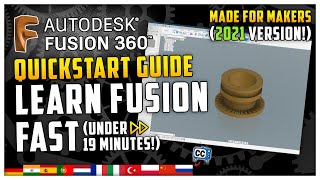
Learn Fusion 360 - Fastest Fusion 360 Quickstart Tutorial
Comprehensive quickstart guide for Fusion 360, covering essential 3D modeling skills from sketching to exporting. Ideal for beginners seeking rapid proficiency in CAD for 3D printing projects.
Fusion 360 Signal Integrity Powered by Ansys - Autodesk Fusion 360
Panel discussion on Fusion 360's new Signal Integrity Extension, covering its inspiration, technical details, and practical usage. Experts provide insights and demonstrations for electronics design professionals.

Fusion 360 Electronics for Beginners - Layout
Learn step-by-step PCB layout in Fusion 360 Electronics, covering component placement, routing techniques, copper pours, and design optimization for efficient circuit board creation.

Fusion 360 Electronics for Beginners - The Schematic
Learn essential schematic capture in Fusion 360 Electronics: placing components, connecting with nets, assigning values, organizing designs, and generating BOMs. Ideal for beginners starting their first project.
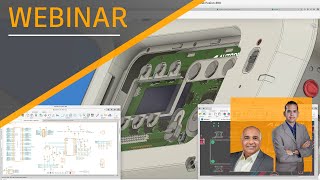
Benefits of Fusion 360 Electronics for Autodesk EAGLE Users - Autodesk Fusion 360
Discover seamless PCB design migration from EAGLE to Fusion 360. Enhance collaboration, improve component placement, and achieve holistic product design with comprehensive electronics and PCB tools.

Reduce Delays in Product Design with the Simulation Extension - Autodesk Fusion 360
Explore advanced FEA simulation capabilities in Fusion 360 to improve product performance, reduce delays, and enhance manufacturability through connected design and simulation workflows.
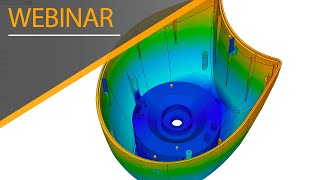
Improve Plastic Part Moldability with Injection Molding Simulation - Autodesk Fusion 360
Explore injection molding simulation in Fusion 360 to minimize defects, optimize mold design, and select materials for plastic parts. Gain insights into manufacturability and improve design processes.
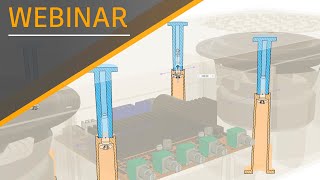
Design Molded Plastic Parts Faster with Plastic Design Rules - Autodesk Fusion 360
Accelerate plastic part design with Fusion 360's Product Design Extension. Learn to create manufacturable bosses, snap fits, and ribs while leveraging design advice for injection molding optimization.
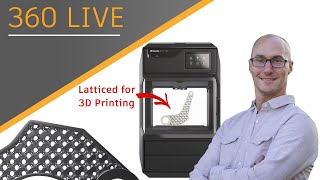
How to Lattice Parts for 3D Printing
Discover latticing in Fusion 360 for lightweight 3D printing. Learn techniques, access features, and get tips for metal and plastic printing to improve product performance and reduce costs.
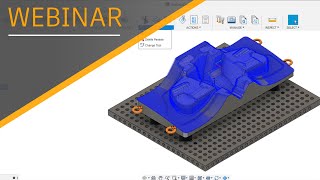
Optimize Your Cycle Time with Toolpath Modification - Autodesk Fusion 360
Learn to optimize cycle times and boost productivity using toolpath modifications in Fusion 360. Discover techniques for trimming, reducing air cutting, and achieving superior surface finishes through practical examples and expert guidance.
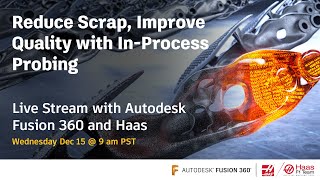
Autodesk Fusion 360 - In-Process Probing with Haas Automation
Explore advanced digital probing techniques using Fusion 360 and Haas CNC machines. Learn to improve machining accuracy, reduce scrap, and enhance productivity through in-process probing and automated adjustments.
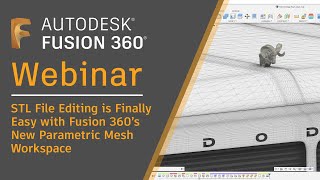
STL File Editing is Finally Easy with Fusion 360's New Parametric Mesh Workspace
Discover Fusion 360's new parametric mesh workspace for easy STL file editing, mesh repair, and conversion to solid bodies. Learn advanced techniques for seamless integration of engineered features with existing mesh bodies.

Shining Light on the Pipe Command
Learn to create complex geometry using the Pipe command in Autodesk Fusion 360. Master techniques for designing a patio light, including modeling, material application, and rendering for realistic product visualization.

Drawing Tips & Tricks
Discover advanced Fusion 360 drawing techniques, from multi-view and custom drawings to tables, balloons, and templates. Enhance your skills with expert tips for efficient and professional technical drawings.
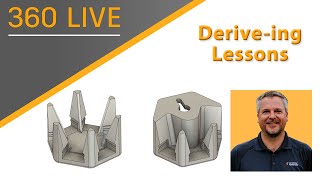
Derive-ing Lessons
Explore Autodesk's Derive command to create interconnected parts, use User Parameters for dynamic modeling, and learn efficient design techniques for LED wall art creation.
New to 3-Axis CAM? See How Fusion 360 Can Get You Cutting Chips in Record Time
Discover how Fusion 360 simplifies 3-axis CAM for beginners, offering user-friendly interface, extensive training resources, and an affordable solution for designers and machinists to start CNC machining quickly.
Meshing Around - How Fusion 360's Parametric Mesh Workspace Sets the Bar for Mesh Editing
Explore Fusion 360's parametric mesh workspace for advanced mesh editing, repair, and conversion. Learn to modify STL files, hollow meshes, and seamlessly integrate engineered features with existing mesh bodies.
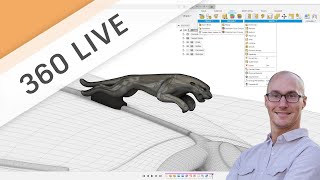
Deep Dive into the New Parametric Mesh Editing and Reverse Engineering Tools
Explore Fusion 360's new parametric mesh workspace, featuring enhanced editing, reverse engineering, and solid conversion capabilities. Learn advanced tools for mesh repair, feature addition, and complex model manipulation.
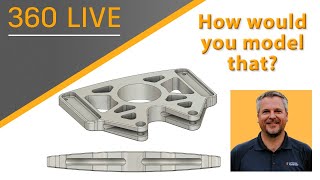
How Would You Model That
Learn to model curved surfaces, use Mirror, rearrange timelines, and simplify sketches in Autodesk Fusion 360. Gain practical tips for creating complex parts with efficient techniques and constraints.
Investing in Nesting - How Automatic Nesting Can Optimize Design to Manufacturing
Explore Fusion 360's professional nesting capabilities to optimize material usage, minimize production time, and streamline design-to-manufacturing workflows for improved efficiency and cost-effectiveness.