How to Edit Videos with Filmora 11 - Beginners Class
Comprehensive tutorial on Filmora 11 video editing, covering importing, trimming, effects, transitions, audio adjustments, and exporting for beginners creating YouTube content.
How to Use Shotcut - Video Editor with No Watermark
Learn to edit videos with Shotcut, a free software without watermarks. Master importing media, timeline editing, transitions, filters, audio manipulation, and exporting your finished project.
IMovie for Beginners - Detailed Tutorial
Comprehensive tutorial on using iMovie: importing media, editing clips, adding transitions, titles, and effects, adjusting audio, and exporting finished videos on Mac.
How to Use Filmora X - Beginner's Video Editing Guide
Comprehensive guide to Filmora X video editing, covering importing, timeline editing, audio manipulation, transitions, effects, and exporting for beginners.
Hitfilm Express Tutorial - Designed for Beginners
Learn to use HitFilm Express 12, a powerful free video editor. This comprehensive tutorial covers project setup, media management, editing techniques, effects, transitions, and exporting for beginners.
DaVinci Resolve 15 Tutorial - Designed for Beginners
Learn professional video editing with DaVinci Resolve 15: project setup, media import, timeline editing, transitions, text insertion, and exporting. Master essential tools and techniques for creating polished videos.
Lightworks Tutorial - Designed for Beginners
Comprehensive tutorial on Lightworks 14, covering project creation, editing, effects, text, transitions, audio adjustments, and exporting for beginners to create professional videos.
HitFilm Express 4 Tutorial 2018
Learn to edit videos with HitFilm Express 4, covering project setup, media management, trimming, transitions, audio editing, text overlay, special effects, green screen, and exporting in this comprehensive tutorial.

Graphical User Interface Programs - GUI
Aprende a usar aplicaciones GUI como navegadores minimalistas, reproductores de música y herramientas de optimización en Linux, Windows y Mac, mejorando tu productividad y privacidad.
Ableton Tutorial Beginner
These videos by Production Music Live explore using Ableton Live 9 and Ableton Live 11 to produce music tracks, mixing, compression, effects, and more.
Ableton Live Tutorials
Learn to use Ableton Live 10 from scratch with our step-by-step series of tutorials with Ableton trainer Liam O'Mullane.

GarageBand Tutorial - Everything You Need to Know
Learn to create music with GarageBand: from basics to advanced techniques. Master audio tracks, MIDI, EQ, plugins, and more. Perfect for beginners and intermediate users.
Camtasia Tutorials for Windows & Mac
Learn to create and edit professional videos with Camtasia's powerful features. Master screen recording, audio editing, animations, captions, and more through step-by-step tutorials for both Windows and Mac users.
Camtasia 2021
Comprehensive tutorial series on Camtasia 2021, covering new features, advanced techniques, and workflow improvements for creating professional video content.
Screen Recording Basics - Editing In-Depth
Learn advanced screen recording techniques, including syncing, zooming, enhancing clarity, applying transitions, perfecting audio, and final editing steps for professional-quality videos.

Audacity Tutorials
Learn how to use Audacity in this free tutorial series. Audacity is a simple, but powerful, free audio recording and editing program for Windows, Mac, and Linux.
How to Use Audacity
Improve voice and microphone quality, create effects, fade in and out, remove background noise, and more.
Audacity Tutorials
Edit a podcast, remove background noise, use the Compressor, normalize audio, export files as MP3, fade in and fade out.
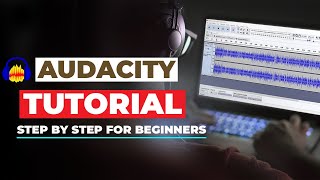
Audacity Tutorials
How to use Audacity step by step for beginners, 7 audacity tips, remove background noise.
Audacity Tutorials for Beginners
Audacity tutorial series for complete beginners. You'll be an Audacity audio editing expert by the end of this video playlist.
Audacity Tutorials
Learn about different features of Audacity, and how you can use it to record music at home on a budget.