Creative Masking: Topaz Mask AI and Photoshop
Learn advanced creative masking techniques combining Topaz Mask AI and Photoshop for stunning photo edits and manipulations. Enhance your image editing skills with professional tools and methods.
TOPAZ STUDIO 2 - Deep Dive into Texture Filter
Explore the Texture Filter in Topaz Studio 2 to enhance your photos with creative textures and effects, improving your digital editing skills and artistic expression.
TOPAZ MASK AI - New Update V1.2.0 First Look
Explore the latest Mask Ai update with a first-look tutorial, showcasing new features and improvements for efficient image editing and masking techniques.
Topaz Studio 2: Creative Tool Box - Episode 4
Explore the Creative Tool Box in Topaz Studio 2, enhancing your photo editing skills with advanced techniques and tools for stunning visual results.
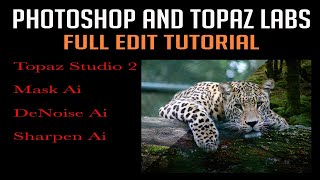
Photoshop and Topaz Labs Full Edit Tutorial
Comprehensive tutorial on enhancing photos using Photoshop and Topaz Labs plugins, covering noise reduction, sharpening, and advanced editing techniques for stunning results.
Mastering Topaz Mask AI - Advanced Techniques for Photo Editing
Discover advanced techniques for Topaz Mask AI, enhancing your photo editing skills with expert guidance on masking, sky replacement, and more.
Lightroom, Photoshop, and Topaz Labs Workflow Tutorial
Learn efficient photo editing workflow using Lightroom, Photoshop, and Topaz Labs tools for noise reduction, sharpening, and masking to enhance your images.
TOPAZ STUDIO 2 - Creative Toolbox Tutorial - Episode 2
Explore creative tools in Topaz Studio 2, including Sharpen AI, Impression Filter, and Precision Contrast. Learn techniques for enhancing photos with layer masks and detailing.

Topaz Labs Tutorial: iPhone and Camera Phone Workflow - JPEG to RAW Conversion and Editing
Enhance iPhone photos to RAW quality using Topaz Labs software. Learn to sharpen, edit, and save high-quality images from camera phone shots with this step-by-step workflow tutorial.

Topaz JPEG to RAW AI Software Review
Explore JPEG to RAW AI software for enhanced image quality, artifact removal, and color depth improvement. Includes side-by-side comparisons of original and converted images.
Luminar 4 Tutorial - Creative Edits - Episode 8
Explore creative photo editing techniques using Luminar 4's advanced tools and features for stunning, artistic results.

Topaz Sharpen AI - Major Update V2.0.2 Review: Batch Processing and Masking
Explore the latest Topaz Sharpen AI update, featuring new batch processing and masking capabilities for enhanced photo editing efficiency and precision.
Luminar 4 Tutorial - Creative Edits - Episode 7
Learn creative editing techniques in Luminar 4, including glow filters, layer masks, and textures, to enhance your photos and achieve unique, professional-looking results.
Luminar 4 Tutorial - Creative Edits and Topaz Mask AI - Episode 6
Learn advanced creative editing techniques in Luminar 4, including a bonus tutorial on Topaz Mask AI. Enhance your photo editing skills with professional tools and achieve stunning results.
TOPAZ STUDIO 2 - Layer Masking 101: Spot and Grad Masks
Learn essential layer masking techniques in Topaz Studio 2, including spot and gradient masks, to enhance your photo editing skills and create stunning visual effects.
Topaz Studio 2 - Layer Masking 101: Color Range Masks - Episode 2
Learn to create precise color range masks in Topaz Studio 2 for enhanced photo editing, with visual aids and practical examples to reinforce your understanding.
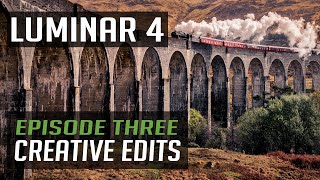
Luminar 4 Tutorial - Creative Edits - Episode 3
Explore creative photo editing techniques in Luminar 4, focusing on enhancing images with unique effects and transformations for stunning visual results.

Topaz Studio 2 Tutorial - Getting Creative with Filters and Masking
Explore creative photo editing techniques using Topaz Studio 2, including diffusion, precision filtering, masking, and color adjustments for stunning visual transformations.
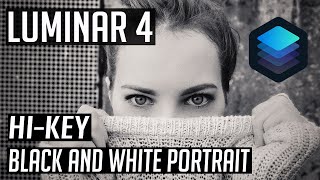
Luminar 4 Tutorial - Hi-Key Black and White Portrait
Learn to create stunning hi-key black and white portraits using Luminar 4. Master techniques for achieving dramatic, high-contrast images that captivate viewers and elevate your photography skills.
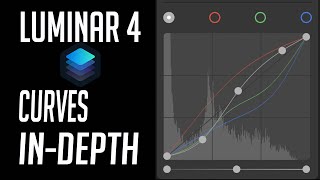
Luminar 4 Tutorial - Mastering the Curves Tool
Master the Curves Tool in Luminar 4 for precise control over image contrast, color, and tone. Learn advanced techniques to enhance your photo editing skills.
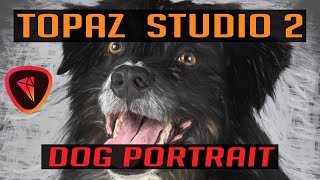
Topaz Studio 2 - Creating Digital Pet Portraits with Impression Filter
Transform pet photos into stunning digital paintings with Topaz Studio 2's Impression Filter. Learn techniques to enhance and artistically render your furry friend's portrait for a unique, gallery-worthy result.