
Topaz Studio 2 - AI Remix Filter Tutorial
Explore the AI Remix Filter in Topaz Studio 2 to transform photos into painterly artworks using artificial intelligence. Learn detailed usage for confident application.
Topaz Studio 2 Tutorial - The Abstraction Filter
Explore the Abstraction Filter in Topaz Studio 2 to create stylistic, painterly effects. Learn techniques for simplifying images and achieving unique artistic results across various subjects.

Topaz Studio 2 Tutorial - Motion Blur Filter
Learn to create dynamic motion effects in photos using Topaz Studio 2's Motion Blur Filter. Discover techniques to enhance images with realistic movement and artistic blur.

Topaz Studio 2 - Using the Focal Blur Filter for Natural Background Blur
Learn to create natural out-of-focus backgrounds using the Focal Blur Filter in Topaz Studio 2, enhancing your photo editing skills and achieving professional-looking results.

Topaz Studio 2 - Basic Adjustment Filter Tutorial
Learn to enhance your photos using Topaz Studio's Basic Adjustment Filter, covering lighting, contrast, and color adjustments for improved image quality.
Photoshop Tutorial - Adding Creative Blur to Flower Images
Learn to enhance flower photos with ethereal blurs using Photoshop's Blur Gallery and NIK Vignette Filter, creating a dreamy and artistic effect in your images.
DXO Film Pack 5 in PhotoLab 4 - Creative Film Rendering Tutorial
Explore creative film rendering techniques using DXO FILM PACK 5 within DXO PHOTOLAB 4. Learn to apply vintage and modern film effects to enhance your digital photography.
Luminar AI - Working with Lightroom
Seamlessly integrate Luminar AI with Lightroom for enhanced RAW image editing, combining powerful asset management with advanced AI-driven tools to elevate your photo editing workflow.
Working with Topaz Plug-ins Inside Topaz Studio 2
Tutorial on accessing and using Topaz Software plug-ins within Topaz Studio 2, enhancing photo editing capabilities and workflow efficiency for photographers and digital artists.
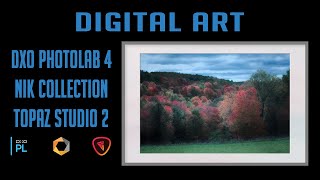
Digital Art Creation Using DXO PhotoLab 4, NIK Collection, and Topaz Studio 2
Explore digital art creation using powerful photo editing tools, enhancing images with advanced techniques and creative effects for stunning visual results.
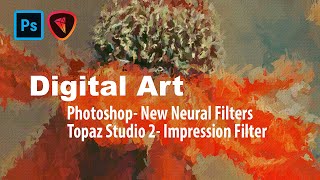
Digital Art: Photoshop Neural Filters and Topaz Studio 2 Impression Filter Tutorial
Learn to create digital art using Photoshop's new Neural Filters and Topaz Studio 2's Impression Filter. Transform photos into stunning digital paintings with step-by-step guidance on advanced editing techniques.
DXO PhotoLab 4 - Exploring the HSL Color Wheel and Hue Picker Tool
Explore DXO PhotoLab 4's HSL Color Wheel and Hue Picker for precise color adjustments in photo editing. Learn to enhance images with powerful, accurate color control tools.
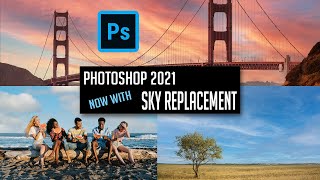
Photoshop 2021 Sky Replacement Tutorial - 4 Examples
Explore Photoshop 2021's new Sky Replacement feature through four practical examples, demonstrating how to enhance and transform your images with realistic sky swaps.
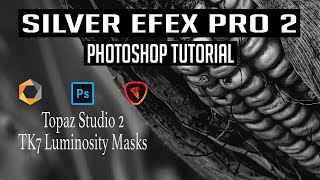
Black and White Conversion Tutorial Using Photoshop, Silver Efex Pro 2, Topaz Studio 2, and TK7 Luminosity Masks
Explore advanced black and white conversion techniques using Photoshop, Silver Efex Pro 2, Topaz Studio 2, and TK7 Luminosity Masks to enhance your photography skills and create stunning monochrome images.
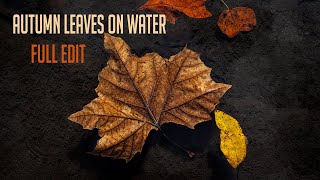
Autumn Leaves on Water - Full Photo Editing Tutorial
Full editing tutorial for autumn leaves on water photo, from Lightroom to Photoshop and Topaz Studio 2. Includes vignetting technique and showcases fall colors in Pennsylvania.
Image Compositing with Topaz Mask AI - Working with Different Aspect Ratios
Learn advanced image compositing techniques using Topaz Mask AI, focusing on blending images with different aspect ratios for realistic and visually striking results.
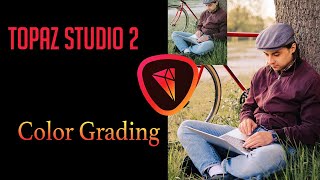
Color Grading Tutorial in Topaz Studio 2
Learn various color grading techniques to give your images a cinematic look using Topaz Studio 2's Dual Tone and Quad Tone filters, along with Photoshop and Luminar 4.

TOPAZ MASK AI: Sky Replacement Tutorial - Simplifying Complex Masking
Learn to replace skies in photos using Topaz Mask AI's new features, including Translucent Mode for fabric and semi-transparent materials. Improve your photo editing skills with this powerful and user-friendly tool.

Topaz Adjust AI - One-Click Image Makeovers Tutorial
Explore the power of one-click image enhancements with Topaz ADJUST AI through 11 diverse examples, showcasing its ability to transform photos effortlessly and effectively.

Stretching Your Colors - Layering Techniques for One-Color Stamping
Learn techniques to create multiple shades from a single ink or cardstock color, enhancing your card-making skills with layering and blending methods for stunning, dimensional results.

1 Stamp, 5 Fast Card-Making Techniques
Learn five quick card-making techniques using stamps, dies, and embellishments to create beautiful designs. Discover creative ways to use vellum, shaker elements, and metallic accents for eye-catching handmade cards.