Photo Art Tutorial - Using Photoshop and Topaz Studio 2
Transform photos into art using Photoshop and Topaz Studio 2. Learn techniques like layer masking, texture application, and AI-powered effects to create stunning digital artwork from your photographs.
Flower Photography Workflow Tutorial - Lightroom, Photoshop, and Topaz Studio 2
Learn to enhance flower photos with a dreamy, ethereal look using Lightroom, Photoshop, and Topaz Studio 2. Master techniques for soft backgrounds, noise reduction, and sharpening in macro photography.

Topaz Remask AI Tutorial - Masking Techniques for Photo Editing
Learn to use Topaz Remask AI for efficient photo editing. Explore mask modes, background removal, edge recovery, and adjustments in this comprehensive tutorial.
Dodging and Burning Techniques in Topaz Studio 2 and Photoshop
Learn effective dodging and burning techniques in Photoshop and Topaz Studio 2 to enhance landscape images and make them stand out. Discover similar methods in both applications for improved photo editing skills.
Topaz Studio 2 - The Impression Filter Tutorial
Transform photos into digital art with the Impression Filter in Topaz Studio 2. Learn techniques inspired by Bob Ross to create expressive, painterly effects and unleash your creativity.
Topaz Studio 2 Tutorial - The Flare Filter
Explore Topaz Studio 2's Flare Filter to enhance light sources in your images with realistic lighting effects, stars, and flares. Learn adjustment sliders and practical application techniques.
Topaz Studio 2 Tutorial - Using the Edges Filter
Comprehensive tutorial on using the Edges Filter in Topaz Studio 2, covering its functionality and practical application through step-by-step demonstrations and real-world examples.

Topaz Studio 2 Tutorial - The Channel Mixer Filter
Explore the Channel Mixer filter in Topaz Studio 2 to enhance your photo editing skills. Learn techniques for adjusting color channels and creating monochrome images with real-world examples.
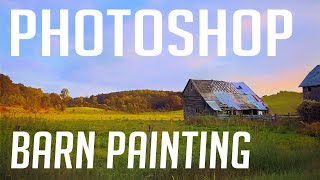
Barn Photo to Digital Painting Tutorial - Photoshop and Topaz Studio
Transform a barn photo into a digital painting using Photoshop and Topaz Studio. Learn techniques for adding detail, adjusting colors, and creating artistic effects in this step-by-step tutorial.
On1 Photo Raw 2018 - The Black & White Filter
Learn to create stunning black and white conversions using On1 Photo Raw's unique features as a Photoshop plug-in. Master color response, channel mixing, toning, and film grain effects.
FilmPack 5 by DXO - Black and White Film Conversion
Learn to convert color images to stunning black and white using FilmPack 5 by DXO. Explore key features, presets, grain, toning, and effects for professional-quality film emulation in Photoshop.

How to Make a Faceless Minimal Vector Portrait with Adobe Illustrator
Learn to create minimal vector portraits in Adobe Illustrator. Master a marketable skill for freelancing on platforms like Etsy and Fiverr. Step-by-step guide for beginners, including finding free photos and portfolio tips.

Doodly Tutorial: Creating Explainer Videos for Beginners
Step-by-step guide to creating engaging explainer videos using Doodly software. Learn to add scenes, props, voiceovers, and music, perfect for beginners looking to develop marketable video creation skills.

VSDC Video Editor Tutorial for Beginners - How to Edit Videos
Step-by-step guide to creating beautiful videos using VSDC's free video editor. Learn to import media, add effects, transitions, and more in this beginner-friendly tutorial.

Video Editing for Beginners Tutorial Using Filmora X
Learn beginner-friendly video editing with Filmora X. Create professional-looking videos using stock footage, photos, and music. Master essential techniques like syncing, effects, transitions, and color matching.
Motion Poster Design in Figma - Modern Animated Poster Design - Prototyping
Learn to create dynamic motion posters in Figma using basic animation techniques, cubic-Bezier curves, and useful plugins. Transform static designs into eye-catching animated graphics.

Create 3D Character with Cinema 4D - 3D Character Design Using Arnold Renderer
Learn to design and render a 3D character using Cinema 4D and Arnold Renderer. Master techniques for creating visually appealing digital characters in this hands-on tutorial.

UI/UX Design with Figma - Design Essentials
Master prototyping and wireframing in Figma. Learn professional presentation techniques for your UI/UX designs, enhancing your skills in creating effective user interfaces and experiences.

UI/UX Design with Figma - Design Essentials
Learn essential Figma techniques: masks, gradients, shadows, and design principles for creating clean, professional UI/UX designs in this concise tutorial.

UI/UX Design with Figma - Design Essentials
Learn Figma's tools and interface to create a basic login screen design in this essential UI/UX tutorial.
Daz Studio PLP Framework – Lighting
Comprehensive guide to Daz Studio lighting techniques, covering environment modes, light types, positioning, and color theory for enhanced 3D renders. Includes practical demonstrations and bonus considerations.