TK7 Combo/CX Panels - Painting with Contrast
Mastering contrast techniques using TK7 COMBO/CX panels for enhanced photo editing. Learn to paint contrast, clouds, and gradients for striking images.
Enhancing Images with TK7 GO Panel - Recovering Light and Saturation
Enhance images using TK7 Go Panel to recover light and saturation with luminosity and zone masks. Learn techniques for improving photo quality and visual appeal.
TK7 Combo/CX Panel - Discovering Triple Play Actions
Explore the Triple Play Actions in TK7 Combo/CX Panel for enhancing brightness, contrast, and detail in your photos. Learn powerful techniques to elevate your image editing skills.
Creating the Perfect Mask with TK7 Go Panel - Tutorial
Mastering TK7 GO PANEL for perfect masks: Learn color masking, infinity color, overlay blending, painting techniques, and zone masking to enhance your photo editing skills.
Topaz Mask AI Tips for Quick and Excellent Results
Discover tips for achieving quick and excellent results with Topaz Mask AI Photoshop plug-in. Learn techniques for refining selections, fixing edges, and optimizing your workflow.
Topaz Studio 2 - Creating Wolf Painting with Impression Filter - Episode 35
Learn to create a stunning wolf painting using Topaz Studio 2's Impression Filter, with additional techniques in Photoshop for enhanced artistic effects.
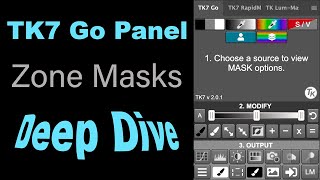
TK7 GO Panel - Zone Masks Deep Dive - Luminosity Masks Unmasked Episode 4
Explore the power of Zone Masks in TK7 GO PANEL for precise photo editing. Learn advanced masking techniques to enhance image details and control tonal values effectively.

Topaz Studio 2 - Black and White Workflow Tutorial
Learn to create stunning black and white images using Topaz Studio 2. Explore filters, conversion techniques, and workflow tips to enhance your monochrome photography skills.
Macro Photography Editing - Featuring Topaz Labs Software
Learn macro photography editing techniques using Topaz Labs software, covering Lightroom adjustments, Photoshop integration, and various plugin applications for enhancing image quality and detail.
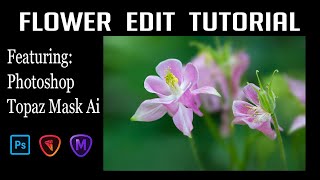
Flower Photography Editing: Enhancing Depth of Field with Topaz Mask AI and Photoshop
Learn to enhance flower photography with advanced editing techniques, isolating subjects and creating stunning shallow depth of field effects beyond camera capabilities.
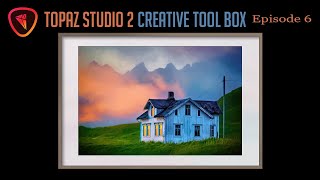
Topaz Studio 2 Creative Toolbox - Episode 7: Smudge and Impression Filters
Explore creative photo editing techniques using Topaz Studio 2, including Photoshop filters, smudge effects, and digital framing for unique and artistic image transformations.

Grand Canyon Photo Editing Tutorial - Topaz, Luminar 4, and Photoshop
Learn advanced photo editing techniques for stunning Grand Canyon images using Topaz, Luminar 4, and Photoshop. Enhance colors, remove distractions, and create breathtaking landscapes with expert guidance.
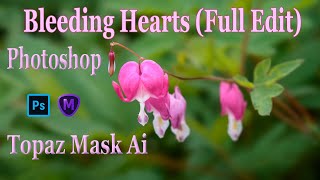
TOPAZ MASK AI and Photoshop: Bleeding Hearts Full Edit Tutorial
Enhance bleeding heart photos using Topaz Mask AI and Photoshop techniques. Learn sharpening, masking, compositing, and painting for stunning floral edits.
TOPAZ STUDIO 2 - Layer Masking 101 - Episode 4
Learn essential layer masking techniques in Topaz Studio 2, including edge wear adjustments, brush masking, dodging, and burning, to enhance your photo editing skills.

Photoshop Plug-ins Workflow Tutorial - Luminar 4 and Topaz Studio 2
Enhance your photo editing skills with Luminar 4 and Topaz Studio 2 plug-ins for Photoshop. Learn advanced techniques for light removal, texturing, and AI-powered enhancements in this comprehensive tutorial.
Photoshop Tutorial - Color Range Selection Tool
Explore the powerful Color Range Selection Tool in Photoshop to enhance image editing skills, remove color tones, adjust contrast, and create precise masks for professional-looking results.
Topaz Studio 2 and Photoshop Tutorial - Creating a Winter Cabin Digital Painting
Transform a winter cabin photo using Topaz Studio 2 and Photoshop. Learn color correction, filters, vignettes, and digital painting techniques to create a stunning winter scene.
Re-Discovering Analog Efex Pro 2 - NIK Collection Tutorial
Explore Analog Efex Pro 2's creative filters to transform digital images into unique, vintage-style photographs. Learn to build custom cameras and save presets for efficient editing workflows.
Photoshop Photo Art Tutorial - Using Topaz Plugins
Transform photos into stunning digital paintings using Topaz plugins in Photoshop. Learn sky replacement, masking, and artistic effects to create unique composite images from ordinary photographs.
Photo Painting Tutorial - Photoshop, Topaz Studio 2, and Luminar 4
Transform photos into stunning paintings using Photoshop, Topaz Studio 2, and Luminar 4. Learn advanced techniques like AI enhancement, object selection, and blending multiple filters for unique artistic results.
Photoshop and Topaz Labs Tutorial - Blue Flower Full Edit Workflow
Comprehensive Photoshop and Topaz Labs workflow for enhancing a blue flower image, covering noise reduction, healing, camera raw adjustments, and advanced editing techniques.