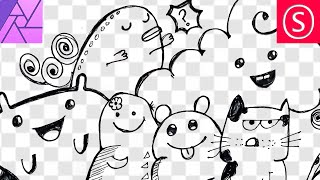
How to Remove Background from Drawings - Affinity Photo + Tourbox Review
Discover techniques for removing backgrounds from drawings, enabling digital colorization and crisp outlines. Learn to create perfect selections and convert drawings to PNGs using Affinity Photo.
Custom Brush - Affinity Photo Tutorial
Learn to create custom, realistic brushes in Affinity Photo for digital painting, retouching, and design. Master techniques for textures, tips, and brush creation in this easy-to-follow tutorial.
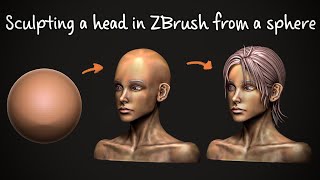
Sculpting a Head From a Sphere in ZBrush
Learn digital head sculpting in ZBrush using traditional techniques. Master facial measurements, stylized hair creation, and non-photorealistic rendering in this real-time tutorial with expert tips and explanations.

Affinity Designer - Easter Card Tutorial
Learn to design an Easter card using simple shapes, color tricks, and adjustable shadows in Affinity Designer. Create eye-catching eggs with custom stripes and a stylish background.

Affinity Photo - How to- Consistent Style - Build Your Brand on Instagram - Tutorial
Create a consistent Instagram brand style using Affinity Photo. Learn to build a master file for uniform photo editing, enhancing your artistic concept and growing your follower base.
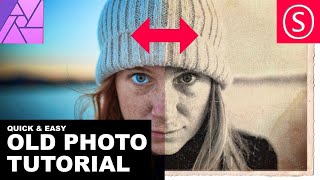
Affinity Photo - Old Photo Look Tutorial
Learn to create authentic 19th-century photo effects in Affinity Photo. Master techniques for aging images, adding textures, and simulating vintage camera characteristics for quick and realistic results.
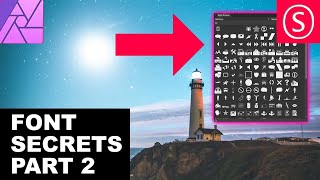
Affinity Photo - Font Secrets Part 2
Discover advanced font techniques in Affinity Photo: identify, install, adjust paragraphs, create swashes, use glyph browsers, and enhance your text designs with professional tips.

Affinity Photo - Liquify Persona Explained
Master Affinity Photo's Liquify Persona: Create caricatures, prepare fashion prints, and explore creative image manipulation. Detailed tool explanations and practical tips for beginners and professionals alike.
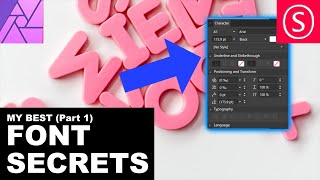
Affinity Photo - Font Secrets
Discover essential font techniques in Affinity Photo, including kerning, superscript, and text manipulation. Master character settings and learn to handle complex fonts with ease.
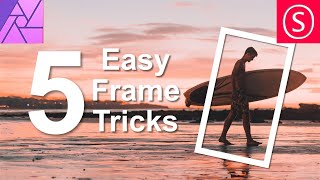
Easy Frame Tricks - Affinity Photo Tutorial
Discover 5 easy techniques for creating stunning frames in Affinity Photo, from pixel layer borders to colorful image masks and layer effect outlines.

Color Profiles and Color Calibration - Affinity Photo Tutorial
Comprehensive guide to color profiles and calibration in digital imaging, covering software settings, monitor calibration, and practical tips for achieving accurate colors across devices.
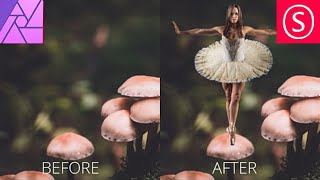
Combine Two Photos - The Easy Way! - Affinity Photo Tutorial
Learn to seamlessly combine photos in Affinity Photo by matching colors, adjusting contrast, and creating ambient light. Master a simple 3-step technique for professional-looking composite images.
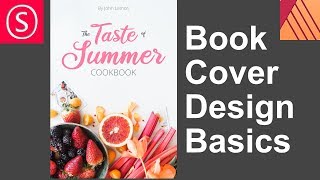
Design a Book Cover - Affinity Publisher Basics
Master book cover design using Affinity Publisher: photo selection, font pairing, color harmony, and layout techniques. Create eye-catching covers with pro tips and free resources.

Mask Like a Pro - Affinity Photo Essentials
Learn five professional masking techniques in Affinity Photo to enhance your images quickly and effectively, including group, color channel, pen/shape, gradient, and brush masks.
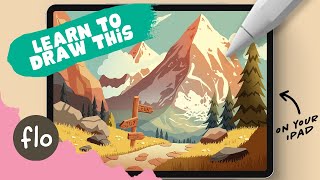
Easy Mountain Landscape Drawing - Step by Step Procreate Tutorial
Step-by-step tutorial for creating a mountain landscape illustration in Procreate, covering essential techniques, detailing, and stylization for digital artists of all levels.

Creating a Sidebar Navigation with Icons - UI/UX & Frontend
Learn to create a sidebar navigation with icons, from Figma prototyping to HTML/CSS implementation. Enhance your UI/UX and frontend skills with this practical tutorial.

The UI-UX of Designing Effective Search Bars
Learn to design effective search bars in Figma, covering interactive states, auto-suggestions, and auto-correct. Gain practical UI/UX skills through hands-on tutorial and create a functional search component.

Designing a Squeeze Page - Email Collection in Figma
Learn to design an effective email collection page in Figma, covering layout, interactive prototyping, and mobile optimization for building a strong subscriber base and launching products or services.

Getting Designer's Block? Try This Tool to Create Awesome Layouts
Discover a tool to overcome designer's block and create unique layouts. Learn to generate, import, and design innovative UI/UX structures in Figma, enhancing your design process.
Protopie Beginner's Tutorial - Prototyping on Steroids
Learn advanced prototyping with Protopie to create interactive UI designs. Transform static Figma/Adobe XD designs into dynamic prototypes with drag-and-drop functionality and complex interactions.
One Quick Way to Create Modern Layouts Easily
Learn to create modern layouts easily using typography, focusing on defining rows and columns for effective UI design.