Photoshop's Color Balance is a Scam
Uncover the truth about Photoshop's Color Balance tool, its mechanisms, and optimal usage. Learn alternative techniques for precise color adjustments in your digital images.
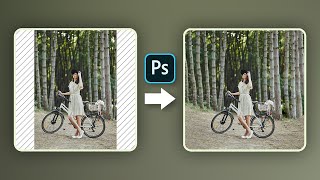
Hate Cropping? - Ways to Expand Photos in Photoshop
Learn three effective techniques to expand photos in Photoshop without cropping, including Content-Aware Fill, Content-Aware Scale, and Mirroring. Perfect for adapting images to various aspect ratios seamlessly.
Reasons to Never Use Levels in Photoshop
Discover why Curves outperforms Levels in Photoshop, offering superior control over brightness, contrast, and color manipulation for more efficient and versatile image editing.

Difference Between "Save As" and "Export As" in Photoshop
Comprehensive guide comparing "Save As" and "Export As" in Photoshop, covering file formats, scaling options, and multiple layer exports for optimal workflow efficiency.
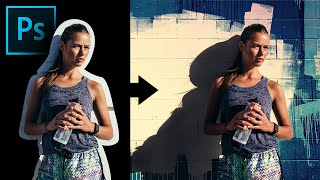
Extract Real Shadows with Solid Color in Photoshop
Learn to extract and recreate realistic shadows in Photoshop using Solid Color Adjustment Layer, Channels, Masks, and Blend Modes for seamless compositing and photo manipulation.
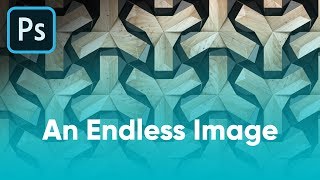
Ways to Convert an Image to Seamless Pattern - Photoshop Tutorial
Learn three effective techniques to transform images into seamless patterns using Photoshop, including inversion, content-aware fill, and precise cropping for professional-looking results.
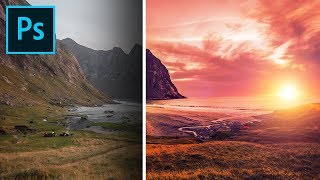
Formula for Colorful Landscapes in Photoshop
Learn a 3-step technique to enhance landscape photos in Photoshop, using blend modes, filters, and adjustments to create dramatic, colorful, and dreamy effects in your images.
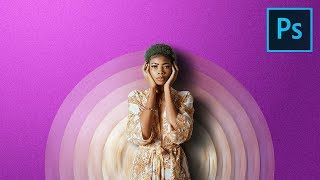
Make Your Portraits Stand Out with Abstract Designs - Photoshop Tutorial
Learn to create eye-catching abstract portrait designs using Photoshop's Blur Filters and Masking techniques. Discover how to craft twisted circular backdrops and align them into elegant discs for unique composites.
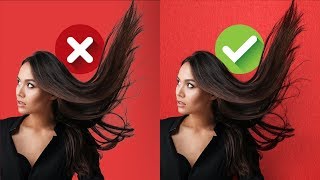
Blend Modes for Realistic Hair Masking in Photoshop
Master realistic hair masking in Photoshop using blend modes. Remove edge fringe, match hair with new backgrounds, and create textures with gradients and filters for professional-looking results.
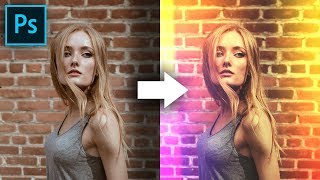
Build Creative Light Overlays and Presets in Photoshop
Create stunning light overlays in Photoshop using gradients, clipping masks, and blend modes. Learn to make customizable presets for light leaks and flares, plus add texture and color grading to enhance your images.
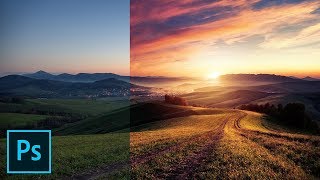
Fake the Sun in Photoshop
Learn to create realistic sun effects in Photoshop using gradients, blend modes, and adjustments. Transform flat landscapes into dramatic sunset scenes with step-by-step techniques.
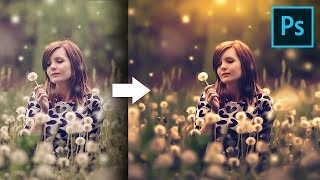
Unusual Slider to Create Painterly Effect in Photoshop
Discover a hidden slider in Adobe Camera RAW to create dreamy, painterly effects. Learn color grading, sun flares, and dodging techniques to enhance your images in Photoshop.

Colorize Black and White with Realism in Photoshop
Learn realistic techniques for colorizing black and white images in Photoshop, focusing on natural skin tones using color palettes, Hue/Saturation adjustments, and Blend-If for seamless application.
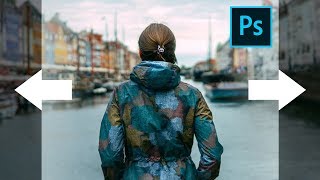
Stretch Complex Images with Buildings or Trees - Photoshop Tutorial
Learn techniques to stretch complex images with buildings or trees using Content-Aware Fill and additional tricks in Photoshop, with three examples covering various scenarios.

Secret Steps to Nail Instagram Quality - Photoshop Tutorial
Learn 6 crucial steps to enhance Instagram photos using Photoshop, covering color accuracy, sharpness, and compression techniques for standout images that maintain quality after upload.

The Expressiveness of Photo Editing - Affinity Photo Talk and Tutorial
Explore diverse photo editing techniques to create unique expressions and artistic styles, emphasizing experimentation with various tools, adjustments, and effects to find your personal aesthetic.
Easy 360 Photo Guide - Affinity Photo Tutorial
Learn to create stunning 360° photos using smartphones or GoPro, edit them in Affinity Photo, and view them in VR headsets. Discover budget-friendly options and expert tips for impressive results.
How Should You Adjust Your Photos? Find Your Style - Affinity Photo Tutorial - Beginner Friendly
Discover how to develop your unique photography style through adjustments in color, contrast, and composition. Learn to express your vision and create impactful images.
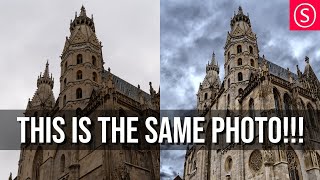
Viveza 3 - Affinity Photo Plug-In Tutorial - Nik Collection
Explore Viveza 3, a powerful Nik Collection plug-in for Affinity Photo. Learn to relight scenes, recover highlights, and make precise selections using Control Points, Luminance, and Chrominance Mask Sliders.

Child Layers Explained - Affinity Photo Tutorial
Comprehensive tutorial on child layers in Affinity Photo, covering basics, practical applications, masking techniques, and troubleshooting common issues like glow effects.
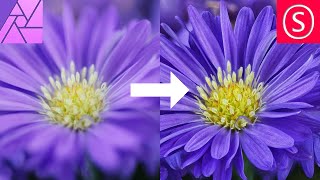
Focus Stacking - Focus Merging in Affinity Photo - How to - Beginner Tutorial
Comprehensive guide to focus stacking in Affinity Photo, covering camera setup, equipment tips, settings, and post-processing techniques for improved macro photography results.