
Adobe XD Masterclass - Tips and Tricks for Improved Design Workflows
Learn essential Adobe XD tips and tricks to enhance your design skills and workflow efficiency. Explore layout techniques, component creation, icon design, and effective use of typography and color in UI/UX projects.

Premiere Pro Basics: Your First Edit Masterclass - Part 1
Learn Premiere Pro basics: importing, assembling sequences, using timeline tools, and exporting. Perfect for beginners starting their editing journey with step-by-step guidance on essential features and techniques.
Typography Posters Design Masterclass
Explore typography as an illustration tool in poster design with Adobe Evangelist Paul Trani. Learn hand lettering, scaling, customization, and pattern creation techniques in Illustrator.
Designing for Web in Photoshop and XD - Part 1
Learn web design techniques in Photoshop with expert tips on asset organization, layout creation, and client communication. Discover how to prepare designs for Adobe XD prototyping and enhance your workflow.

Typography Basics and Choosing the Perfect Font - Adobe Fonts Tutorial
Discover typography essentials and Adobe Fonts with experts. Learn to select ideal fonts, explore font history, and gain practical tips for effective design in this informative session.

Developing Identity Systems for Brand Campaigns - Part 1
Learn to create cohesive brand identity systems with pro tips on messaging, fonts, inspiration, client presentations, and design processes from experienced graphic designer Kendall Henderson using Adobe tools.
Getting Started with Adobe Fonts in Any App, Anywhere
Comprehensive guide to using Adobe Fonts across various Creative Cloud apps, including tips for customization and integration with Adobe Stock templates.
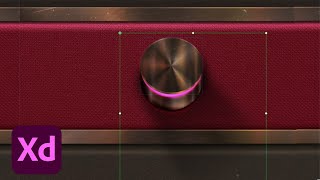
Adobe XD Masterclass: Skeuomorphic Dial Design Techniques - Episode 56
Explore advanced Adobe XD techniques for creating realistic skeuomorphic dials, including layering, shadows, textures, and 3D effects to enhance your design skills and workflow efficiency.
Design Masterclass - Illustrator on iPad
Learn to create unique designs using Illustrator on iPad with Adobe Evangelist Paul Trani. Explore new features, refine outlines, add elements, and master essential tools for professional-quality illustrations.

Designing a Coffee Delivery App in Adobe XD - Part 1
Learn to design a coffee delivery app using Adobe XD. Explore research methods, prototyping techniques, and essential UX/UI design principles. Gain insights on user engagement, wireframing, and effective feature implementation.
Illustration Masterclass: Live Oil Painting Techniques in Adobe Fresco
Master digital oil painting techniques in Adobe Fresco with Kyle T. Webster. Learn color mixing, brush customization, and realistic texturing to elevate your digital illustrations.

Adobe XD Masterclass - Redesigning the Bestla App - Episode 55
Explore advanced Adobe XD techniques for redesigning the Bestla app, including branding, component creation, stacks, illustrations, and designing for specific device features.

Brand Refresh in Illustrator: Logo Design and Color Palette - Part 1
Graphic designer Whitney Anderson demonstrates a brand refresh for a ceramics company, covering logo design, color palette creation, and application to print materials using Adobe Illustrator.

Photoshop Masterclass: Photo Manipulation Techniques
Learn advanced Photoshop techniques for photo manipulation, including color adjustments, distortion tools, image blending, and creating collages. Master essential skills to transform and combine images creatively.

Logo Design Challenge - Kombucha Brand Using Illustrator
Learn to design a Kombucha brand logo using Illustrator's pen and slice tools in this hands-on challenge. Develop your skills through practical application and community feedback.
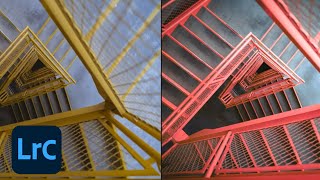
Lightroom Workflows for Abstract Architecture Photography - Part 2
Explore advanced Lightroom techniques for abstract architecture photography with Tobi Shinobi. Learn pre-production strategies, local adjustments, curves, and pro tips to enhance your editing workflow and creative vision.

Adobe XD Masterclass: Designing Maps and Menus with Plugins - Episode 20
Explore Adobe XD tips and tricks with Howard Pinsky, focusing on plugin usage, map design, menu creation, and prototyping to enhance your design workflow and efficiency.

Exploring Personal Projects and Mental Health in Illustration
Illustrator Octavia Bromell guides a workshop on personal projects, exploring their impact on mental health and creative growth through live sketching and Q&A.

What's New in Adobe XD - UI/UX Design Features
Explore latest UI/UX design features in Adobe XD with Sr. Evangelist Howard Pinsky. Learn to design a notes app using Scroll Groups and Stacks in this hands-on demonstration.

What's New in Creative Cloud and Photography - Latest Tools in Lightroom and Photoshop
Explore the latest Creative Cloud innovations with Adobe executives, featuring new Photoshop and Lightroom tools for enhanced photo editing and seamless workflows across desktop and iPad.

Introduction to Logo Design in Adobe Illustrator - Part 1
Learn logo design fundamentals with Alex Lazaris as he creates a coffee brand identity using Adobe Illustrator, covering font selection, circular logo creation, and badge design techniques.