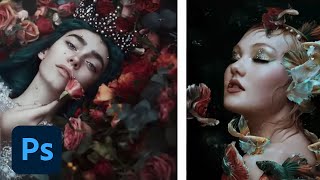
Editorial and Fantasy Photo Editing with Bella Kotak - Part 2
Explore advanced photo editing techniques with Bella Kotak, focusing on compositing, retouching, and color toning for editorial fantasy pieces using Adobe tools.
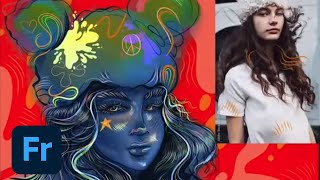
Designing Characters in Adobe Fresco - Part 1
Learn to create unique characters in Adobe Fresco with Melissa Showers. From sketches to vector and pencil techniques, explore the full creative process of character design, including colors, backgrounds, and animation tools.
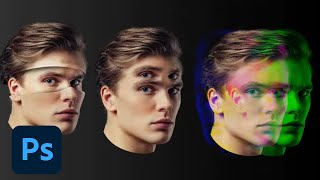
Photoshop Masterclass: Photomanipulation Ideas and Techniques
Explore surreal photo manipulations using advanced Photoshop techniques. Learn to create bizarre and fun effects beyond simple filters, unleashing limitless creative possibilities for any image.
Fantasy Photo Compositing in Photoshop - Part 1
Learn advanced Photoshop techniques for fantasy photo compositing with photographer Renee Robyn. Master skin retouching, textures, lighting effects, and background creation to transform ordinary photos into magical worlds.
Editing TikTok Videos in Premiere Pro - Part 2
Master TikTok video editing with Premiere Pro: Learn stabilization, color grading, transitions, and expert tips for creating engaging content. Gain insights from professionals to enhance your editing skills.
Editing TikTok Videos in Premiere Pro - Part 1
Learn to create engaging TikTok videos with Premiere Pro. Discover editing techniques, transitions, effects, and project organization tips from professional editor Camila Santander.
Designing a Custom Book Cover - Part 1
Designer Casey Moses demonstrates hand lettering and illustration techniques to create unique book covers using Adobe Fresco, InDesign, and Photoshop, offering insights on composition, layout, and typography for aspiring book cover designers.
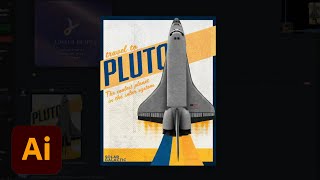
Creating a Poster in Adobe Illustrator - Creative Basics 201
Learn to design a poster in Adobe Illustrator with expert tips on color palettes, typography, gradients, and special effects. Gain practical skills for creating eye-catching designs from professional brand identity designers.
Designing Star Wars Themed Propaganda Posters in Photoshop - Part 2
Learn to design Star Wars-themed propaganda posters in Photoshop with Brady from Texturelabs. Master techniques for silhouettes, textures, typography, and color to create impactful designs with a vintage feel.
Designing Star Wars Themed Propaganda Posters in Photoshop - Part 1
Learn to design Star Wars-inspired propaganda posters in Photoshop with Brady from Texturelabs. Master techniques for image prep, color, shadow, typography, and texturing to create stunning vintage-style designs.
Creating Custom Patterns in Adobe Illustrator - Foundations Challenge
Learn to create custom brand patterns in Illustrator using pathfinder tools, color palettes, and various techniques. Explore squiggly lines, random shapes, clipping masks, and logo integration for unique designs.
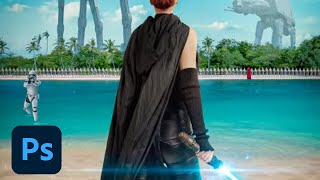
Creating a Sci-Fi Movie Poster in Photoshop - Professional Techniques
Learn to create a professional Sci-Fi movie poster in Photoshop using Adobe Stock images, advanced compositing techniques, and industry-standard design practices with expert guidance from Jesús Ramirez.
Designing Packaging Dielines in Illustrator - Marketing Challenge
Learn to design product packaging using Illustrator. Create dielines, set up layers, add flaps and glue tabs, and color-code folding lines in this hands-on tutorial for marketers and designers.
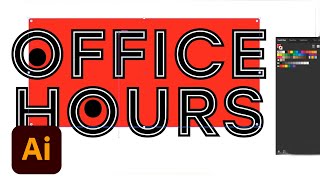
Advanced Vector Design Techniques in Adobe Illustrator - Creative Basics 201
Enhance vector design skills with advanced Adobe Illustrator techniques. Learn Pathfinder tools, Shape Builder, compound paths, and type manipulation for maximizing creative potential.

Amazing Photoshop Masking Secrets, Tips, and Tricks
Discover 10 advanced Photoshop masking techniques to enhance your image editing skills, including AI-powered background removal, custom brush creation, and efficient layer mask shortcuts.
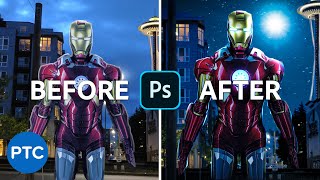
Editing Your Photos - Photoshop Compositing
Learn advanced Photoshop compositing techniques to create an Iron-Man image, including perspective correction, color adjustments, masking, and sky replacement in this comprehensive tutorial.

How to Recreate This Beautiful Album Cover in Photoshop
Learn to recreate David Bowie's iconic album cover using Photoshop techniques. Master background creation, pixelation, portrait editing, gradient mapping, and text styling for stunning graphic design results.
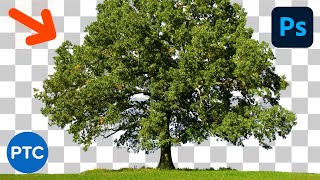
Powerful Techniques to Cut Out Trees in Photoshop - Without Halos or Fringing
Learn three powerful Photoshop techniques for cutting out trees without halos or fringing, including Blend If, channel-based masking, and custom tree brushes. Gain versatile skills for various masking tasks.
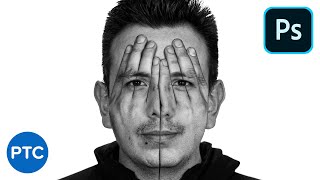
Amazing Photoshop Double Exposure Hand Face Effect
Learn to create a stunning double exposure effect in Photoshop, combining hands and face images for a unique visual impact. Master advanced techniques like vector masks, blending modes, and selective adjustments.

Recreate The Flash Running Lightning in Photoshop - Copycat
Learn to recreate The Flash's running lightning effect using Photoshop and After Effects. Master background removal, blurring techniques, and three methods for creating and compositing realistic lightning.
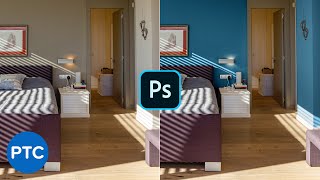
How to Change Wall Color in Photoshop - Pro Technique
Learn two pro techniques for changing wall colors in Photoshop, including a simple method and an advanced approach for precise control over image colors and adjustments.