Illustrator Daily Creative Challenge: Typography-Based Social Media Post Design
Learn to create eye-catching typography-based social media posts using Illustrator's type tools. Explore font activation, text hierarchy, custom type design, and alignment techniques in this hands-on challenge.
Cinematic Photo Editing in Lightroom Classic and Photoshop - Part 1
Learn cinematic photo editing techniques in Lightroom and Photoshop with photographer Idara Ekpoh. Master color grading, dodging and burning, selective adjustments, and creative effects to elevate your images.
Emulating Pencils and Graphite in Photoshop - Digital Drawing Techniques
Explore digital pencil drawing techniques in Photoshop using custom brushes to emulate traditional graphite tools. Learn shading, texturing, and various pencil effects for realistic digital artwork.
Bringing Illustrations to Life: From Illustrator to Photoshop - Part 1
Learn to create dynamic space-themed illustrations using Adobe tools. Follow Michael Fugoso's process from sketching in Illustrator to adding textures in Photoshop and bringing designs to life in Aero.
Creative Basics 101 - How to Make a Logo
Learn logo design essentials, from sketching to vectorization, with expert guidance on principles, common mistakes, and practical techniques for creating effective and visually appealing logos.
Organizing and Finding Your Photos Fast - Adobe Lightroom Photography Masterclass
Master efficient photo organization and retrieval in Adobe Lightroom with expert Terry White. Learn metadata, keywords, collections, facial recognition, and advanced search techniques for seamless image management.
Magical Packaging Design for Video Game Shop Items - Part 2
Discover magical packaging design techniques for video game shop items with VooDoo Val. Learn to create colorful, extraordinary designs using Creative Cloud tools and enhance your workflow.
Illustrator Basics - Creative Workflow and Tools Introduction
Learn Illustrator basics with experts Nick Longo and Andrew Hochradel. Explore tools, workflows, and essential techniques for vector graphics, shape building, typography, and file management in this comprehensive tutorial.

Packaging Design for a Beverage Company - Part 1
Creative Director Chris Porter demonstrates branding and packaging design for a fictional beverage company, covering brand naming, color selection, illustration techniques, client communication, and industry insights.
Designing a Restaurant Logo and Brand Identity - Part 2
Hands-on logo design tutorial for a French restaurant, covering icon creation, wordmark design, color selection, and mockup development using Adobe Illustrator and Photoshop.
Designing a Restaurant Logo in Adobe Illustrator - Part 1
Learn logo design for a rustic modern French restaurant with Danielle LaBonté. Covers competitor analysis, moodboard creation, font selection, and essential design techniques using Adobe Illustrator.
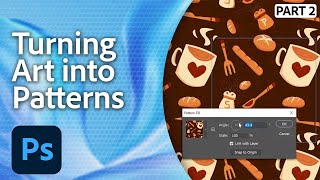
Maximize Your Adobe Creative Cloud - Recycling Patterns
Transform a single pattern into diverse designs using Adobe Creative Cloud. Learn to rebrand efficiently, create social media templates, and maximize your creative assets with expert techniques.
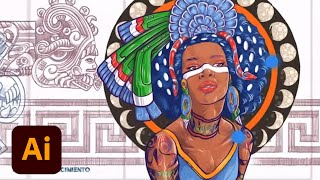
Designing a Mural Inspired by Aztec Gods and Goddesses - Part 2
Explore mural design with artist DeltaTangoMike as he creates an Aztek-inspired piece using Adobe Fresco and Illustrator. Learn sketching, coloring, and vector techniques for large-scale artwork.
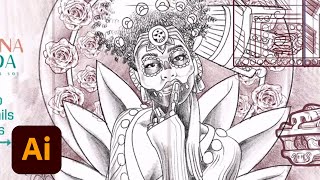
Designing a Mural Inspired by Aztec Gods and Goddesses - Part 1
Watch multidisciplinary artist DeltaTangoMike illustrate an Aztek-inspired mural using Adobe Fresco and Illustrator, covering sketching, composition, linework, coloring, and professional tips for aspiring artists.
Quick Photo Editing in Lightroom - Part 1
Master Lightroom editing techniques with expert Aaron Nace. Learn to use presets, adjustment brushes, and advanced tools for efficient photo enhancement. Ideal for photographers seeking to elevate their editing skills.
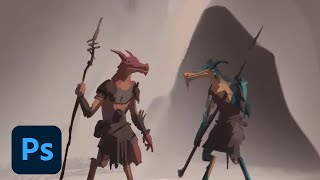
Drawing for Animation Storyboards - Fantasy Project in Photoshop
Illustrator Sam Peterson demonstrates storyboarding techniques for fantasy animation, covering sketching, coloring, and lighting in Photoshop. Learn professional tips for character design and digital painting workflows.
Creating a Travel Booklet in Adobe InDesign - Part 1
Learn to create a Hawaii travel booklet using Adobe InDesign and Illustrator. Follow designer Kristy Campbell's process, from color selection to typography and incorporating hand-drawn elements for a unique, professional design.
Designing Movie Posters in Photoshop - Part 2
Learn advanced Photoshop techniques for creating unique movie posters, including background removal, custom brush design, and integrating multiple images into a cohesive design. Real-time feedback incorporated.
Creating Brand Identity for a Recycled Clothing Store - Part 1
Graphic designer Paola Kassa demonstrates her brand identity design process for a recycled clothing store, covering research, mood boards, logo creation, and mock-ups using Adobe Illustrator and Photoshop.
Designing Movie Posters in Photoshop - Part 1
Learn advanced Photoshop techniques for creating captivating movie posters with designer Jesús Ramirez. Master background removal, custom brush design, and seamless image integration in this interactive tutorial.
Video Editing 101: Creating Standout YouTube Thumbnails
Learn to create eye-catching YouTube thumbnails using Premiere Pro and Photoshop. Master frame selection, text addition, image editing, and design techniques to make your videos stand out.