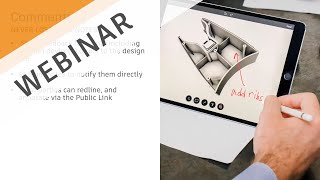
Working from Home - Collaboration Made Easy
Discover cloud-based tools in Fusion 360 for seamless remote collaboration, real-time communication, and easy sharing of 3D models and drawings with stakeholders, enhancing productivity while working from home.

Fusion 360 Live - Stump the Chump
Live problem-solving session demonstrating Fusion 360 techniques, including projecting profiles, dimensioning, revolving, shelling, and sketching, as an expert tackles a real-world drawing challenge.

Organic Meshes in Fusion 360
Learn to create organic-looking objects in Fusion 360 using the Pipe command. Discover tips for quickly designing unique shapes like glass vases and cylinders with mesh-based techniques.
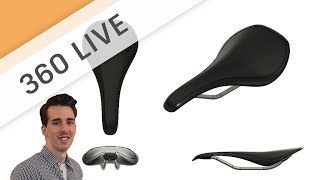
Sketch to 3D Concept - Designing a Bicycle Saddle
Learn freeform sculpt modeling for conceptual design, focusing on techniques like creating forms, adding details, and modifying shapes using various tools in a bicycle saddle design project.
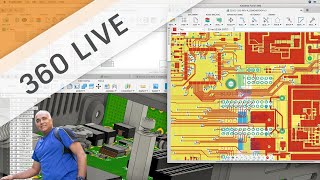
Getting Started with Fusion 360 Electronics
Introduction to Fusion 360's electronic workspace, covering schematic and circuit board editing. Learn to access libraries, add components, use commands, and create board layouts for electronic design projects.
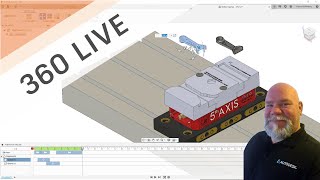
Using the Animation Workspace for Manufacturing Instructions
Learn to create machining job setup guides using Fusion 360's Animation Workspace. Enhance CNC program setup sheets, streamline operator training, and document standard procedures effectively.
ANYCAD - Successfully Using Non-Fusion 360 Data in Fusion 360
Learn to seamlessly integrate non-Fusion 360 CAD files into your workflow. Explore ANYCAD technology for referencing external files, handling legacy data, and collaborating across different CAD systems.
Photorealistic Rendering Like a Pro
Learn photorealistic rendering techniques in Fusion 360, from basics to advanced tips. Master HDRI, studio setups, lighting, and rendering settings for stunning ray-traced images of your designs.
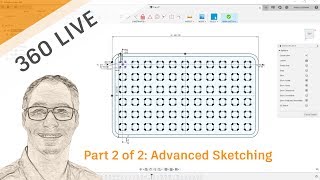
Advanced Sketching
Master advanced sketching techniques in Autodesk, covering dimensions, patterns, 3D geometry, and more. Enhance your design skills with expert tips and practical demonstrations.
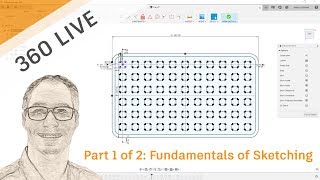
Fundamentals of Sketching
Learn essential sketching techniques in Fusion 360, covering primitives, constraints, and geometry projection. Perfect for CAD beginners seeking to master fundamental design skills.
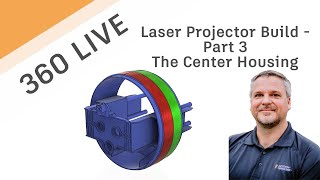
Laser Projector Build - The Center Housing
Detailed walkthrough of creating a laser projector's center housing, covering injection molding, PCB integration, and assembly techniques in Autodesk Fusion 360.

Custom Electronic Components
Learn to create custom electronic components in Fusion 360, from symbols and footprints to 3D model mapping, enhancing your PCB design capabilities.
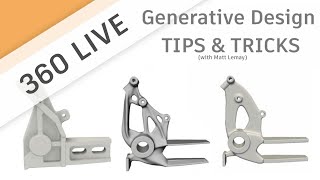
Generative Design Tips & Tricks
Discover expert tips and tricks for maximizing Generative Design in Fusion 360, covering manufacturing techniques, cost analysis, and advanced features for optimal design outcomes.

Designing Laser Cut Joinery in Fusion 360
Learn to design various laser-cut joinery techniques in Fusion 360, including sliding dado, lap, mortise and tenon, and stepped dovetail joints, for creative and dimensional 3D-to-2D prototyping.

Autodesk Fusion 360 - Working with Drawings in Fusion 360
Learn to create detailed drawings in Fusion 360, covering feature recognition, section views, exploded views, and parts lists for efficient design documentation and communication.

Working with STLs, Meshmixer and Fusion 360
Learn to manipulate 3D mesh data using Meshmixer and Fusion 360. Explore techniques for cleaning scans, merging models, and editing non-solid formats. Enhance your 3D modeling skills with powerful mesh manipulation tools.

Design a Tufted Headboard in Fusion 360
Learn to model a tufted panel headboard using Fusion 360's sculpting and modeling tools. Follow a step-by-step process from frame design to button creation, enhancing your 3D furniture design skills.

Designing a Lasercut Laptop Stand with Fusion 360
Learn to design a lasercut laptop stand using Fusion 360, covering sketching, dimensioning, extruding, and more. Watch an expert handle common mistakes in this comprehensive tutorial.

GoTimbers CNC Project - Part 1
Learn to create a CNC wood trophy using Fusion 360, from model setup to design techniques for commemorating a soccer team's victory.
3D Printing with Fusion 360 - Featuring Immersedn3D
Learn 3D printing techniques with Fusion 360, featuring expert James Alday. Explore model exporting, color options, modifiers, components, sculpting, tolerances, parameters, and more for enhanced 3D printing skills.
Why Surface Inspection Is Worth Upgrading to the Machining Extension - Autodesk Fusion 360
Explore Surface Inspection in Fusion 360 Machining Extension to enhance efficiency, reduce setup times, and improve part quality through digital probing and in-process inspection techniques.