Intermediate Surface Modeling for Fusion 360
Intermediate surface modeling techniques in Fusion 360, featuring real-life examples from FXR Racing. Learn new tools and apply them to practical problems, with insights on rapid prototyping using 3D printing.
Fusion 360 and Furniture Design - Parameters for Production
Learn to leverage Fusion 360's Parameters function for efficient furniture design and production. Master techniques for custom sizing, built-ins, and streamlined business processes in this hands-on workshop.

Fusion 360 and Furniture Design - The Basics
Learn Fusion 360 basics for furniture design, including solid modeling, joints, and parameters. Create a taper jig while exploring essential tools and techniques for successful industry projects.
Inspecting Your Components with Fusion 360 - Manual Measure
Learn to inspect and measure components in Fusion 360 for precise CNC and 3D printing. Explore manual measurement tools, recording techniques, and creating custom measures for optimal part fit.
NC Code Advanced Session - How to Make a Cycle Counter
Explore advanced NC code techniques to create a cycle counter and shift report, enhancing machining efficiency and production tracking capabilities.
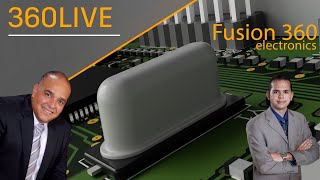
Electromechanical Workflows Using Fusion 360 Electronics
Comprehensive overview of Fusion 360's electronic design capabilities, covering schematic creation, PCB layout, 3D integration, and collaboration features for electromechanical projects.
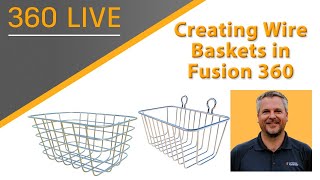
Creating Wire Baskets with Fusion 360
Learn to create parametric wire baskets efficiently using Fusion 360's powerful tools. Explore techniques for loops, symmetry, and custom forms in this step-by-step tutorial.
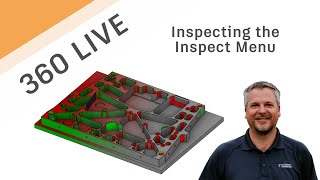
Fusion 360 Live - Inspecting the Inspect Menu
Comprehensive walkthrough of Fusion 360's Inspect menu, exploring various commands and their benefits for 3D modeling and analysis.
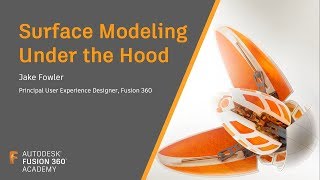
Fusion Academy Refresher - Surface Modeling Under the Hood
Explore advanced surface modeling techniques in Fusion 360, focusing on splines, sweeps, lofts, and patches. Learn robust solutions for common challenges and gain in-depth knowledge of the underlying technology.
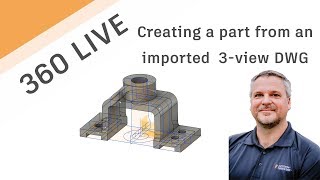
Using 2D DWG-DXF to Create 3D Model
Learn to transform 2D DWG/DXF files into 3D models using Autodesk tools. This tutorial covers importing, exporting, sketching, extruding, and utilizing various features to create detailed 3D designs from 2D drawings.
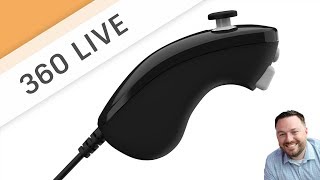
Sculpt a Nunchuck Controller
Learn to model a Nunchuck Controller using t-splines in Fusion 360. This live stream covers techniques like canvas usage, calibration, editing, manipulations, and solid modeling for creating detailed 3D designs.
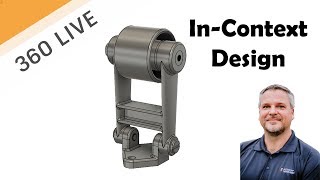
Creating In-Context Designs
Learn to create multi-part designs in context using Autodesk software. Master techniques like extrusion, lofting, and isometric sketching to build complex assemblies efficiently.

Using T-Splines to Convert a Mesh to a Solid
Learn to convert meshes into solids using T-Splines in Autodesk Fusion 360. Master techniques like sculpting, adjusting shapes, and troubleshooting for efficient 3D modeling workflows.
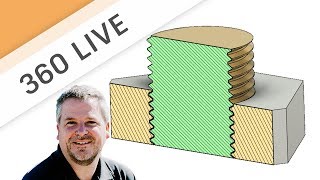
3D Printed Threads
Explore tips and tricks for 3D printed threads, including clearance, importing models, cleaning techniques, thread inserts, and creating custom threads in Fusion 360.
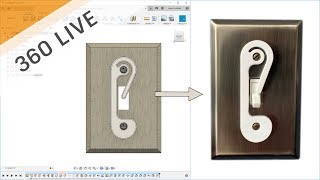
Let's Design Something Easy and Practical - A Light Switch Guard
Learn to design a practical light switch guard using Fusion 360. This beginner-friendly tutorial covers essential 3D modeling techniques for creating a simple, functional object in just 15 minutes.
Bringing SVG Files into Fusion 360
Learn to import and utilize SVG files in Fusion 360 for creating profiles, including tips on text manipulation, engraving, and tool path creation for CNC machining projects.

Design a 3D Printed Flag Pole Mount
Learn to design a 3D-printable flag pole mount using Fusion 360. This step-by-step tutorial covers sketching, extruding, adding features, and creating complex geometries for a functional and aesthetically pleasing result.
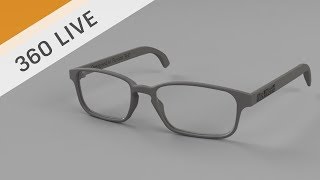
Designing 3D Printed Prescription Glasses
Explore the process of designing and 3D printing custom prescription glasses using Fusion 360, from sketching to manufacturing with HP Multi-Jet Fusion technology.
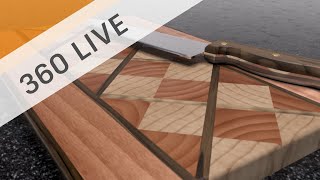
Design a Laminated Cutting Board
Learn to design a laminated cutting board using Fusion 360, focusing on techniques like copying, pasting, mirroring, and patterning parts to create an attractive and functional design.

Sculpting Generative Results
Learn to modify generative design results using t-splines in Fusion 360. Master techniques like edge manipulation, work plane creation, and symmetry tools to refine and optimize your 3D models.
Fusion 360 Live - Pattern on a Path
Learn to use Pattern on a Path in Fusion 360, including creating shapes, construction geometry, and splines. Master extrude, offset planes, sketching techniques, and various project methods for efficient 3D design.