
Affinity Photo - Old Photo Look Tutorial
Learn to create authentic 19th-century photo effects in Affinity Photo. Master techniques for aging images, adding textures, and simulating vintage camera characteristics for quick and realistic results.
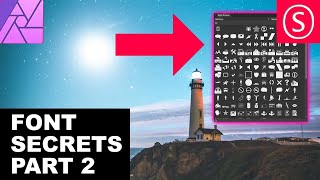
Affinity Photo - Font Secrets Part 2
Discover advanced font techniques in Affinity Photo: identify, install, adjust paragraphs, create swashes, use glyph browsers, and enhance your text designs with professional tips.

Affinity Photo - Liquify Persona Explained
Master Affinity Photo's Liquify Persona: Create caricatures, prepare fashion prints, and explore creative image manipulation. Detailed tool explanations and practical tips for beginners and professionals alike.

Affinity Photo - Font Secrets
Discover essential font techniques in Affinity Photo, including kerning, superscript, and text manipulation. Master character settings and learn to handle complex fonts with ease.

Easy Frame Tricks - Affinity Photo Tutorial
Discover 5 easy techniques for creating stunning frames in Affinity Photo, from pixel layer borders to colorful image masks and layer effect outlines.
Color Profiles and Color Calibration - Affinity Photo Tutorial
Comprehensive guide to color profiles and calibration in digital imaging, covering software settings, monitor calibration, and practical tips for achieving accurate colors across devices.
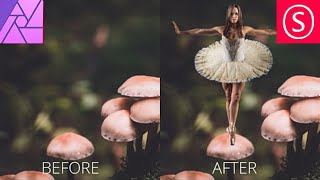
Combine Two Photos - The Easy Way! - Affinity Photo Tutorial
Learn to seamlessly combine photos in Affinity Photo by matching colors, adjusting contrast, and creating ambient light. Master a simple 3-step technique for professional-looking composite images.

Design a Book Cover - Affinity Publisher Basics
Master book cover design using Affinity Publisher: photo selection, font pairing, color harmony, and layout techniques. Create eye-catching covers with pro tips and free resources.

Mask Like a Pro - Affinity Photo Essentials
Learn five professional masking techniques in Affinity Photo to enhance your images quickly and effectively, including group, color channel, pen/shape, gradient, and brush masks.

Dark Black Portrait Style - Affinity Photo Tutorial
Learn to create striking dark-skinned portrait art in Affinity Photo. Master composition, skin effects, background gradients, hair masking, skin retouching, and final adjustments for professional results.

Dreamy Warm Light Baby Photo Tutorial - Affinity Photo
Learn to create dreamy, warm baby photos using Affinity Photo. Master white balance, color adjustments, soft light techniques, and 3D lighting effects for stunning results.

Gold Text Effect - Affinity Photo Tutorial
Learn to create stunning gold text effects in Affinity Photo, including realistic textures, 3D lighting, and gold dust animation techniques for eye-catching designs.

Realistic Shadow - Affinity Photo Tutorial
Master realistic shadow creation in Affinity Photo with step-by-step techniques for shaping, blurring, adjusting, and blending, enhancing your photo editing skills.

How Influencers Edit Their Photos - Affinity Photo Tutorial
Learn effective photo editing techniques for social media, including image sizing, font selection, and content strategies to boost engagement and create compelling posts across platforms.
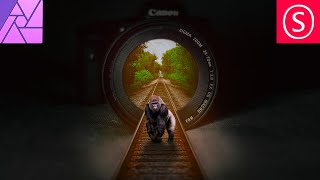
Camera Lens Train Track Photo Manipulation - Affinity Photo Beginner Tutorial
Learn to create a surreal photo manipulation of train tracks emerging from a camera lens using Affinity Photo, with step-by-step guidance on selection, blending, and visual effects.

Make Better Micro Worlds - Affinity Photo Tutorial
Learn 6 techniques to enhance micro world creations in Affinity Photo, from 3D cube modeling to adding playful details, text, and perfecting lighting and contrast for stunning miniature scenes.

Affinity Photo Crash Course for Web Designers - Photoshop Alternative
Learn Affinity Photo 2, a Photoshop alternative for web designers. Master UI, retouching, color editing, background removal, grading, and layout integration in this concise tutorial.
Why I Ditched Photoshop for Affinity Photo on iPad
Discover why Affinity Photo outperforms Photoshop on iPad, exploring its superior features and capabilities for digital image editing and manipulation.

Affinity Photo's Live Filters - A Powerful Feature Absent in Photoshop
Explore Affinity Photo's powerful Live Filters feature, surpassing Photoshop's capabilities. Learn how this heavyweight tool enhances photo editing workflows and expands creative possibilities.
Photoshop vs Affinity Photo - Ultimate Masking Showdown
Compare masking techniques in Photoshop and Affinity Photo, exploring their strengths in creating and utilizing masks for image editing and manipulation.

Use AI to Remove Anything from Photo - OpenAI Dall-E 2 and Stable Diffusion 360 Virtual Tour Tutorial
Learn to enhance 360 photos using AI tools like DALL-E 2 and Stable Diffusion. Master inpainting techniques in Photoshop and Affinity Photo to remove unwanted elements from virtual tour images.