Affinity Photo Essentials - Levels, Clarity, Warm Light
Learn essential Affinity Photo techniques for enhancing images, including level adjustments, clarity filters, unsharp mask, selective color, and creating soft light effects to achieve professional-looking results quickly.

How to Get Started in Affinity Photo
Discover essential tips and hidden tricks to quickly master Affinity Photo, from basic setup to advanced techniques. Go from beginner to expert in just 20 minutes.
7 Design Techniques for Photoshop and Affinity Photo
Master seven essential design techniques that seamlessly work across both Photoshop and Affinity Photo, from perspective tools and auto-enhancement to smart objects and color modification.

Game Environment Creation - Blender & Unity
Comprehensive tutorial on creating a dungeon castle game environment using Blender, Affinity Photo, and Unity, covering modeling, texturing, lighting, and post-processing techniques.

Texturing Car Game Asset in Blender - Timelapse Tutorial
Comprehensive tutorial on unwrapping and texturing a low-poly car game asset in Blender and Affinity Photo, focusing on PBR texturing with a minimal style for next-gen low poly aesthetics.
Portrait Art Style Inspired by Magdiel Lopez - Affinity Photo Tutorial
Learn to create stunning portrait art inspired by Magdiel Lopez using Affinity Photo. Master duotone coloring, texturing, background design, and blending techniques for eye-catching results.
Affinity Photo - BW Colorization Intro
Learn to colorize black and white photos using Affinity Photo. Master techniques for realistic skin tones, hair, and features through hands-on exercises with a color-to-BW-to-color approach.
360° Photo Editing Workflow - Affinity Photo Tutorial for Virtual Tour Pros
Learn advanced 360° photo editing techniques using Affinity Photo, including RAW development, tripod removal, and seamless editing. Master professional virtual tour creation with various cameras and third-party plugins.
The Expressiveness of Photo Editing - Affinity Photo Talk and Tutorial
Explore diverse photo editing techniques to create unique expressions and artistic styles, emphasizing experimentation with various tools, adjustments, and effects to find your personal aesthetic.
Easy 360 Photo Guide - Affinity Photo Tutorial
Learn to create stunning 360° photos using smartphones or GoPro, edit them in Affinity Photo, and view them in VR headsets. Discover budget-friendly options and expert tips for impressive results.
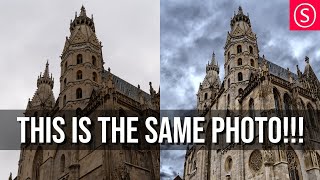
Viveza 3 - Affinity Photo Plug-In Tutorial - Nik Collection
Explore Viveza 3, a powerful Nik Collection plug-in for Affinity Photo. Learn to relight scenes, recover highlights, and make precise selections using Control Points, Luminance, and Chrominance Mask Sliders.

Child Layers Explained - Affinity Photo Tutorial
Comprehensive tutorial on child layers in Affinity Photo, covering basics, practical applications, masking techniques, and troubleshooting common issues like glow effects.
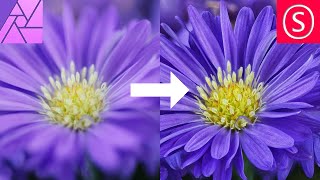
Focus Stacking - Focus Merging in Affinity Photo - How to - Beginner Tutorial
Comprehensive guide to focus stacking in Affinity Photo, covering camera setup, equipment tips, settings, and post-processing techniques for improved macro photography results.

How to Remove Background from Drawings - Affinity Photo + Tourbox Review
Discover techniques for removing backgrounds from drawings, enabling digital colorization and crisp outlines. Learn to create perfect selections and convert drawings to PNGs using Affinity Photo.
Custom Brush - Affinity Photo Tutorial
Learn to create custom, realistic brushes in Affinity Photo for digital painting, retouching, and design. Master techniques for textures, tips, and brush creation in this easy-to-follow tutorial.

Affinity Photo - How to- Consistent Style - Build Your Brand on Instagram - Tutorial
Create a consistent Instagram brand style using Affinity Photo. Learn to build a master file for uniform photo editing, enhancing your artistic concept and growing your follower base.
Affinity Photo - Old Photo Look Tutorial
Learn to create authentic 19th-century photo effects in Affinity Photo. Master techniques for aging images, adding textures, and simulating vintage camera characteristics for quick and realistic results.
Affinity Photo - Font Secrets
Discover essential font techniques in Affinity Photo, including kerning, superscript, and text manipulation. Master character settings and learn to handle complex fonts with ease.
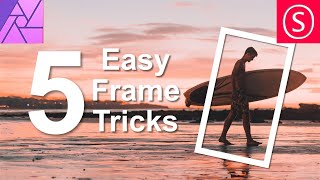
Easy Frame Tricks - Affinity Photo Tutorial
Discover 5 easy techniques for creating stunning frames in Affinity Photo, from pixel layer borders to colorful image masks and layer effect outlines.
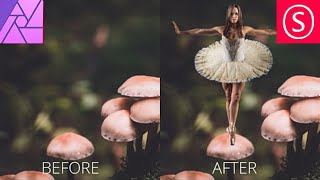
Combine Two Photos - The Easy Way! - Affinity Photo Tutorial
Learn to seamlessly combine photos in Affinity Photo by matching colors, adjusting contrast, and creating ambient light. Master a simple 3-step technique for professional-looking composite images.

Mask Like a Pro - Affinity Photo Essentials
Learn five professional masking techniques in Affinity Photo to enhance your images quickly and effectively, including group, color channel, pen/shape, gradient, and brush masks.