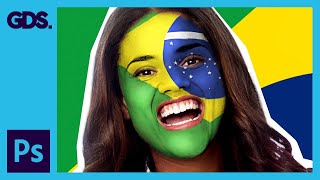
Paint Your National Flag Face - Adobe Photoshop
Learn to paint your national flag on your face using Adobe Photoshop. Master layer masks, smudging, and highlighting techniques to create a realistic and patriotic effect for social media sharing.

Modifying InDesign Images in Adobe Photoshop & Illustrator - Adobe InDesign for Beginners
Aprenda a modificar imagens do InDesign usando Photoshop e Illustrator, explorando a sinergia entre os programas para aprimorar composições e criar efeitos visuais impactantes.

Using the Pen Tool and Paths in Adobe Photoshop
Master the Pen Tool and Paths in Adobe Photoshop with this comprehensive tutorial. Learn to create precise selections, custom shapes, and vector graphics for enhanced design capabilities.
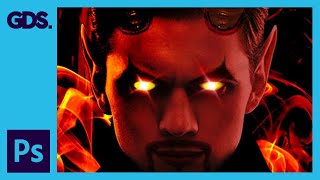
Devil Photoshop Tutorial - Layer Masking, Blending Modes & More
Transform portraits into devilish characters using Photoshop techniques like layer masking, blending modes, and adjustments. Learn to create horns, enhance eyes, and add eerie effects for a striking Halloween transformation.
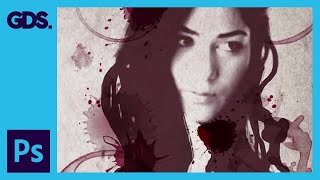
Wine Stain Photo Montage in Adobe Photoshop
Learn to create a striking monotone graphic photo montage using Adobe Photoshop techniques, including layering, masking, and texture application for a unique visual effect.
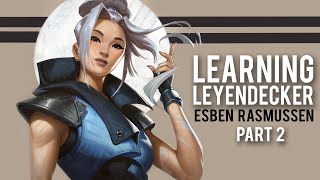
Photoshop Painting Tips for Digital Artists - Esben Rasmussen
Discover digital painting techniques in Photoshop with artist Esben Rasmussen. Learn to refine sketches, apply colors, create textures, and achieve a traditional look using various tools and methods.
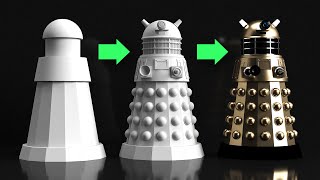
Adobe Dimension Tutorial - 3D Modeling
Learn to create a complex 3D scene using Adobe Dimension, from modeling a Dalek to rendering and designing a poster. Master basic shapes, materials, lighting, and integration with Photoshop.
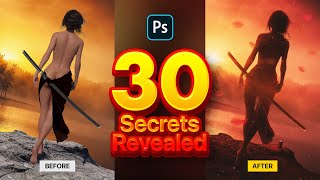
Photo Manipulation Secrets Using Stock Images in Photoshop
Master 30 Photoshop techniques for stunning samurai-inspired photo manipulations. Learn selection tools, 3D assets, color adjustments, and special effects to create captivating digital art using stock images.

Secrets for Compositing Creative Art in Photoshop
Discover 8 powerful techniques for creating stunning composites in Photoshop, from depth of field to color balance. Elevate your digital art with expert tips inspired by gaming aesthetics.
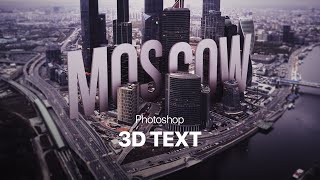
Photoshop Big 3D Text into a Photo
Learn to create and integrate 3D text into a city photo using Photoshop. Master techniques like rendering, clipping masks, vignettes, and iris blur for stunning visual effects.

The Adjustment Layers in Photoshop Explained
Comprehensive guide to Photoshop's 19 adjustment layers, explaining each tool's function and application for enhancing digital images and creating visual effects.

Create a Glowing Neon Text Effect in Photoshop
Learn to create stunning neon text effects in Photoshop with step-by-step guidance on gradients, blending modes, and motion blur techniques for eye-catching designs.
How to Design eCommerce Graphics in Photoshop
Learn to design web graphics in various sizes using Adobe Photoshop, covering selection, masking, smart objects, text manipulation, and artboard resizing for effective eCommerce visuals.

Hand Lettering Tutorial for Beginners
Learn custom lettering design in Adobe Illustrator with expert guidance. Master composition, guidelines, letter forms, spacing, and vectoring techniques to create unique hand-lettered designs.

How to Create a Composite in Photoshop
Learn to create stunning composites in Photoshop, mastering techniques like masking, adding effects, and retouching. Perfect for enhancing your photo manipulation skills.

How to Design Awesome Text Effects - Photoshop Tutorial
Learn to create stunning text effects in Photoshop using brushes and tool presets. Master techniques for layer masks, scatter effects, and color fills to elevate your design skills.
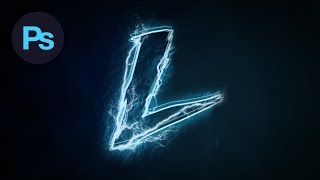
Design a Lightning Text Effect Photoshop Tutorial
Learn to create a striking lightning text effect in Photoshop using custom fonts, brushes, and advanced techniques for a visually electrifying design.
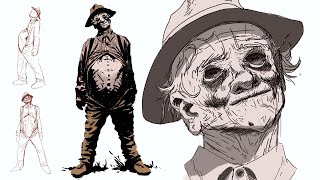
The First Witness - Horror Concept Art Process
Learn horror concept art techniques for creating "The First Witness," exploring character design, perspective, and rendering in this step-by-step tutorial.
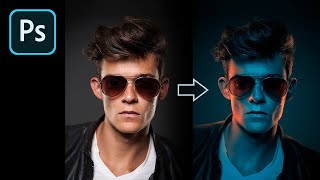
How to Fake Color-Gel Lighting in Photoshop
Learn to simulate multi-colored lighting in Photoshop using Gradient Maps. Master controlling brightness and color of light sources, creating dramatic highlights, and adding shine for stunning photo effects.
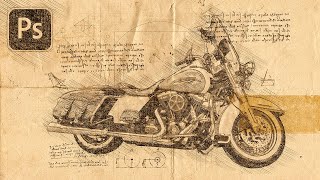
Turn Your Photo to a Sketch by Da Vinci - Photoshop Action Review
Transform photos into Da Vinci-style sketches using a Photoshop action. Learn installation, customization, and troubleshooting techniques to achieve Renaissance-inspired artwork from your images.
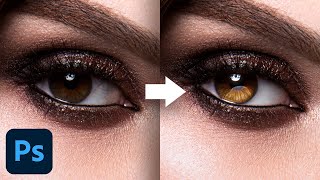
Advanced Techniques to Make Eyes Sparkle - Photoshop Tutorial
Learn advanced Photoshop techniques to enhance eye aesthetics, including light shaping, detail creation, reflection addition, and eye white cleanup. Master blending modes, curves, and masking for stunning results.