Brand Identity and Package Design for Pet Accessories - Part 2
Explore pet accessory brand design with Jeremy Slagle, covering logo creation, packaging design, and realistic mockups using Adobe Illustrator and Photoshop.
Brand Identity and Package Design for Pet Accessories - Part 1
Explore logo and packaging design for a pet brand with Jeremy Slagle. Learn Illustrator techniques, client workflow, and create realistic mockups in this hands-on tutorial.
Designing a Vitamin Brand Identity in Adobe Illustrator - Part 2
Learn to design a vitamin brand identity with Julia Masalska, covering logo creation, pattern design, color selection, and applying designs to collateral using Adobe Illustrator, Photoshop, and Dimension.
Creating Brand Identities from Start to Finish - Part 1
Comprehensive guide to brand identity creation, covering mood boards, logo design, color palettes, typography, and mockups. Insights on design processes, career advice, and industry tips from experienced professionals.
How to Make a Cohesive Brand Using Photoshop and Illustrator - Brand Design Tutorial
Learn to create a cohesive brand using Photoshop and Illustrator. Explore moodboards, sketches, logo design, color palettes, and mockups. Gain insights on client communication and maintaining work-life balance.
Designing a Brand with Adobe Illustrator and Photoshop - Part 1
Learn to create a bold syrup brand using Illustrator and Photoshop. Covers brand guidelines, moodboards, sketching, logo design, color palettes, and mockups. Gain insights on client communication and industry tips.
Creating Brand Identities from Start to Finish - Part 2
Learn to create a complete brand identity with mood boards, logos, color palettes, typography, and mockups using Illustrator and Photoshop. Gain insights on design processes and professional tips.
How to Start an Email Newsletter with MailChimp in 2022
Learn to create and manage an email newsletter using MailChimp's free tools. Covers setup, design, and sending your first email, with tips on driving traffic and increasing sales.

Adobe Photoshop 2025 - New Features and Updates Overview
Discover the latest Photoshop 2025 features including enhanced Remove Tool, Generative Workspace, and Substance 3D Viewer for improved photo editing and creative workflows.
Black and White Photo Editing with TK Magic Mixer and TK9 Plugin
Master black and white photo editing techniques using TK Magic Mixer and TK9 V3 plugin for Photoshop, with step-by-step guidance on creating stunning monochrome conversions and advanced image manipulation.

Photoshop Retouching for Beginners
Master Photoshop retouching techniques for skin, hair, and makeup. Learn frequency separation, dodging and burning, color editing, and background enhancement to perfect your photos.
Typography Poster Design in Adobe Photoshop
Master typography poster design in Photoshop: from creative process to print-ready files. Learn composition, layer masks, and typography tools while creating visually powerful designs for print and web.
Adapt a Print Design for a Web Banner - Adobe Photoshop for Beginners
Learn to adapt a print design for a web banner using Adobe Photoshop. This tutorial covers creating a new document, importing book cover designs, superimposing elements, and adding text and buttons for effective digital advertising.
Create an Origami Bird Logo - Adobe Photoshop for Beginners
Learn to create a polygonal bird logo in Photoshop, from sketching to final design. Master shape tracing, color application, ribbon creation, typography, and logo integration techniques.
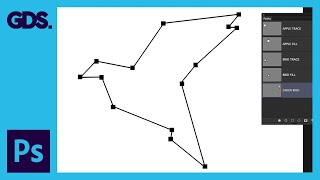
Paths and the Pen Tool in Adobe Photoshop - Adobe Photoshop for Beginners
Learn to use the Pen tool and create paths in Photoshop. Master techniques for making selections, creating custom shapes, and drawing precise paths to enhance your design skills.
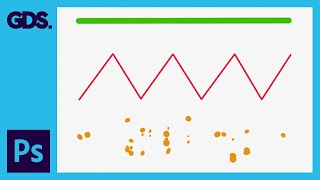
Using Brushes in Adobe Photoshop - Adobe Photoshop for Beginners
Learn to use Photoshop's brush tool for drawing, painting, erasing, and creating textures. Explore brush panels, customization options, and essential shortcuts for efficient digital artwork creation.
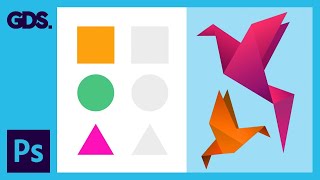
Making Selections in Adobe Photoshop - Adobe Photoshop for Beginners
Learn essential Photoshop selection tools and techniques, including Marquee, Lasso, and Magic Wand. Master keyboard shortcuts and tips for precise selections to enhance your image editing skills.
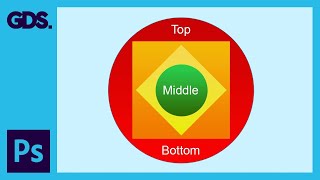
Layers in Adobe Photoshop - Adobe Photoshop for Beginners
Comprehensive introduction to layers in Photoshop, covering types, selection, visibility, opacity, creation, deletion, locking, linking, grouping, and color-coding. Essential for beginners to master composition control.
Layer Structure and Housekeeping in Adobe Photoshop
Learn efficient layer management and organization techniques in Photoshop to enhance workflow and create complex concept artwork. Discover practical tips for structuring layers, using adjustment layers, and grouping elements effectively.
Introduction to 3D in Adobe Photoshop - 3D Type Stack - Part 2
Learn to create stunning 3D stacked type compositions in Adobe Photoshop with this comprehensive tutorial. Master techniques for merging layers, rotating objects, and applying materials to achieve professional results.
Introduction to 3D in Adobe Photoshop - Part 1
Comprehensive introduction to 3D in Adobe Photoshop, covering basics, materials, lighting, and rendering for beginners. Gain confidence to explore 3D features independently.