Photoshop Animation Compositing
Learn advanced Photoshop animation techniques, including rotoscoping octopus tentacles and compositing splash effects. Enhance your skills in cell animation and create dynamic, fluid motion graphics.

How to Cut Out Images in Photoshop
Learn essential techniques for precise image cutouts in Photoshop, including handling complex edges, fine details, and challenging backgrounds. Save time and improve your workflow for animation projects.
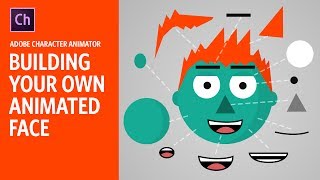
Building Your Own Animated Face - Adobe Character Animator Tutorial
Learn to create an animated face using Adobe Character Animator. This beginner-friendly tutorial covers basic tools and techniques, guiding you through the process of building a functional puppet for your animations.
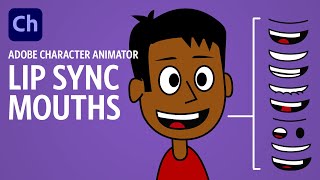
Creating Lip Sync Mouths - Adobe Character Animator Tutorial
Learn to create effective lip sync animations in Adobe Character Animator, from basic mouth rigging to custom mouth designs. Master techniques for realistic and expressive character speech.
Compositing and Background Replacement in Photoshop
Master essential Photoshop techniques for background replacement and compositing, including gradient creation, blending modes, object selection, and clipping layers for enhanced post-production workflow.
Lord of the Preferences - The Four Panels
Comprehensive guide to Photoshop's first four preference panels, exploring settings, interface options, workspace customization, and tool behaviors for enhanced productivity and workflow optimization.

Complete Animation Workflow - Adobe Character Animator Tutorial
Comprehensive tutorial on creating animated explainer videos using Adobe tools. Covers script writing, character design, rigging, animation, and compositing for professional-quality results.
Mastering Photoshop AI Background Replacement Techniques
Master advanced background replacement techniques using Photoshop's Firefly AI tools to transform and enhance your digital images with professional precision.

Photoshop Fundamentals - A 30-Minute Beginner's Guide
Master essential Photoshop fundamentals in a quick-paced tutorial covering interface navigation, basic tools, file management, and core editing techniques for complete beginners.
Grayscale to Color - Understanding Three Color Dimensions
Master digital coloring techniques to transform grayscale artwork into vibrant illustrations, focusing on understanding hue, saturation, and value dimensions for professional-quality results.
New Features and Performance Analysis of Photoshop 2025
Discover practical insights into Photoshop 2025's latest features, with expert analysis on performance, AI credit usage, and real-world applications for digital artists and designers.
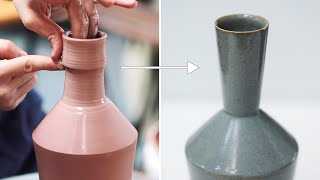
Creating and Firing an Angular Ceramic Bottle - From Clay to Reduction Firing
Experience the complete pottery process from clay preparation to final firing, as a skilled artisan crafts and refines an angular bottle through throwing, trimming, glazing, and reduction firing techniques.
Getting the Best Results with Adobe Firefly 2 in Photoshop - Features and Limitations
Master Adobe Firefly 2's latest features and limitations in Photoshop, exploring optimal workflows while understanding recent changes that may impact your creative process.
Mastering Photoshop Actions with TK9 Button Clicks - Part 2
Master Photoshop automation by learning to create custom actions with TK9 button clicks, streamlining your workflow and enhancing photo editing efficiency with step-by-step guidance and downloadable resources.
AI Order of Operations in Adobe Camera RAW
Master the optimal sequence of AI tools in Adobe Camera RAW to enhance your photo editing workflow and achieve professional-quality results efficiently.

Creating Seamless Patterns in Photoshop - 3 Powerful Techniques
Master three powerful techniques for creating seamless patterns in Photoshop using Pattern Preview and Generative Fill, with real-world applications for textures, walls, and fences.

Creating Detailed Eye Effects in Photoshop - A Photo Enhancement Tutorial
Master the art of creating stunning eye details in Photoshop using iris brushes, lighting techniques, and precise adjustments to achieve captivating and realistic results in portrait retouching.

Мини-курс «Иллюстрация с нуля»
Мини-курс «Иллюстрация с нуля»

Мини-курс «Фишки и лайфхаки Photoshop»
Adobe Photoshop — многофункциональный графический редактор. Программа основном работает с растровыми изображениями, но при этом имеет и векторные инструменты. Фотошоп - лидер рынка в области редактирования растровых изображений. В данной серии уроков мы познакомим вас с самыми крутыми фишками, лайфх

Cinema 4D - Плагин Topoformer
Применение плагина Topoformer в Cinema 4D. https://cloudlessons.ru/v/237 - курс по Cinema 4D для начинающих https://cloudlessons.ru/v/390 - курс по Cinema 4D для продвинутых Cinema 4D (c4d) – программа, которую используют начинающие и профессиональные художники 3d графики для создания впечатляющих

Как дизайнеру создать портфолио? | Графический дизайн
Как правильно дизайнеру собрать портфолио? Новый курс «Профессия графический дизайнер» от VideoSmile - https://cloudlessons.ru/v/470 00:00 - введение 02:10 - цели создания портфолио 04:50 - направления в дизайне 07:50 - места работы для дизайнера 11:00 - чем наполнять портфолио? 20:10 - площадки дл