Reasons Why Generative Fill Will Not Replace You - Photoshop
Explores limitations of Photoshop's Generative Fill, discussing resolution, precision, inconsistency, legal issues, and edge quality. Emphasizes continued relevance of traditional editing techniques for creative professionals.
Magazine Cover Design With Matt - Cover Designer at The Economist
Explore magazine cover design with The Economist's designer. Learn ideation, artwork creation in Illustrator and Photoshop, and cover layout in InDesign. Gain insights into professional techniques and creative processes.

Blend If in Photoshop - Masking, Effects, and Retouching Techniques - Lesson 8
Unlock Photoshop's "Blend If" feature to create stunning effects, from adding shine to masking and retouching. Learn real-world applications for enhancing your digital art and photo editing skills.
Adobe Photoshop CC for Beginners
Comprehensive Photoshop training covering workspace, tools, layers, selections, and advanced techniques. Learn to create, edit, and enhance images with practical exercises and downloadable files.

Master Filters - Photoshop for Beginners
Explore essential Photoshop filters, from simple blurs to complex effects. Learn practical applications, overcome common issues, and discover powerful third-party plugins to enhance your editing skills.
Non-Destructive Image Editing and the Power of Photoshop - Software Showcase
Explore non-destructive image editing in Photoshop, from finding free stock photos to using AI-driven tools and adjustment layers for powerful, flexible image manipulation.
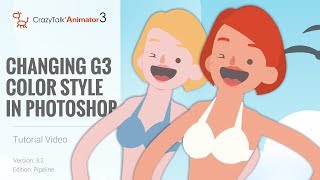
CrazyTalk Animator 3.2 Pipeline Tutorial - Changing G3 Color Style in Photoshop
Learn to customize G3 character colors in Photoshop for CrazyTalk Animator 3.2. Covers launching characters, adjusting skin and facial features, and updating changes in the animation software.
Level Up Your Art with AI Vectors
Learn to transform AI-generated images into vector graphics using Illustrator's enhanced image trace feature, exploring various techniques for optimal results in digital art and design projects.
Outsmarting Generative Fill, One Tiny Step at a Time
Discover a foolproof technique to enhance Photoshop's Generative Fill resolution. Learn to work in 1MP blocks, create seamless patterns, and maximize AI-generated image quality.

Photoshop for Beginners - How to Save & Export
Master Photoshop's save and export options, including file formats like JPEG, PNG, PSD, and TIFF. Learn when to use each option and simplify your workflow with this comprehensive guide to file management.

Photoshop for Beginners - Complete Course
Comprehensive guide to mastering Photoshop fundamentals, covering layers, masks, blending modes, selections, and filters. Ideal for beginners and professionals seeking a strong foundation in essential tools and techniques.
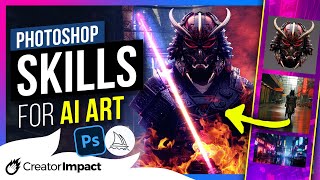
Essential Photoshop Skills for Editing AI Art - Beginner Tutorial
Learn essential Photoshop skills for editing AI art, including cutting objects, color blending, upscaling, adding real elements, and using layer blends. Master techniques to enhance and refine your digital creations.

Prepare for Print in InDesign, Illustrator & Photoshop
Learn essential print design skills for InDesign, Illustrator, and Photoshop. Master document setup, color spaces, quality checks, and PDF export for professional print-ready files.

Photoshop for Beginners - Mastering Selections
Learn essential Photoshop selection techniques, from basic tools to advanced methods. Master creating, modifying, and saving selections for precise image editing and compositing.

Shortcuts to Remove Background in One Click - Photoshop Tutorial
Learn 11 efficient Photoshop shortcuts for one-click background removal, including techniques for color separation, contrast adjustment, and batch processing multiple images.

Duet in Flight: The Hummingbird Ballet - Full Edit Tutorial
Comprehensive Photoshop editing tutorial using TK9 plugin to enhance a hummingbird image. Covers object removal, color adjustments, and advanced masking techniques for stunning wildlife photography results.

The Two Ways to Animate in Photoshop - Timeline Tutorial
Explore frame and video animation techniques in Photoshop, covering traditional 2D methods and modern timeline-based approaches for creating dynamic visual content.

TK Friday: Full Edit of Rocky Refuge Image
Comprehensive tutorial on editing a landscape photo using TK9 plugin for Photoshop. Demonstrates advanced techniques for enhancing image quality, color, and composition.

Master Brush Tool in Photoshop - From Fundamentals to Advanced Techniques - Lesson 12
Comprehensive guide to mastering Photoshop's Brush Tool, covering properties, techniques, and advanced features. Includes practical tips, creative applications, and a hands-on project using watercolor brushes.
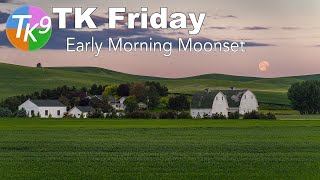
Early Morning Moonset - Full Edit Tutorial
Comprehensive tutorial on editing a moonset photograph using TK9 plugin for Photoshop, covering advanced techniques for enhancing image quality and visual impact.

Turn Anything to Gold - Hunger Games Songbirds and Snakes Poster Tutorial
Learn to create a stunning gold effect in Photoshop and recreate The Hunger Games character poster. Master healing tools, fabric graphics, liquify, and curve adjustments in this hands-on tutorial.