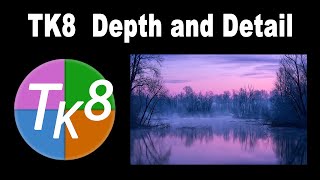
TK8 Depth and Detail - Enhancing Misty River Scenes in Photoshop
Learn advanced photo editing techniques using TK8 Plugin for Photoshop to enhance depth and detail in landscape images, focusing on masks, contrast adjustments, and targeted enhancements.
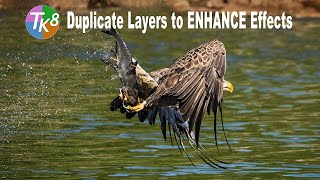
Duplicate Layers to Enhance Effects in Photoshop - TK8 Tutorial
Enhance photo effects by duplicating layers in Photoshop. Learn techniques to strengthen and refine your edits using TK8 plugin for more impactful images.
Complimentary Contrast in Color and Tone - TK Friday Tutorial
Learn to enhance photos using Lightroom and Photoshop with the TK8 plugin. Master techniques for color grading, contrast adjustment, and hand painting to create stunning images.

New Tips and Techniques for TK8 Plugin in Photoshop - Linear Profiles and Image Editing
New tips and techniques for photo editing using TK8 plugin, including color grading, chromatic aberration correction, and object selection. Includes practice image and linear profile downloads.
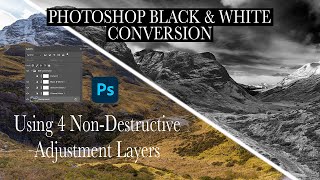
Dramatic Black and White Conversion in Photoshop Using Non-Destructive Adjustment Layers
Learn to create dramatic black and white images using non-destructive Photoshop adjustment layers. Master techniques for selective color adjustments, channel mixing, and curves to enhance tonal contrast and depth.
TK8 Plugin for Photoshop: Working with Selections
Learn to create and refine selections in Photoshop using the TK8 plugin. Master techniques for enhancing specific areas of your images with precision and efficiency.
Personalizing the TK8 Plugin for Photoshop - Speeding Up Your Workflow
Optimize your Photoshop workflow with TK8 plugin customization tips, including color tagging, instant actions, and button reprogramming for enhanced efficiency.
Working with Black and White Using TK7 GO Panel
Explore black and white image editing using TK7 GO and COMBO/CX panels. Learn techniques for enhancing contrast, adjusting highlights, and creating a captivating monochrome result.
Enhancing Images with TK7 GO Panel - Recovering Light and Saturation
Enhance images using TK7 Go Panel to recover light and saturation with luminosity and zone masks. Learn techniques for improving photo quality and visual appeal.
Creating the Perfect Mask with TK7 Go Panel - Tutorial
Mastering TK7 GO PANEL for perfect masks: Learn color masking, infinity color, overlay blending, painting techniques, and zone masking to enhance your photo editing skills.
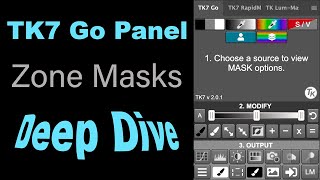
TK7 GO Panel - Zone Masks Deep Dive - Luminosity Masks Unmasked Episode 4
Explore the power of Zone Masks in TK7 GO PANEL for precise photo editing. Learn advanced masking techniques to enhance image details and control tonal values effectively.
Flower Photography Editing: Enhancing Depth of Field with Topaz Mask AI and Photoshop
Learn to enhance flower photography with advanced editing techniques, isolating subjects and creating stunning shallow depth of field effects beyond camera capabilities.

Grand Canyon Photo Editing Tutorial - Topaz, Luminar 4, and Photoshop
Learn advanced photo editing techniques for stunning Grand Canyon images using Topaz, Luminar 4, and Photoshop. Enhance colors, remove distractions, and create breathtaking landscapes with expert guidance.
TOPAZ MASK AI and Photoshop: Bleeding Hearts Full Edit Tutorial
Enhance bleeding heart photos using Topaz Mask AI and Photoshop techniques. Learn sharpening, masking, compositing, and painting for stunning floral edits.
Photoshop Plug-ins Workflow Tutorial - Luminar 4 and Topaz Studio 2
Enhance your photo editing skills with Luminar 4 and Topaz Studio 2 plug-ins for Photoshop. Learn advanced techniques for light removal, texturing, and AI-powered enhancements in this comprehensive tutorial.
Photoshop Tutorial - Color Range Selection Tool
Explore the powerful Color Range Selection Tool in Photoshop to enhance image editing skills, remove color tones, adjust contrast, and create precise masks for professional-looking results.
Topaz Studio 2 and Photoshop Tutorial - Creating a Winter Cabin Digital Painting
Transform a winter cabin photo using Topaz Studio 2 and Photoshop. Learn color correction, filters, vignettes, and digital painting techniques to create a stunning winter scene.
Photoshop Photo Art Tutorial - Using Topaz Plugins
Transform photos into stunning digital paintings using Topaz plugins in Photoshop. Learn sky replacement, masking, and artistic effects to create unique composite images from ordinary photographs.

Secret Tips for Generative Fill in Photoshop
Discover advanced techniques for Photoshop's Generative Fill tool, including layer blending, context enhancement, depth of field creation, intensity adjustment, and seamless pattern generation.

How to Animate in Photoshop CS6 & CC - Tutorial for Beginners
Learn to create animated GIFs and frame-by-frame animations in Photoshop CS6 & CC. Covers basics, advanced techniques, and practical tips for beginners to enhance their digital art skills.

Remove Tool - Photoshop for Beginners
Master Photoshop's Remove Tool: Learn setup, applications, and best practices for efficient retouching and image manipulation in this comprehensive tutorial.