Designing a Food Festival Brochure - Part 2: Layout and Print Preparation
Learn to design a food festival brochure with Mercedes Bazan. Create custom layouts, illustrations, and print-ready publications using Adobe tools. Gain practical tips for efficient, high-quality design work.
Digital Inking Masterclass - Techniques for Photoshop and Fresco
Learn digital inking techniques, custom brush creation, and special effects in Photoshop and Fresco. Master various styles, textures, and patterns for professional illustrations.
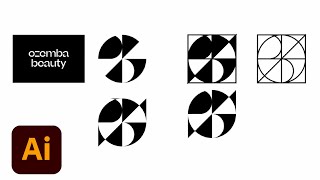
Logo Design for a Fresh Beauty Brand - Part 1
Designer Ben Wagner demonstrates logo creation for a beauty brand, covering sketching, digital transformation, and mockups using Adobe tools. Insights on client communication and design trends included.
Creative Compositing in Adobe Photoshop - Part 1
Learn advanced Photoshop compositing techniques with Jesús Ramirez. Discover how to realistically combine Adobe Stock images, use filters, masks, and color editing to create stunning visual scenes.
Photography Masterclass - How to Edit User-Submitted Photos
Expert photographer Terry White demonstrates editing techniques on user-submitted photos, sharing his workflow and thought process to help improve your photo editing skills.
Sustainable Packaging Design in Adobe Illustrator and Photoshop - Part 1
Explore sustainable packaging design with Art Director Mariela Mezquita as she creates branding for a fictional tea company using Adobe Illustrator and Photoshop, covering color palettes, typography, illustrations, and client presentations.
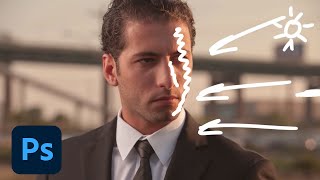
Creating Cinematic Images in Photoshop - Part 1
Learn advanced Photoshop techniques to transform ordinary photos into cinematic masterpieces. Master complex selections, environmental lighting, retouching, and digital re-lighting for stunning visual effects.
Photoshop Daily Creative Challenge - Poster Design Using Shapes and Shadows
Design a promotional poster using shapes, shadows, and negative space in Photoshop. Learn techniques like creating waves, fish shapes, color overlays, clipping masks, and applying gradients.
Creating Brand Identity for a Plant-Based Kitchen - Part 2
Graphic designer Anika Aggarwal demonstrates creating brand identity for a plant-based kitchen, focusing on logo design, typography, color selection, and brand collateral mockups using Adobe Illustrator and Photoshop.
Lettering for a Summer Festival - Part 2: Mockups and Branding Elements
Graphic designer Courtney Sonner demonstrates lettering techniques for a summer festival, covering typeface customization, 3D effects, color selection, and mock-ups in Illustrator and Photoshop.
Lettering Design for a Summer Festival - Part 1
Graphic designer Courtney Sonner demonstrates lettering techniques for a summer festival, covering typeface customization, logo design, and branding elements using Adobe Illustrator and Photoshop.
Designing for Web in Photoshop and XD - Part 1
Learn web design techniques in Photoshop with expert tips on asset organization, layout creation, and client communication. Discover how to prepare designs for Adobe XD prototyping and enhance your workflow.

Developing Identity Systems for Brand Campaigns - Part 1
Learn to create cohesive brand identity systems with pro tips on messaging, fonts, inspiration, client presentations, and design processes from experienced graphic designer Kendall Henderson using Adobe tools.
Photoshop Masterclass: Photo Manipulation Techniques
Learn advanced Photoshop techniques for photo manipulation, including color adjustments, distortion tools, image blending, and creating collages. Master essential skills to transform and combine images creatively.
Getting Started with Masking in Photoshop - Techniques and Tools
Learn essential Photoshop masking techniques from expert Jesús Ramirez. Discover tools like Quick Select and Object Selection, refine selections, paint hair, and use Blend If for professional-quality results.
Photoshop Masterclass - Creating and Modifying Custom Brushes
Explore brush settings, create custom brushes, and master drawing techniques in Photoshop. Learn spacing, pressure, scatter, texture options, and color dynamics for digital painting.
Photography Masterclass: Photoshop for Lightroom Users
Learn to enhance your photo editing skills with Photoshop techniques tailored for Lightroom users. Discover when to use Photoshop, prepare images for social media, and add text to your photos.
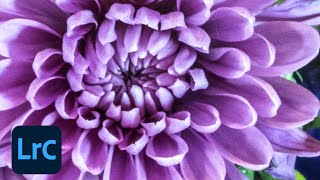
Photo Editing Techniques in Adobe Lightroom and Photoshop - Live Demonstration
Learn photo editing techniques with Adobe expert Terry White as he enhances user-submitted images live using Lightroom and Photoshop, demonstrating professional tips to elevate your photography skills.
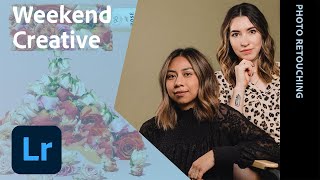
Photo Editing Workflows with Weekend Creative - Part 1
Learn photo editing techniques for still-life and product photography, including Lightroom editing, Photoshop masking, remote collaboration, and scene lighting with Weekend Creative's Arabela Espinosa and Elle Mitchell.
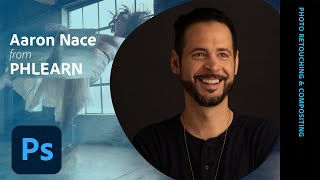
Photo Retouching and Compositing Techniques - Part 2
Learn advanced Photoshop techniques for portrait retouching and compositing with Aaron Nace. Master color correction, blemish removal, background adjustments, and create stunning double exposure designs.
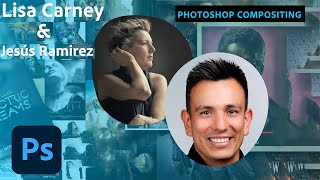
Photoshop Compositing for Movie Posters - Part 2
Explore advanced Photoshop compositing techniques for movie posters with experts Lisa Carney and Jesús Ramirez, covering channel pulls, rim lights, 3D objects, and color matching.