
How to Create an Editable Pie Chart in Adobe Illustrator
Master editable pie charts in Adobe Illustrator: create, stylize, and customize with the Pie Graph Tool, Direct Selection Tool, and Appearance panel. Learn to add legends and backgrounds for professional infographics.
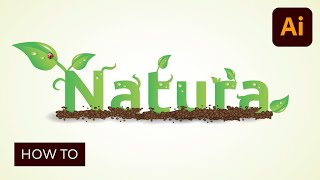
Creating an Environmentally Friendly Green Type Treatment
Learn to create eco-friendly green type treatments in Illustrator. Master techniques for designing leaves, stems, insects, and nature-inspired elements to enhance your logos and graphic designs.
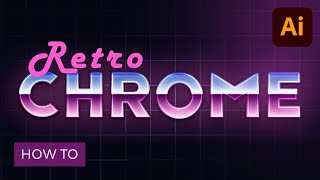
How to Create a Retro Chrome Text Effect in Adobe Illustrator
Master retro chrome text effects in Adobe Illustrator. Learn grid creation, blending techniques, and Appearance panel usage to craft editable designs with subtle textures, enhancing your graphic skills.
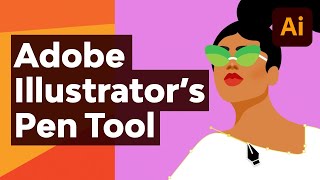
Illustrator's Pen Tool - The Comprehensive Guide
Master Adobe Illustrator's Pen Tool with this comprehensive guide covering functions, shortcuts, controls, preferences, and best practices. Enhance your vector design skills and workflow efficiency.
Adobe Illustrator CC Tutorial - Creating a Recycling Logo
Learn to create a precise recycling logo in Adobe Illustrator CC while mastering essential tools and techniques for document setup, shape creation, layering, and precise art manipulation.
Wrap City Buses with a Life-Size Dinosaur
Learn to create massive artwork in Adobe Illustrator, scaling designs beyond traditional limits. Discover techniques for expanding canvases and enlarging type for city-wide projects like bus wraps.
Let There Be Light and Shadows
Explore Adobe Illustrator's enhanced 3D lighting controls, including rotation, height, and softness. Learn to create realistic shadows and master the interplay of light in your digital designs.
Illustrator 3D Never Went Away, But Now It’s Back
Explore Illustrator's enhanced 3D capabilities, including the 3D panel, on-screen widget, and bevel options. Learn to manipulate objects with pitch, yaw, roll, depth, and emboss for stunning visual effects.
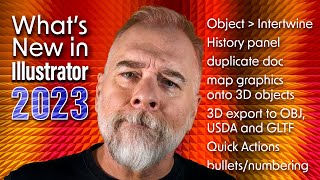
The Best of Illustrator 2023 - Intertwine Objects
Explore Illustrator 2023's Intertwine Objects feature to weave and interlock paths, with techniques for editing and manipulating overlapping objects for creative designs.
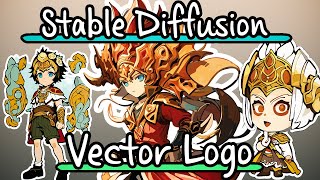
Create Stylized Vector Logo Chibi Characters with Stable Diffusion
Learn to create stylized vector logo chibi characters using Stable Diffusion, Blender, and Adobe Illustrator. Covers DreamBooth training, inpainting, outpainting, and vector conversion techniques for unique digital art.
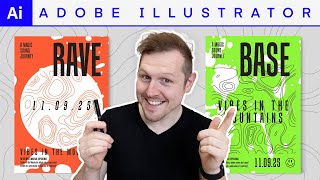
Creating Dance Music Festival Posters with Topographic Textures in Adobe Illustrator
Master the art of creating stunning dance music festival posters using typography, grid layouts, and topographic textures in Adobe Illustrator. Learn professional techniques for layout, color permutations, and final file preparation.
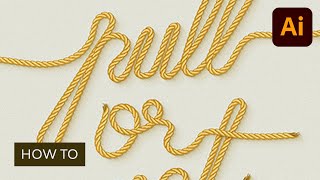
Use a Pattern Rope Brush to Create a Rope Text Effect in Illustrator
Learn to create a rope text effect in Illustrator using pattern brushes. Master techniques for designing rope pieces, multiplying elements, and crafting pattern brush components for unique typography.
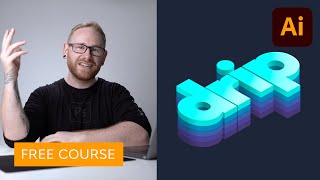
Create an Isometric Type Effect in Adobe Illustrator
Learn to create eye-catching isometric type effects in Adobe Illustrator. Master grid setup, text transformation, layering, coloring, shadow application, and freeform gradients for stunning visual impact.
Talking Design with Dave Clayton
Renowned designer Dave Clayton discusses graphic design, fonts, software, and creative insights in this engaging interview at Photoshop World Conference in Orlando.
Logo Design in Illustrator for iPad with Alice Thorpe
Learn to create compelling logos on-the-go using Illustrator for iPad. Master inspiration gathering, drafting, evaluation, refinement, and client presentation techniques for professional logo design.
Retro VHS Logo Animation Tutorial in After Effects
Create a retro VHS-style logo animation using After Effects, Illustrator, and audio effects for an authentic vintage look and feel.
How to Create the Moon Knight Titlecard in Blender - Tutorial
Learn to recreate Moon Knight's titlecard using Blender, with additional steps in Illustrator and After Effects. Covers 3D modeling, texturing, lighting, and animation techniques for motion graphics.
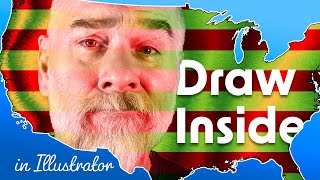
Draw Inside
Explore Illustrator's Drawing Modes, focusing on Draw Inside. Learn to create compound paths, custom blends, and use clipping masks for unique designs. Master advanced techniques for exceptional illustrations.
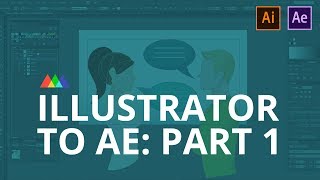
Illustrator to After Effects - The Field Manual Part 1
Learn essential techniques for seamlessly importing Illustrator files into After Effects, optimizing workflow and avoiding common pitfalls in motion design projects.
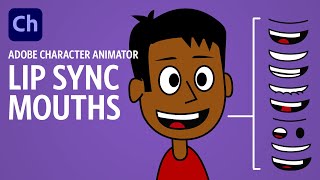
Creating Lip Sync Mouths - Adobe Character Animator Tutorial
Learn to create effective lip sync animations in Adobe Character Animator, from basic mouth rigging to custom mouth designs. Master techniques for realistic and expressive character speech.
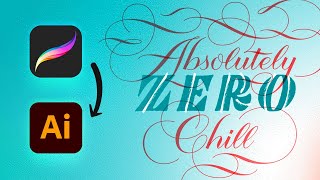
iPad Lettering Tutorial - Complete Procreate to Illustrator Workflow
Learn hand lettering from sketch to final design using Procreate and Illustrator. Master techniques for creating custom typography, adding flourishes, and refining your work into a polished vector illustration.