
More WebGL with p5.js
Explore advanced WebGL techniques in p5.js, including textures, 3D models, custom shapes, and a coding challenge on 3D knots. Enhance your skills in creative coding and interactive graphics.

The Coding Train Morning Show - Marching Squares and Flocking Mewchoo
Explore Marching Squares, community contributions, and 3D modeling in Processing. Learn about flocking algorithms and their application to 2D and 3D environments, with a focus on the "Mewchoo" model.
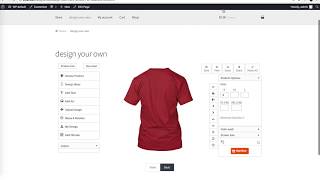
WooCommerce Custom Product Designer
Learn to create custom product designs in WooCommerce, including 3D views, mockups, text editing, and design templates. Master features like automatic fit, alignment, and variable product customization.

CATIA V5 Tutorials for Beginners
Step-by-step tutorials covering CATIA V5 basics to advanced topics, including part modeling, assembly, drafting, and sheet metal design. Hands-on exercises for practical skill development.
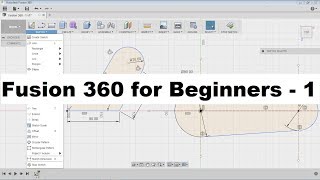
Fusion 360 Tutorial for Beginners
Learn Autodesk Fusion 360 from scratch: master sketching, 3D modeling, and advanced features through hands-on exercises and practical tutorials suitable for beginners.

AutoCAD 3D Tutorial for Beginners
Master AutoCAD 3D modeling with comprehensive tutorials covering essential commands, mechanical drawing techniques, and practical exercises for creating complex 3D designs and technical drawings.
Learn Autodesk Fusion 360 in 30 Days for Complete Beginners
Master Fusion 360 through hands-on projects, from basic modeling to advanced techniques like sculpting and rendering. Ideal for beginners in 3D design, CAD, and 3D printing.
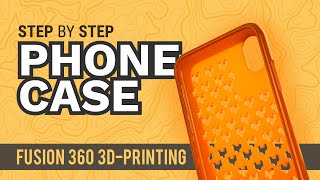
Fusion 360 for 3D Printing
Learn 3D modeling for 3D printing with Fusion 360, covering topics like iPhone cases, hinged boxes, molds, cookie cutters, and more. Gain practical skills for creating custom 3D-printable designs.

AutoCAD 3D - Tutorials for Beginners
Learn AutoCAD 3D fundamentals through step-by-step tutorials, covering basics to advanced techniques like floor plan modeling and roof creation for beginners.

ROBLOX University
Learn to create racing and mystery games on Roblox with step-by-step tutorials covering game design, building, scripting, and debugging. Gain hands-on experience in game development.

Wheel Throwing Pick-A-Passion Project Ideas
Explore diverse wheel throwing techniques to create unique ceramic pieces, from juicers to platters. Learn texturing, glazing, and decorative methods to enhance your pottery skills.
Creo Parametric Tutorials for Beginners with Training Guide
Comprehensive tutorials for Creo Parametric versions 8.0, 7.0, and 6.0, covering basic design, solid modeling, assemblies, detailing, and sheet metal, with midterm and final exam reviews included.

Creo Parametric 2D to 3D Modeling Exercise
Comprehensive tutorial series on 3D modeling in Creo Parametric, covering beginner to advanced techniques for creating complex parts, surfaces, and assemblies.
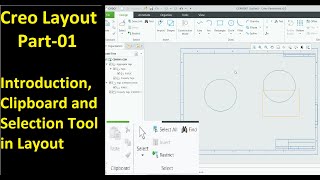
Creo Layout
Master Creo Layout tools for efficient 2D design: shapes, editing, dimensions, graphics, tables, tags, sub-layouts, sheets, and integration with 3D part modules. Enhance your CAD skills and workflow.
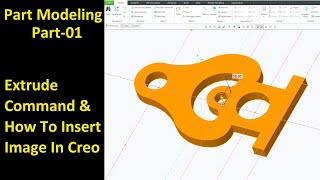
Creo Part Module
Master Creo Part Module commands for efficient 3D modeling. Learn extrude, revolve, sweep, blend, pattern, and advanced features to create complex parts and improve design skills.
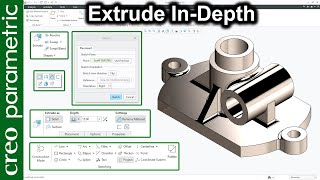
Basic Commands in Creo Parametric
Comprehensive guide to essential Creo Parametric commands, covering extrude, revolve, sweep, blend, and advanced techniques for complex modeling and surface design.
A Few Minutes of Design
Engage in creative design challenges, from object transformations to typographic explorations, enhancing your visual thinking and problem-solving skills through hands-on exercises.
Creo Tutorial for Beginners
Comprehensive Creo tutorial series covering basics to advanced techniques, including sketching, part design, modeling, and various tools, with practical exercises for hands-on learning.
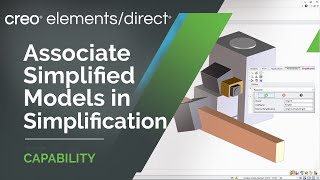
Creo Elements-Direct
Explore new features in Creo Elements/Direct 20.4, including simplified models, enhanced annotations, and improved AR design sharing. Learn about updates to modeling, dimensioning, and drawing imports.
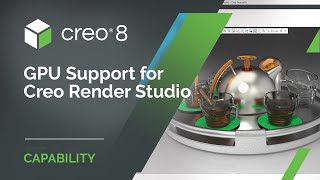
Creo Render Studio
Generate stunning photorealistic images of products with Creo Render Studio Extension, powered by KeyShot®. Easily create high-quality renders directly from Creo, with GPU support and advanced features for professional results.
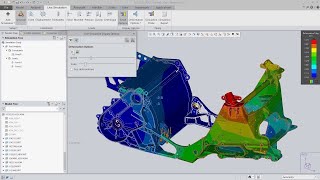
Creo Simulation Live
Real-time 3D design simulation powered by GPU, providing instant feedback on structural, thermal, modal, and fluid flow analyses for improved product design and decision-making.