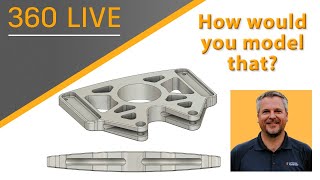
How Would You Model That
Learn to model curved surfaces, use Mirror, rearrange timelines, and simplify sketches in Autodesk Fusion 360. Gain practical tips for creating complex parts with efficient techniques and constraints.
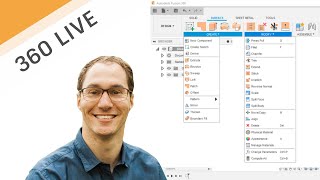
Intermediate Surface Modeling for Fusion 360
Intermediate surface modeling techniques in Fusion 360, featuring real-life examples from FXR Racing. Learn new tools and apply them to practical problems, with insights on rapid prototyping using 3D printing.
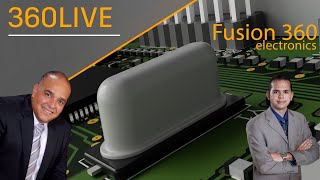
Electromechanical Workflows Using Fusion 360 Electronics
Comprehensive overview of Fusion 360's electronic design capabilities, covering schematic creation, PCB layout, 3D integration, and collaboration features for electromechanical projects.
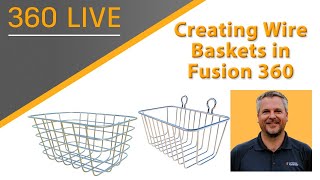
Creating Wire Baskets with Fusion 360
Learn to create parametric wire baskets efficiently using Fusion 360's powerful tools. Explore techniques for loops, symmetry, and custom forms in this step-by-step tutorial.
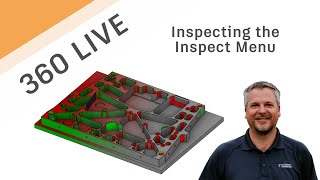
Fusion 360 Live - Inspecting the Inspect Menu
Comprehensive walkthrough of Fusion 360's Inspect menu, exploring various commands and their benefits for 3D modeling and analysis.
Fusion Academy Refresher - Surface Modeling Under the Hood
Explore advanced surface modeling techniques in Fusion 360, focusing on splines, sweeps, lofts, and patches. Learn robust solutions for common challenges and gain in-depth knowledge of the underlying technology.
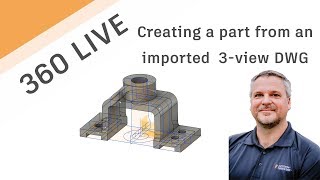
Using 2D DWG-DXF to Create 3D Model
Learn to transform 2D DWG/DXF files into 3D models using Autodesk tools. This tutorial covers importing, exporting, sketching, extruding, and utilizing various features to create detailed 3D designs from 2D drawings.
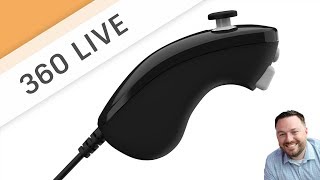
Sculpt a Nunchuck Controller
Learn to model a Nunchuck Controller using t-splines in Fusion 360. This live stream covers techniques like canvas usage, calibration, editing, manipulations, and solid modeling for creating detailed 3D designs.

Using T-Splines to Convert a Mesh to a Solid
Learn to convert meshes into solids using T-Splines in Autodesk Fusion 360. Master techniques like sculpting, adjusting shapes, and troubleshooting for efficient 3D modeling workflows.

Design a 3D Printed Flag Pole Mount
Learn to design a 3D-printable flag pole mount using Fusion 360. This step-by-step tutorial covers sketching, extruding, adding features, and creating complex geometries for a functional and aesthetically pleasing result.

Sculpting Generative Results
Learn to modify generative design results using t-splines in Fusion 360. Master techniques like edge manipulation, work plane creation, and symmetry tools to refine and optimize your 3D models.
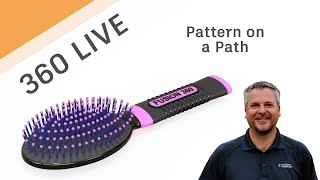
Fusion 360 Live - Pattern on a Path
Learn to use Pattern on a Path in Fusion 360, including creating shapes, construction geometry, and splines. Master extrude, offset planes, sketching techniques, and various project methods for efficient 3D design.
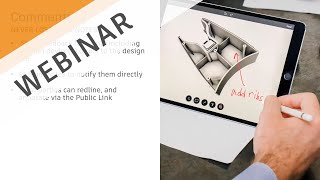
Working from Home - Collaboration Made Easy
Discover cloud-based tools in Fusion 360 for seamless remote collaboration, real-time communication, and easy sharing of 3D models and drawings with stakeholders, enhancing productivity while working from home.

Organic Meshes in Fusion 360
Learn to create organic-looking objects in Fusion 360 using the Pipe command. Discover tips for quickly designing unique shapes like glass vases and cylinders with mesh-based techniques.
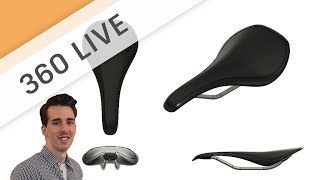
Sketch to 3D Concept - Designing a Bicycle Saddle
Learn freeform sculpt modeling for conceptual design, focusing on techniques like creating forms, adding details, and modifying shapes using various tools in a bicycle saddle design project.
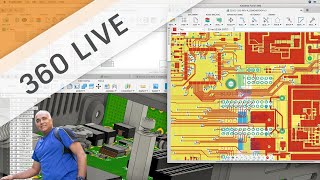
Getting Started with Fusion 360 Electronics
Introduction to Fusion 360's electronic workspace, covering schematic and circuit board editing. Learn to access libraries, add components, use commands, and create board layouts for electronic design projects.

Custom Electronic Components
Learn to create custom electronic components in Fusion 360, from symbols and footprints to 3D model mapping, enhancing your PCB design capabilities.

Designing Laser Cut Joinery in Fusion 360
Learn to design various laser-cut joinery techniques in Fusion 360, including sliding dado, lap, mortise and tenon, and stepped dovetail joints, for creative and dimensional 3D-to-2D prototyping.

Working with STLs, Meshmixer and Fusion 360
Learn to manipulate 3D mesh data using Meshmixer and Fusion 360. Explore techniques for cleaning scans, merging models, and editing non-solid formats. Enhance your 3D modeling skills with powerful mesh manipulation tools.

Design a Tufted Headboard in Fusion 360
Learn to model a tufted panel headboard using Fusion 360's sculpting and modeling tools. Follow a step-by-step process from frame design to button creation, enhancing your 3D furniture design skills.

Designing a Lasercut Laptop Stand with Fusion 360
Learn to design a lasercut laptop stand using Fusion 360, covering sketching, dimensioning, extruding, and more. Watch an expert handle common mistakes in this comprehensive tutorial.