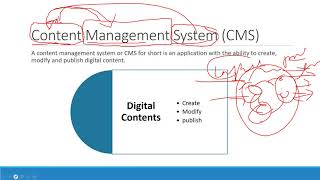
Content Management in WordPress in Amharic Language Crash Course
በአማርኛ የወርድፕረስ ይዘት አስተዳደር ስርዓትን ከመግቢያ እስከ ድህረ ገጽ ስምሪት ያጠቃልላል። ሆስቲንግ፣ ጭብጥ፣ ገጾች፣ ፕላግኢኖች እና ኢኮሜርስን ያካትታል።
Next.js & Contentful Tutorial
Learn to build a dynamic website using Next.js and Contentful, covering setup, data modeling, image handling, styling, deployment, and advanced features like static regeneration and custom pages.

HTML and CSS Tutorial for Beginners
Learn to build responsive websites from scratch using HTML, CSS, and JavaScript, covering layout techniques, icons, hover effects, and advanced features like dark mode.

Getting Started with Forge
Learn to deploy Laravel applications effortlessly using Forge. Connect to Digital Ocean, set up domains, configure SSL, integrate with GitHub, and perform your first deployment.

Ultimate Figma Crash Course - Full Layout by Example
Learn Figma by designing a full layout for desktop, tablet, and mobile. Master UI elements, responsive design, and prototyping through hands-on practice with a real-world project.

Framer Crash Course - From UI-UX to Frontend with No Code
Learn to create responsive landing pages with Framer, from UI/UX design to frontend development without coding. Master layout, animations, and deployment in this comprehensive tutorial.

Build a Wordpress Website in 1 Hour
Create a professional WordPress website in one hour without coding. Learn theme customization, image editing, and deployment using practical techniques for freelancers and beginners.

HTML and CSS Tutorial in Hindi
Comprehensive HTML and CSS tutorial in Hindi, covering beginner to advanced concepts with hands-on projects. Learn to design responsive websites from scratch using modern web development techniques.

Hosting a PHP Website on a Server - Tutorial 69
Learn to deploy a PHP website on a server, covering essential steps and best practices for successful hosting. Gain practical skills to take your web development projects live.

Web Hosting Fundamentals and Selection - Tutorial 103
Comprehensive guide to web hosting options, explaining types, providers, and selection criteria for optimal website performance and management.

Responsive Portfolio Website Project
Create a responsive portfolio website using Sass, featuring a rotating menu button, overlay, and CSS Grid for a professional online presence.
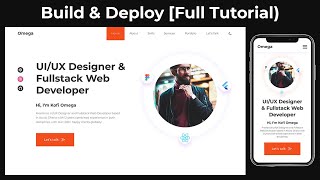
Complete Responsive Personal Portfolio Website Using HTML, CSS & JavaScript - Full Tutorial
Learn to create a responsive personal portfolio website using HTML, CSS, and JavaScript. Covers design, functionality, and deployment with modern techniques like Flexbox and Grid.

Build a Responsive Online Portfolio from Scratch
Learn to create a responsive online portfolio using HTML, CSS, and basic JavaScript. Covers layout, navigation, sections, media queries, and deployment to a custom domain.

Portfolio Website for Developers and Designers - HTML CSS JS Portfolio
Learn to create a responsive parallax portfolio website using HTML, CSS, and JavaScript. Master design techniques, animations, and deployment for an impressive online showcase.
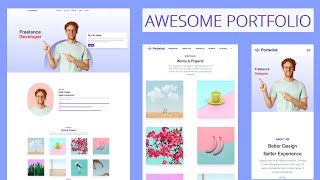
Portfolio Website with Tailwind CSS - Tailwind Tutorial for Beginners
Learn to create a responsive portfolio website using Tailwind CSS, covering installation, design elements, dark mode, and deployment in this comprehensive beginner-friendly tutorial.

SEO Optimized Responsive Portfolio Website Using Next.js
Learn to build a responsive, SEO-optimized portfolio website using Next.js. Master key concepts like data fetching, static paths, and responsive design while creating professional components.

Getting Started With Hugo
Learn to create static websites with Hugo: installation, theme selection, content addition, and deployment. Minimal coding required for building simple, efficient websites.

Deploy a Site With the AWS Amplify CLI - Learn With Jason
Learn to deploy a Gatsby site using AWS Amplify CLI with expert guidance. Explore Amplify setup, project configuration, and integration with AppSync for efficient serverless development.
How to Deploy a Website Live on a Server with Free Domain and SSL Certificate
Step-by-step guide to deploy a website on a server, including free domain and SSL certificate setup. Learn file transfer, hosting configuration, and make your site live in just 30 minutes.

Build and Deploy a Modern UI/UX Website with React and Tailwind CSS
Create modern UI/UX websites with React and Tailwind CSS, featuring parallax effects and bento box layouts. Master stylish design, mobile-first principles, and strengthen your front-end development skills.

Code and Deploy a CSS Animated Website - Learn CSS Transform, Animations, SVGs
Learn to create and deploy a visually stunning website using CSS transforms, animations, and SVGs. Master advanced techniques for dynamic and engaging web design.