
Animated Glitch Text Effect With CSS Only
Create an animated glitch text effect using CSS, exploring text-shadows, keyframes, and clip-path. Learn to implement accessibility features for users who prefer reduced motion.
Setting Up Font Awesome Icons as Pseudo-Elements
Learn to efficiently use Font Awesome icons as pseudo-elements in web design, enhancing decorative elements without cluttering HTML. Explore different approaches and practical applications.
Lazy Loading Is Too Easy Now
Explore native browser lazy loading for improved website performance. Learn implementation techniques, content jumping prevention, and advantages over traditional methods.

Container Queries Are Possible
Discover a clever CSS trick to replicate container queries using flex properties, enabling responsive layouts without media queries. Learn to implement this powerful technique for more flexible web design.
Custom Select Menu - CSS Only
Learn to create a stylish custom select menu using only CSS, with techniques for customizing appearance and behavior without JavaScript.
Stop Fighting with CSS by Taking Advantage of These Tools
Explore 5 essential CSS devtools in Firefox for efficient debugging and responsive design. Learn to inspect, edit properties, and customize your development environment.

The Problem With Browser Defaults and the Future of Resets
Exploring browser defaults, CSS resets, and the potential of CSS Remedy to address inconsistencies across browsers for improved web development and design.

How and Why to Use Borders to Make a CSS Triangle Plus a SCSS Mixin
Learn to create CSS triangles using borders, understand the technique, and explore a SCSS mixin for efficient triangle generation. Gain insights into manipulating shapes for versatile web design.

How to Learn to Code More Efficiently
Practical tips for efficient coding: repetition, building real projects, teaching others, and applying skills to authentic tasks. Accelerate your learning journey.

Browser Support - Is It Okay if the Layout Is Different in Old Browsers?
Explore progressive enhancement in web design, focusing on modern CSS techniques while maintaining partial support for older browsers. Learn to balance innovation with compatibility.
How to Make Shapes with CSS
Learn to create various shapes using CSS techniques like border-radius, pseudo-elements, and clip-path. Explore simple to complex shape-making methods with practical examples and browser compatibility considerations.
Animating with CSS Transitions - A Look at the Transition Properties
Explore CSS transitions for web animations, covering properties, best practices, and performance tips to enhance user experience and catch attention effectively.
Flexbox Tutorial - Flexbox Containers
Comprehensive tutorial on Flexbox container properties, covering flex direction, wrap, width, flow, justify content, and align items for effective layout control in CSS.

Improve Your CSS by Keepin' It DRY
Practical techniques to streamline CSS code by applying the DRY principle, enhancing efficiency and productivity while creating engaging visual effects.
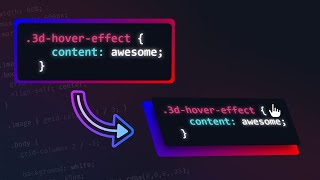
3D Tilting Card Effect with Mouse Tracking - HTML, CSS & JS
Create a 3D tilting card effect with mouse tracking using HTML, CSS, and JavaScript. Learn to style code, add 3D layers, implement mouse-following functionality, and make the code editable.

Common Beginner CSS Mistakes
Discover common CSS pitfalls for beginners and learn effective solutions to improve your coding practices, from avoiding useless declarations to mastering flexbox and positioning techniques.
Stop Fighting with CSS Positioning
Understand CSS containing blocks and positioning to improve responsiveness and control layout. Master absolute, sticky, and fixed positioning for effective web design.
Container Queries Are Going to Change How We Make Layouts
Explore container queries for component-based layouts. Learn basics, real-world examples, range syntax, named containers, and integration with flexbox and grid for more flexible and responsive web design.
Create Borders With Cut Corners - Fully Responsive CSS and Easy to Adapt
Learn to create responsive buttons with cut corners using CSS custom properties, clip-path, and pseudo-classes. Master advanced styling techniques for unique and adaptable designs.

Background Images with HTML & CSS
Learn to effectively use background images in HTML and CSS, covering common issues, sizing techniques, and tips for improved readability.
Stop Using an Extension to Compile Sass
Learn to compile Sass without extensions using npm scripts. Explore alternative methods, set up efficient workflows, and optimize your Sass compilation process for improved development.