Easy Switching to Blender from Other 3D Software
Essential tips for transitioning to Blender: workflow, non-destructive techniques, UI navigation, addons, and key features. Streamline your switch from other 3D software with expert guidance.
Introduction to Substance Painter
Learn the essentials of Substance Painter, covering UI, display settings, maps, environment, and general settings for efficient 3D texturing and material creation.

How to Design a Chat UI in Adobe XD
Learn to create a chat UI in Adobe XD, covering wireframing, design elements, and essential tools. Perfect for UI designers looking to enhance their skills in modern interface design.
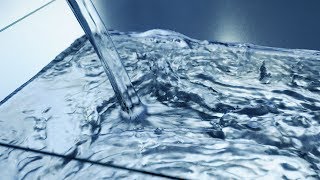
Blender Tutorial - Realistic Fluid Simulation
Discover optimal settings for creating realistic water simulations in Blender. Learn setup, fluid dynamics, baking, and post-processing techniques for stunning visual results.
Create Realistic Animated Trees - Beginner Blender Tutorial
Learn to create and animate realistic trees in Blender using the Sapling Generator, from high-poly designs to optimized low-poly versions for faster rendering.
How Canva Can Help Web Designers and Clients - Canva Tutorial - Graphics Online Tool
Comprehensive tutorial on Canva for web designers: create logos, infographics, and presentations. Learn about templates, animations, background removal, and creative design techniques.
Terragen or Vue - What to Choose?
Comparative analysis of Terragen and Vue 3D landscape software, discussing their strengths, weaknesses, and suitability for different projects to help users make an informed choice.
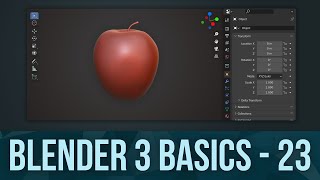
Digital Sculpting in Blender
Learn digital sculpting in Blender 3x with this beginner-friendly guide. Explore drawing techniques, apple sculpting, falloffs, wireframe shading, and topology basics to kickstart your 3D modeling journey.
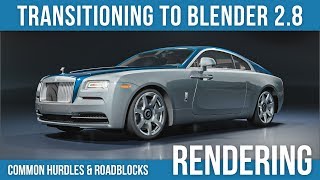
Shading & Rendering Tips - Moving from Blender 2.7 to 2.8: Hurdles and Roadblocks
Concise guide to transitioning from Blender 2.7 to 2.8, covering UI changes, modeling improvements, animation updates, and rendering advancements. Addresses common issues and provides practical solutions for a smooth upgrade.
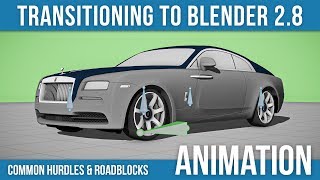
Animation & Rigging Tips - Moving from Blender 2.7 to 2.8: Hurdles and Roadblocks
Concise guide to transitioning from Blender 2.7 to 2.8, covering UI changes, modeling improvements, animation tool updates, and rendering advancements. Ideal for experienced users seeking quick adaptation.
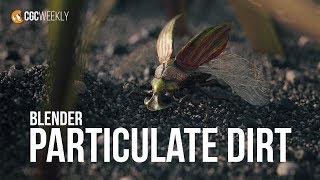
Realistic Particle Dirt in Blender!
Create realistic dirt textures using Blender's particle system for macro-level detail. Learn setup, texturing, and material techniques for authentic dirt surfaces.
Crash Course in Packaging Design - Part 1
Explore packaging design with Christina Jackson as she creates quirky branding for an organic snack pack, covering mood boards, logo design, illustrations, and mockups while incorporating live audience feedback.
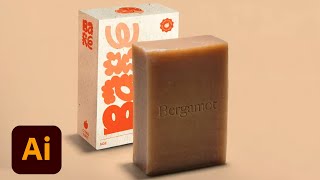
Branding and Packaging Design for Sustainable Vegan Soap - Part 2
Watch Sara Laninga create mockups and collateral for a sustainable vegan soap brand, covering design techniques, industry insights, and practical advice for aspiring designers in this Adobe Live session.
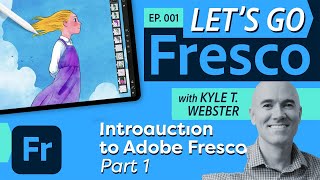
Introduction to Adobe Fresco - Part 1
Explore Adobe Fresco's basics with Kyle T. Webster: learn interface navigation, brush types, layers, selection tools, and essential drawing techniques for digital art creation.
Magical Packaging Design for Video Game Shop Items - Part 2
Discover magical packaging design techniques for video game shop items with VooDoo Val. Learn to create colorful, extraordinary designs using Creative Cloud tools and enhance your workflow.

Photography Masterclass - New Features in Lightroom and Lightroom Classic - Fall 2021
Explore new Lightroom features: advanced masking tools, auto upright, metadata customization, and mobile enhancements. Enhance your photo editing skills with expert guidance.
Design Instagram Highlight Covers Like a Pro Using Adobe Spark
Create eye-catching Instagram highlight covers using Adobe Spark. Learn to design unique, branded images with icons, shapes, and text in this quick tutorial led by visual strategist Kladi.
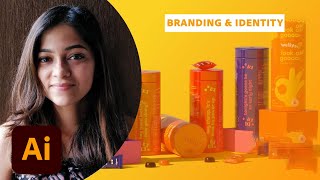
Packaging Design ProTips - Designing for Welly Gummy Multivitamins - Part 1
Learn packaging design techniques with Tanya Kar as she creates concepts for a gummy vitamin brand using Illustrator and Photoshop, covering brand identity, colors, typography, and mockups.
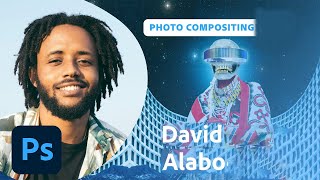
Designing and Animating an Afrofuturistic Collage with David Alabo - Part 2
Visual artist David Alabo demonstrates Afrofuturistic collage animation techniques in Adobe Photoshop and After Effects, sharing insights on freelance creativity, time management, and artistic style development.
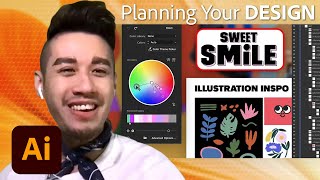
Designing Logos and Packaging with Illustrator and Photoshop - Efficient Design Tutorial Part 2
Learn to design logos and packaging using Illustrator and Photoshop. Covers branding strategy, typography, mockups, custom illustrations, and color experimentation for a plant-based cake-pop company.
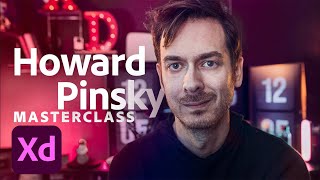
Adobe XD Masterclass: Designing Cryptocurrency Info Cards and Animations - Episode 43
Explore Adobe XD tips for designing cryptocurrency-themed info cards, buttons, and animations. Learn color experimentation, 3D transforms, and efficient workflow techniques.