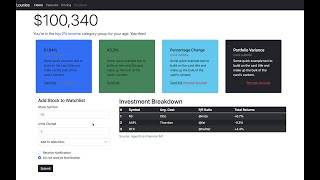
Web Development Using Bootstrap 5 - Styling Stock Portfolio App - Part 2
Learn to style a stock portfolio app using Bootstrap 5, covering UI/UX principles, responsive design, and custom CSS. Gain practical skills for web development careers.

Build and Deploy a Responsive Website - Beginner HTML CSS Tutorial on How to Make a Website in 2023
Learn to build a modern, responsive website with HTML and CSS, covering layout techniques, animations, and best practices for clean, organized code.
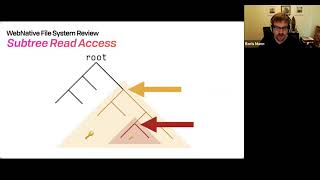
Shared Private Files Design in Webnative's WNFS
Explore WNFS's innovative approach to private file sharing, including content addressing, key exchange, and decentralized identities for secure and efficient data management.
Installing Visual Studio 2019 and MS SQL Express 2017 - Setting up Bootstrap, Fontawesome and Datatables
Step-by-step guide for installing Visual Studio 2019, MS SQL Express 2017, and setting up Bootstrap, Fontawesome, and Datatables for ASP.NET web development with C#.
Developing Home Page of the Bootstrap Website - Part 2
Complete the Bootstrap portfolio website homepage with requirements, newsletter, qualities, and clients sections. Learn form controls and enhance your web development skills.
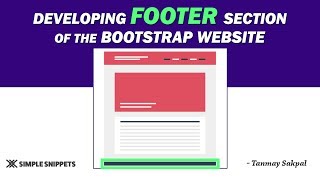
Developing the Footer Section of a Bootstrap Website - Tutorial 8
Learn to create a responsive footer for Bootstrap websites, including top and bottom sections, columns, styling, and embedding elements like maps and social media links.
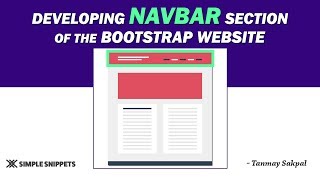
Developing the Navbar in Bootstrap from Scratch - Tutorial 7
Learn to build a responsive Bootstrap navbar from scratch, covering key components, classes, and customization options for modern web navigation.
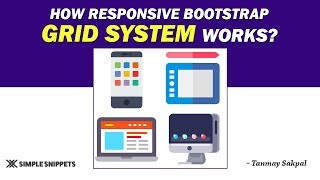
Responsive Working of Bootstrap Grid System - Part 2
Explore Bootstrap's responsive grid system, focusing on device-specific column classes and layout control for optimal mobile-friendly design across various screen sizes.
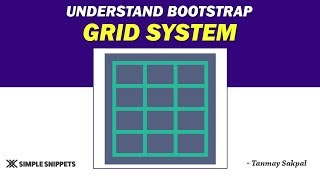
Understanding the Bootstrap Grid System - Part 1
Learn Bootstrap's grid system for responsive web design, including media queries, breakpoints, and container-row-column structure for effective mobile-first layouts.
Build a Landing Page Using Bootstrap 5 - Full Step by Step Tutorial
Step-by-step guide to creating a responsive landing page using Bootstrap 5 and CSS. Learn to build professional-looking websites for various businesses with modern design elements.
Bootstrap 5 Tutorial - Crash Course for Beginners
Comprehensive guide to Bootstrap 5, covering key components and features. Learn responsive design, grid system, UI elements, and more in this beginner-friendly tutorial.

How to Make Responsive Electronic E-commerce Website Using HTML CSS & Bootstrap 5
Learn to build a responsive electronic e-commerce website using HTML, CSS, and Bootstrap 5. Gain practical skills in modern web development and create an attractive, mobile-friendly online store.
Forms in Bootstrap 5 - Learn Basics and Discover Hidden Options
Learn to create responsive forms in Bootstrap 5, from basic usage to advanced features. Discover hidden options, explore form templates, and master various input types and form elements.
How to Make Responsive Website Using HTML, CSS, and Bootstrap - Code & Deploy
Learn to create and deploy a responsive website using HTML, CSS, and Bootstrap. Master modern web development techniques, including navigation, sliders, flexbox, grid, and more.
Create Stunning 3D Website - Three.js & Bootstrap 5 Tutorial
Learn to create interactive 3D websites using Three.js and Bootstrap 5. Master 3D object manipulation, cursor tracking, and UI design. Deploy your stunning project online in just 40 minutes.
30 Web Developer Tool Tricks for Efficient Debugging and Development
Discover 30 powerful web developer tool tricks to enhance productivity, debug efficiently, and optimize website performance across devices and networks.
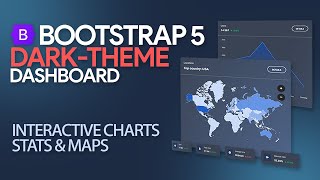
Create Amazing Dark-Theme Admin Dashboard With Interactive Charts, Stats & Maps
Learn to build an interactive dark-theme admin dashboard with charts, stats, and maps using Material Design for Bootstrap. Customize CSS, create responsive layouts, and add dynamic elements.
Create Mind-Blowing, Animated SVG Background With CSS
Create mind-blowing animated SVG backgrounds with CSS. Learn to design, animate, and style SVG graphics using gradients, opacity, and custom animations for stunning web visuals.
Build Bootstrap 5 Portfolio With Subtle Animations and SVG Background
Learn to create a Bootstrap 5 portfolio with subtle animations and SVG background, enhancing web design skills through practical implementation of modern techniques and responsive layouts.
MDB Vue & CLI - From Zero to Production
Discover MDB Vue's potential with 700+ components, free templates, and easy installation. Learn to deploy using MDB CLI for efficient development and hosting in under 20 minutes.
Bootstrap Navbar - Tutorial on the Latest Bootstrap 5
Learn to create and customize Bootstrap 5 navbars, including responsive design, color options, and advanced techniques. Discover useful tools like the Navbar Generator for efficient development.