
Mastering Generative AI - Tools and Techniques with VS Code, GitHub, and Azure
Explore tools and techniques for developing, testing, and deploying generative AI applications using Visual Studio Code, GitHub, and Azure. Learn to build innovative applications with GPT-4 and cutting-edge technologies.
Pluto.jl - Interactive Package Development and Debugging
Explore interactive package development and debugging in Julia using Pluto.jl, PlutoDevMacros, and PlutoVSCodeDebugger.jl for streamlined workflows and enhanced productivity.
Microsoft Copilot Demystified - A 20-Minute Introduction
Explore Copilot's developer-empowering features through practical demos, including automating tasks and building an Azure Function with Visual Studio.

Using Custom Instructions with Copilot to Enhance Prompts - Visual Studio Code Tutorial
Enhance prompts with Copilot's Custom Instructions to streamline development. Learn to leverage specifications and database definitions for efficient project generation and testing.
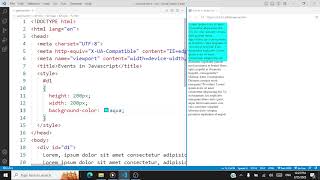
JavaScript Events - Practical Demonstration
Explore JavaScript events through hands-on demonstrations, covering onMouseOver, onKeyDown, onScroll, onPaste, onClick, and onSubmit using Visual Studio Code.
Zephyr 101 - New Zephyr Toolchain and nRF9160 Feather Updates
Explore the latest Zephyr toolchain and nRF9160 Feather updates. Learn about SDK releases, GPIO control, and essential tools for Zephyr development. Discover hardware improvements and resources for embedded systems.
Zephyr 101 - Starting a New Project from Scratch
Learn to initiate and develop Zephyr projects from the ground up, covering essential steps and best practices for embedded systems development.
Zephyr 101 - Stepwise Debugging Using VSCode
Master stepwise debugging for nRF9160/nRF9161 in VSCode with Cortex Debug Extension. Enhance your embedded development skills and troubleshoot efficiently.
Building a Nice Ansible Environment with Rundeck and VS Code Server
Construye un entorno Ansible eficiente con Rundeck como interfaz gráfica y vscode server para edición de archivos. Aprende a configurar inventario dinámico y desplegar Ansible con Ansible.

Using VS Code to Write and Deploy Azure Functions
Create, modify, and deploy Azure Functions using VS Code, including local testing and step-by-step guidance for efficient serverless development.
Microsoft AI: Visual Studio Code AI Toolkit Introduction for Data Science and Machine Learning
Explore Visual Studio Code AI Toolkit with hands-on examples in Python and C#, focusing on CPU inference using the Phi 3 4K Instruct model in ONNX format.
Write Better Tests and Stop Breaking the Build
Explore techniques to improve test writing, including using snippets, Copilot, and test-first approaches. Learn to create robust tests that enhance code quality and prevent build breaks.
Customizing VS Code's UI for Productivity
Boost productivity by customizing VS Code's UI: themes, activity bar, editor, status bar, font size, and profiles. Learn tips for a tailored coding environment.
How to Learn Python in 2024 - A Step-by-Step Guide for Beginners
Discover an updated approach to learning Python in 2024, focusing on practical steps, modern resources, and effective strategies to accelerate your programming journey.
ClaudeDev and Ollama as Local Cursor Alternative - Limitations of Current Models
Explore ClaudeDev, a VSCode extension offering AI coding assistance with local model support via Ollama. Learn its features and potential as a Cursor alternative for enhanced development workflows.
C# Project and Package Management in VS Code - Everything You Need to Know
Explore C# Dev Kit's Solution Explorer for efficient project and package management in Visual Studio Code, enhancing productivity for C# application development.

Master VS Code's Keyboard Shortcuts in 13 Minutes
Boost productivity with essential VS Code keyboard shortcuts for navigation, selection, commenting, terminal use, and more in this quick, practice-oriented tutorial.
Building Your Own GitHub Copilot Chat Participant in VS Code
Develop a custom GitHub Copilot chat participant in VS Code, integrating SQL database functionality and smart actions for enhanced coding efficiency.
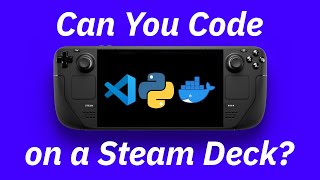
Setting Up a Development Environment on Steam Deck
Explore setting up a development environment on Steam Deck, including Python, Docker, and VS Code, with challenges and solutions for coding on this gaming device.
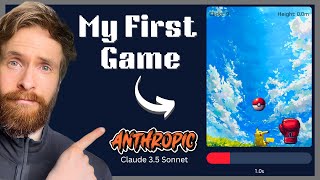
Creating a JavaScript/React Game with Claude 3.5 Sonnet
Learn to build a JavaScript/React game with sprites, sound, and music using Claude 3.5 Sonnet. Covers physics engine, UI, asset integration, and practical AI-assisted development techniques.
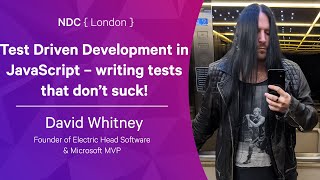
Test Driven Development in JavaScript – Writing Tests That Don't Suck
Learn practical TDD in JavaScript using Visual Studio Code, Jest, and Wallaby.js. Covers tooling, mindset, patterns, naming, and refactoring to write effective, non-brittle tests for code characteristics.