How to Render Fire in Cycles
Learn to simulate and render realistic smoke and fire effects using Blender's Cycles renderer, enhancing your 3D scenes with dynamic and visually striking elements.
How to Make a Rainy Window in Blender
Learn to create realistic rainy window effects in Blender, enhancing your 3D rendering skills with advanced techniques for atmospheric scenes and water droplet simulations.
How to Do Camera Mapping in Blender
Learn to create stunning 3D scenes from still photographs using camera mapping techniques in Blender. Master this powerful tool to enhance your visual storytelling and 3D modeling skills.

Blender Tutorial - Create a Professional Logo Animation
Learn to craft stunning logo intro animations in Blender. Master techniques for dynamic, professional-quality motion graphics to elevate your brand or project's visual identity.
Create an Animated Mograph Text Intro with Blender
Learn to create a dynamic animated movie title sequence using Blender, covering modeling, texturing, shading, lighting, and animation techniques for impactful visual storytelling.
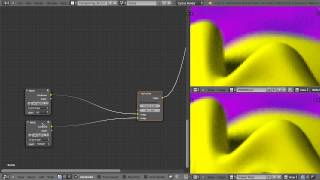
Working with Alpha Edges for Compositing in Blender
Control alpha edges in Blender compositing to avoid fringing. Learn to combine render passes, use Mix and Alpha Over nodes, and apply the Inpaint node for fixing edge problems.
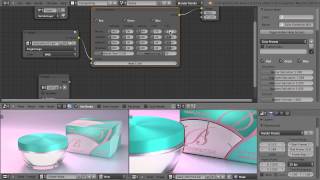
Using Blender's Color Correction Node in Compositing
Fine-tune render highlights, midtones, and shadows with Blender's Color Correction node. Master Gain, Gamma, Lift, and color grading algorithms for powerful image adjustments.

Blender Tutorial - Creating Photorealistic Puddles
Learn to create physically accurate, realistic puddles in Blender with step-by-step guidance. Master advanced techniques for enhancing 3D scenes with lifelike water effects and reflections.

Blender Beginner Tutorial - Creating Floating Particles with Geometry Nodes - Part 12
Learn to create floating particles using geometry nodes in Blender, enhancing your donut scene with lively, dynamic elements in this comprehensive tutorial.

Blender Beginner Tutorial - Random Colored Sprinkles - Part 10
Learn to create diverse sprinkle variations with random colors using Blender's geometry node system, enhancing your 3D modeling skills and adding visual interest to your designs.
VFX Advice and Studio Tour with Wren Weichman from Corridor Digital
Indepth interview with Corridor Digital's VFX supervisor Wren Weichman, offering valuable insights and advice on visual effects techniques and industry practices.
Most Satisfying Blender Animation - Tutorial
Create a captivating looping animation of satisfying cutting in Blender 2.92, mastering techniques for visually pleasing 3D animations.
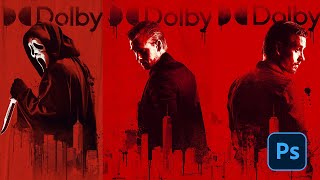
How to Creatively Use the Difference Blending Mode in Photoshop
Explore creative uses of Photoshop's Difference blending mode to recreate the Scream VI poster, incorporating tri-tone color schemes, gradient maps, and efficient group management for striking graphic effects.
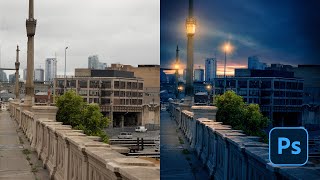
How to Create Blue Hour in Photoshop Tutorial 2022
Learn to create stunning blue hour effects in Photoshop using sky replacement, curves, artificial lights, and flares. Master essential techniques to transform your photos into captivating twilight scenes.
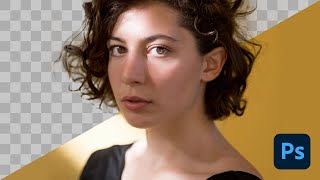
How to Select a Person in Photoshop Tutorial 2022
Learn advanced techniques for selecting people in Photoshop, including smart selections, hand-drawn methods, and channel-based approaches. Master essential skills for compositing, manipulation, and retouching.
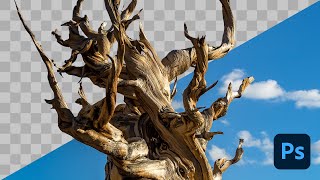
How to Remove a Background in Photoshop Tutorial 2022
Learn essential techniques for removing backgrounds in Photoshop, including one-click removal, lasso tool tricks, select and mask workspace, and advanced methods like pen and channel selections.
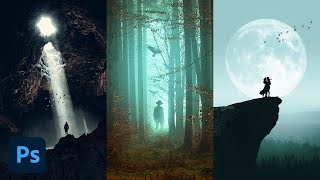
How to Use Custom Brushes in Photoshop
Learn to create stunning composites using custom silhouette brushes in Photoshop. Master blending, color grading, and atmospheric effects to transform photos into grand-scale artistic scenes.
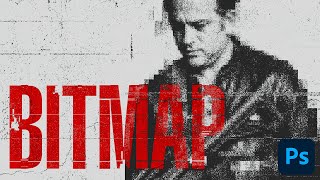
How to Create a Damaged Bitmap Effect in Photoshop
Learn to recreate the damaged bitmap effect from the Mile 22 poster using Photoshop techniques like mosaic effects, blending modes, gradient maps, masks, grunge textures, and typography.
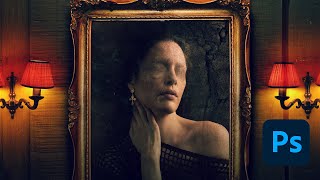
The Haunting of Bly Manor Fading Portrait Tutorial – Photoshop Live Q&A
Learn to create a faded portrait effect inspired by The Haunting of Bly Manor's opening title. Master compositing techniques, including patch tool, painting, and blending modes in this comprehensive Photoshop tutorial.
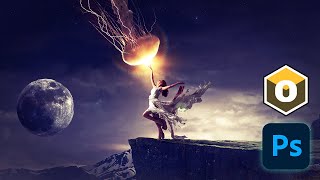
Optics by Boris FX - Comprehensive Review and Tutorial
Comprehensive tutorial on Optics plugin by Boris FX for Photoshop, covering workspace, filters, effects, and integration into compositing workflow. Includes tips, tricks, and instructor's insights on the software.
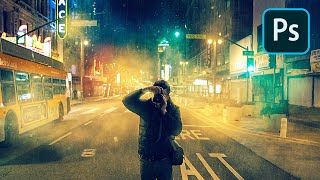
How to Create Atmosphere in Photoshop
Learn to enhance images with mood and drama using Photoshop techniques for fog, dust, rain, and color grading. Master atmosphere creation to elevate your photo editing skills.