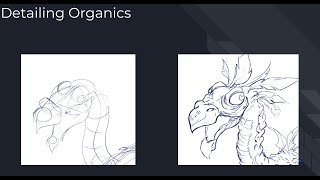
Line to Detail - Part 2
Learn techniques for adding organic details to creature designs, focusing on placement and avoiding common pitfalls. Ideal for novice high school artists.
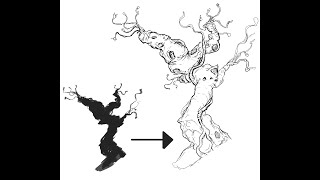
Line Art Extraction
Learn to extract detailed line art from loose silhouettes, a quick idea generation technique for production. Practice with provided silhouette or your own to enhance design skills.
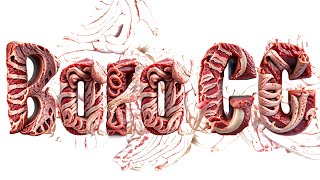
Adobe's New AI Tools
Exploring Adobe Firefly's AI capabilities for creative projects, showcasing its potential and limitations in generating and manipulating digital content.
Adobe Firefly AI Is Here - Stop Everything You're Doing and Watch This
Explore Adobe Firefly AI's revolutionary features for professional workflows, including vector generation, template creation, color transfer, image combination, and text generation, all commercially safe.

Adobe Firefly - AI for Professionals
Explore Adobe Firefly, a new generative AI tool competing with Stable Diffusion, DALL-E, and Midjourney. Learn about its features and potential impact on professional creative workflows.
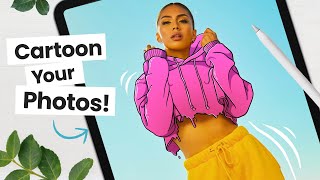
How to Cartoon Your Photos - Step-by-Step Tutorial
Learn to transform photos into cartoons using digital art software. Master line art, coloring, shading, and workflow techniques to add personality and create unique illustrations from your images.
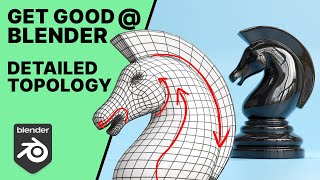
Get Good at Blender - Advanced Topology - The Knight
Advanced Blender tutorial on creating a knight chess piece, focusing on topology techniques like edge flow and pole placement. Covers modeling from base to final details, emphasizing best practices for 3D artists.
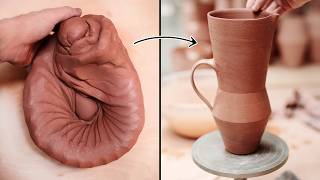
Throwing New Jug Shapes on the Potter's Wheel
Explore the process of creating a new angular jug shape, from clay preparation to final carving, with expert potter Florian Gadsby in this detailed pottery wheel demonstration.
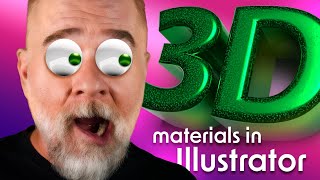
Wrap Your Illustrator 3D in Real World-ish Materials
Learn to apply realistic 3D materials in Illustrator, exploring textures, roughness, metallic properties, and advanced techniques like shadow bounds and ray tracing for enhanced visual appeal.
Let There Be Light and Shadows
Explore Adobe Illustrator's enhanced 3D lighting controls, including rotation, height, and softness. Learn to create realistic shadows and master the interplay of light in your digital designs.
Illustrator 3D Never Went Away, But Now It’s Back
Explore Illustrator's enhanced 3D capabilities, including the 3D panel, on-screen widget, and bevel options. Learn to manipulate objects with pitch, yaw, roll, depth, and emboss for stunning visual effects.

Years of Deke's Techniques
Retrospective of Deke's Techniques: A decade of Photoshop and Illustrator tutorials, featuring favorite episodes on typography, special effects, isometric projections, and graphic art.
Oil Paint - The Photoshop Filter That Will Not Die
Explore Photoshop's Oil Paint filter: GPU compatibility, brush options, and lighting values. Learn to create stunning effects and enhance your digital artwork with this versatile tool.
The Best of Illustrator 2023 - Intertwine Objects
Explore Illustrator 2023's Intertwine Objects feature to weave and interlock paths, with techniques for editing and manipulating overlapping objects for creative designs.
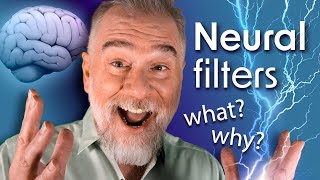
Photoshop Is Smarter Than You Are
Explore Photoshop's Neural Filters for advanced photo editing. Learn skin smoothing techniques, layer masking, and how to balance smoothness and blur for professional-looking results.
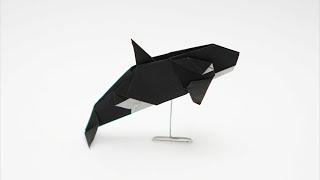
Origami Orca
Learn to create an intricate origami orca with step-by-step instructions. Master intermediate-level folding techniques, color changes, and shaping to craft a realistic marine masterpiece.
Collaborative Architecture: Deconstructing the Seattle Public Library Design
Architect Joshua Prince-Ramus deconstructs the collaborative process behind innovative building designs, showcasing the Seattle Public Library and previewing upcoming projects in Dallas and Louisville.

Creating a Bottle Breaking Simulation
Learn to create a realistic bottle breaking simulation in Blender, covering rigid body physics, fluid dynamics with Mantaflow, and wine material creation. Perfect for 3D artists seeking advanced effects skills.

Blender Tutorial - Eternals Gold Wireframe Animation
Learn to recreate the Eternals gold wireframe animation in Blender. Master curve manipulation, taper effects, gold material creation, and render settings for stunning visual results.
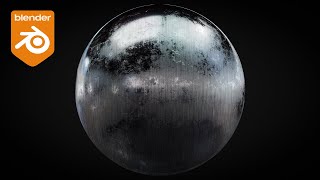
Creating Realistic Procedural Brushed Metal
Learn to create realistic procedural brushed metal in Blender using advanced node techniques. Master noise, roughness, scratches, and bump mapping for stunning metallic surfaces.

Blender Tutorial - Book Opening Animation
Learn to create a dynamic book opening animation in Blender, focusing on animating the cover, pages, and using the Commotion addon for realistic page movement. Perfect for beginners interested in 3D animation techniques.