Understanding the Detail Extractor Filter in NIK Collection 5
Explore the Detail Extractor filter in NIK COLOR EFEX PRO to enhance local image details. Learn tips for optimal use through three practical examples.
ON1 Photo RAW 2022 - Exploring Filter Effects Part 1
Explore filter effects in ON1 Photo RAW 2022, including LUT, Glow, Luminosity Mask, Dynamic Contrast, and Blur, with practical demonstrations on various images to enhance your photo editing skills.
Complimentary Contrast in Color and Tone - TK Friday Tutorial
Learn to enhance photos using Lightroom and Photoshop with the TK8 plugin. Master techniques for color grading, contrast adjustment, and hand painting to create stunning images.
Lightroom Classic Full Edit - Bringing Back the Mood
Comprehensive Lightroom Classic tutorial for enhancing mood in photos. Covers advanced techniques like masking, local adjustments, and linear profiles to recreate original scene ambiance.
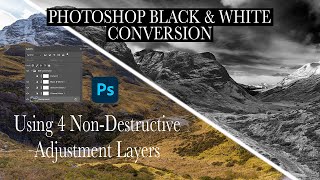
Dramatic Black and White Conversion in Photoshop Using Non-Destructive Adjustment Layers
Learn to create dramatic black and white images using non-destructive Photoshop adjustment layers. Master techniques for selective color adjustments, channel mixing, and curves to enhance tonal contrast and depth.
Working with Black and White Using TK7 GO Panel
Explore black and white image editing using TK7 GO and COMBO/CX panels. Learn techniques for enhancing contrast, adjusting highlights, and creating a captivating monochrome result.
Enhancing Images with TK7 GO Panel - Recovering Light and Saturation
Enhance images using TK7 Go Panel to recover light and saturation with luminosity and zone masks. Learn techniques for improving photo quality and visual appeal.
Creating the Perfect Mask with TK7 Go Panel - Tutorial
Mastering TK7 GO PANEL for perfect masks: Learn color masking, infinity color, overlay blending, painting techniques, and zone masking to enhance your photo editing skills.
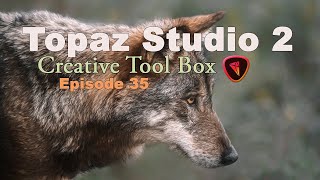
Topaz Studio 2 - Creating Wolf Painting with Impression Filter - Episode 35
Learn to create a stunning wolf painting using Topaz Studio 2's Impression Filter, with additional techniques in Photoshop for enhanced artistic effects.

Topaz Studio 2 - Black and White Workflow Tutorial
Learn to create stunning black and white images using Topaz Studio 2. Explore filters, conversion techniques, and workflow tips to enhance your monochrome photography skills.
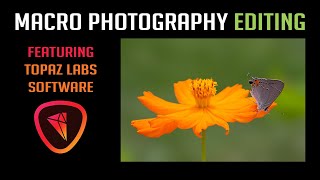
Macro Photography Editing - Featuring Topaz Labs Software
Learn macro photography editing techniques using Topaz Labs software, covering Lightroom adjustments, Photoshop integration, and various plugin applications for enhancing image quality and detail.
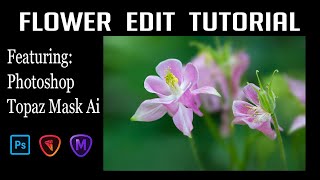
Flower Photography Editing: Enhancing Depth of Field with Topaz Mask AI and Photoshop
Learn to enhance flower photography with advanced editing techniques, isolating subjects and creating stunning shallow depth of field effects beyond camera capabilities.

Grand Canyon Photo Editing Tutorial - Topaz, Luminar 4, and Photoshop
Learn advanced photo editing techniques for stunning Grand Canyon images using Topaz, Luminar 4, and Photoshop. Enhance colors, remove distractions, and create breathtaking landscapes with expert guidance.
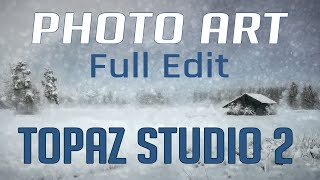
Topaz Studio 2 and Photoshop Tutorial - Creating a Winter Cabin Digital Painting
Transform a winter cabin photo using Topaz Studio 2 and Photoshop. Learn color correction, filters, vignettes, and digital painting techniques to create a stunning winter scene.
Re-Discovering Analog Efex Pro 2 - NIK Collection Tutorial
Explore Analog Efex Pro 2's creative filters to transform digital images into unique, vintage-style photographs. Learn to build custom cameras and save presets for efficient editing workflows.
Photoshop Photo Art Tutorial - Using Topaz Plugins
Transform photos into stunning digital paintings using Topaz plugins in Photoshop. Learn sky replacement, masking, and artistic effects to create unique composite images from ordinary photographs.
Photo Painting Tutorial - Photoshop, Topaz Studio 2, and Luminar 4
Transform photos into stunning paintings using Photoshop, Topaz Studio 2, and Luminar 4. Learn advanced techniques like AI enhancement, object selection, and blending multiple filters for unique artistic results.
Photoshop and Topaz Labs Tutorial - Blue Flower Full Edit Workflow
Comprehensive Photoshop and Topaz Labs workflow for enhancing a blue flower image, covering noise reduction, healing, camera raw adjustments, and advanced editing techniques.

Photo Art Tutorial - Using Photoshop and Topaz Studio 2
Transform photos into art using Photoshop and Topaz Studio 2. Learn techniques like layer masking, texture application, and AI-powered effects to create stunning digital artwork from your photographs.
Flower Photography Workflow Tutorial - Lightroom, Photoshop, and Topaz Studio 2
Learn to enhance flower photos with a dreamy, ethereal look using Lightroom, Photoshop, and Topaz Studio 2. Master techniques for soft backgrounds, noise reduction, and sharpening in macro photography.

Dodging and Burning Techniques in Topaz Studio 2 and Photoshop
Learn effective dodging and burning techniques in Photoshop and Topaz Studio 2 to enhance landscape images and make them stand out. Discover similar methods in both applications for improved photo editing skills.