ZBrush Posing with Character Creator - Auto-Rigging and Texturing - Part 5
Master rigging and posing in ZBrush with Character Creator 4. Learn seamless GoZ round-trip process, texture handling, and advanced rigging techniques to transform 3D sculpts into animated characters.
Blender Launcher - Update Blender and Manage Multiple Builds
Learn to efficiently manage multiple Blender versions with Blender Launcher, a free tool for easy installation, updates, and organization of different Blender builds in a user-friendly interface.
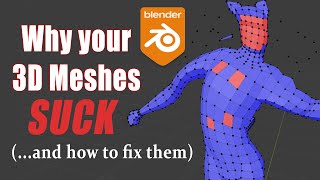
Blender 2.8-2.9 - Best 3D Modeling Practices - Why Your Meshes Suck
Learn best practices for 3D modeling in Blender, covering mesh quality, symmetry, normals, and common issues. Improve your skills to create cleaner, more efficient models for rigging and game engines.
Blender Character Animation Using NLA - Nonlinear Animation
Learn character animation in Blender using the Nonlinear Animation Editor. Master complex techniques like smooth transitions, mixing IK/FK actions, and additive animations for creating dynamic and fluid character movements.
Blender 2.8-2.9 - Un-Confusing the NLA Editor - Nonlinear Animation
Comprehensive guide to Blender's NLA Editor, covering interface, key features, and common issues. Learn to effectively use tracks, blending modes, and action strips for complex animations.
The Nuts and Bolts of Blender's Animation System
Explore Blender's animation fundamentals, including transforms, keyframes, interpolation, actions, and key editors. Gain essential knowledge for mastering the NLA editor in future lessons.
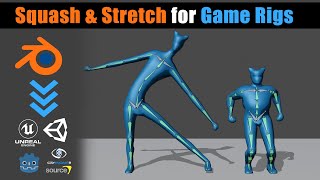
Blender - Game Ready Rigs - Squash & Stretch Solutions
Learn techniques for implementing squash and stretch in game character rigs using Blender, including flat hierarchy and bone offset methods. Discover solutions to avoid distortion and create more dynamic animations.
Quick and Fun 2D Hand Mocap Animation in Cartoon Animator 4
Explore advanced 2D hand animation techniques in Cartoon Animator 4, including bone-based manipulation, hand pose editing, and motion capture using Leap Motion for quick and expressive character animations.
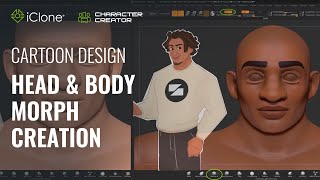
Fast Cartoon Design - Head and Body Morph Creation in Character Creator 3
Learn to create stylized cartoon characters using Character Creator and ZBrush. Master prototyping, sculpting, texturing, and morph creation for efficient 3D character design workflows.
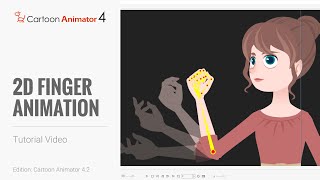
Cartoon Animator 4 Tutorial - Hand Pose Key Editor for 2D Finger Animation
Learn to create detailed hand animations using Cartoon Animator 4's Hand Pose Editor. Master bone-enabled hands, save and export animations, and enhance your 2D character animations with realistic finger movements.
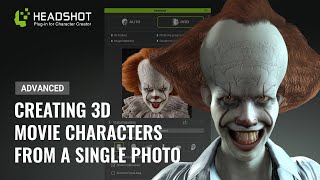
Generating a 3D Animated Pennywise from a Photo - Advanced Headshot Guide
Learn to transform a 2D Pennywise photo into a detailed 3D model using Headshot, ZBrush, and Blender. Master advanced techniques for photo preparation, mesh editing, sculpting, symmetry fixing, and hair creation.
Cartoon Animator 4: Advanced Facial Animation, Character Interaction, and Rendering - Day 3
Explore advanced facial animation, body motion, character interaction, and rendering in Cartoon Animator 4. Master techniques like sprite switching, morphing, and motion capture for creating dynamic 2D animations.
Cartoon Animator from A-Z - Character Creation and Customization - Day 2
Learn character creation in Cartoon Animator 4, from free-bone actors to custom designs using Photoshop Pipeline. Master 360-degree heads, motion application, and animation templates for impressive results.
Cartoon Animator from A-Z - Setting the Scene - Day 1
Learn Cartoon Animator 4 basics: UI, scene setup, prop importing/editing, animation, and adding music/sound effects. Hands-on demo covers background creation, custom props, and simple animations.
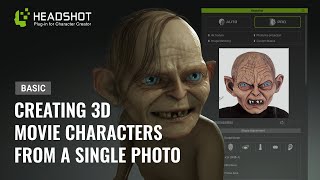
Generating a 3D Animated Gollum from a Photo - Basic Headshot Guide
Learn to create a 3D animated Gollum-like character from a photo using Headshot for Character Creator 3. Master techniques for sculpting, texturing, and customizing fantasy characters with expert tips and tools.
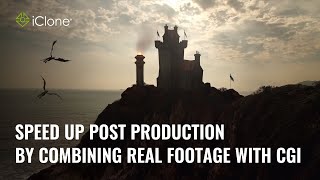
Speed up Post Production by Combining Real Footage with CGI - Master Class
Learn to combine real footage with CGI in iClone to enhance realism and efficiency. Techniques include using videos as textures, integrating transparent elements, and mimicking camera motion for seamless compositing.
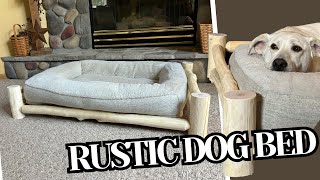
Build a Rustic Dog Bed Using Lumberjack Tools
Create a rustic dog bed using found lumber and Lumberjack Tools. Learn to prep, drill, cut tenons, and assemble for a unique, handcrafted pet throne.
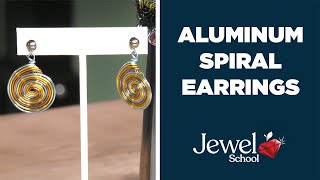
Aluminum Spiral Earrings - Jewelry Making Tutorial
Learn to create stylish aluminum spiral earrings in this quick, fun tutorial. Perfect for beginners, discover essential techniques and tools for crafting eye-catching jewelry you'll love to wear and showcase.
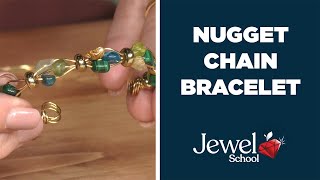
Nugget Chain Bracelet Tutorial - Jewelry 101
Learn to create a stylish Nugget Chain Bracelet with simple techniques. Perfect for beginners, this project offers endless creative possibilities while teaching essential jewelry-making skills.

Easy Cha Cha Earrings - Jewelry Making Tutorial
Learn to create elegant Cha Cha earrings in this DIY jewelry project. Master simple techniques to craft a stylish accessory, unleashing your creativity with gemstone nuggets and basic tools.

Pearl and Beaded Necklace Tutorial - Jewelry 101
Learn to create a beautiful pearl and beaded necklace suitable for all skill levels. Discover techniques for combining pearls, turquoise beads, and wire to craft a stunning piece that showcases your jewelry-making abilities.