
Introduction to Adobe Dimension - Part 2
Learn to create stunning text effects and integrate 3D models into photos using Adobe Dimension. Explore materials, lighting, and basic shapes with expert guidance from Jesús Ramirez in this hands-on tutorial.

Introduction to Adobe Dimension - Part 1
Learn Adobe Dimension basics with Jesús Ramirez: create text effects, apply materials, add lighting, and integrate 3D models into photos. Master essential tools for stunning 3D designs.
Logo Design for a Fresh Beauty Brand - Part 1
Designer Ben Wagner demonstrates logo creation for a beauty brand, covering sketching, digital transformation, and mockups using Adobe tools. Insights on client communication and design trends included.
Creative Compositing in Adobe Photoshop - Part 1
Learn advanced Photoshop compositing techniques with Jesús Ramirez. Discover how to realistically combine Adobe Stock images, use filters, masks, and color editing to create stunning visual scenes.
Adobe XD Masterclass - Tips and Tricks for Improved Design Workflows - Episode 23
Learn advanced Adobe XD techniques for creating animated intros, custom cursors, and interactive designs. Master auto-animate, smart guides, and efficient workflows to enhance your digital design skills.
Photography Masterclass - How to Edit User-Submitted Photos
Expert photographer Terry White demonstrates editing techniques on user-submitted photos, sharing his workflow and thought process to help improve your photo editing skills.
Getting Started in Adobe Dimension
Learn to create brand visualizations and packaging designs with Adobe Dimension. Master navigation, materials, perspectives, decals, rendering, and text in this hands-on tutorial with photographer Victoria Pavlov.

Creating Your Online Portfolio with Adobe Portfolio - Photography Masterclass
Learn to create and customize an online photography portfolio using Adobe Portfolio, integrate Lightroom photos, and easily update your showcase with expert guidance from Terry White.
Adobe XD Masterclass - Tips and Tricks for Improved Design Workflows - Episode 21
Enhance your Adobe XD skills with expert tips on creating iOS widgets, animated toggles, and 3D shapes. Learn efficient design workflows and techniques to elevate your projects.
Lettering vs. Fonts - Understanding the Differences and Applications
Explore the differences between lettering and fonts with Adobe Fonts experts. Learn when to use each, discover design techniques, and gain insights into the world of typography and digital lettering.
Adobe XD Masterclass - Tips and Tricks for Improved Design Workflows - Episode 52
Learn advanced Adobe XD techniques for designing fitness app interfaces, including 3D transforms, character styles, and animated transitions. Improve your workflow and create dynamic UI elements.

3D Compositing in Photoshop and Dimension Masterclass
Explore 3D modeling in Photoshop and Dimension. Learn to create, import, and render 3D content, manipulate models, materials, and lighting for stunning composites and matched 2D-3D images.
Freestyle Vector Art Techniques with Orlando Arocena - Part 2
Explore vector freestyle with Orlando Arocena: evolve abstract doodles into familiar images using Illustrator tools. Learn gradient techniques, vector brushes, and professional insights on creativity and client management.
Illustrator Daily Creative Challenge - Repeating Patterns
Learn to design and apply repeating patterns to letters using Illustrator's tools, enhancing your creative skills in this hands-on challenge.
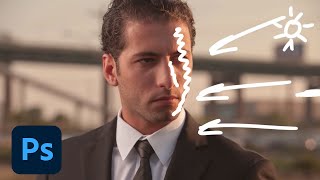
Creating Cinematic Images in Photoshop - Part 1
Learn advanced Photoshop techniques to transform ordinary photos into cinematic masterpieces. Master complex selections, environmental lighting, retouching, and digital re-lighting for stunning visual effects.
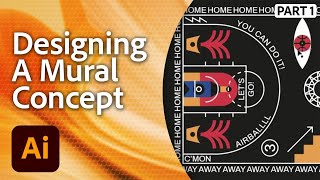
Designing a Mural in Adobe Illustrator - Workshop with Marco Oggian Part 1
Learn to design a large-scale mural for a basketball court using Adobe Illustrator. Multi-disciplinary artist Marco Oggian guides you through creating geometric shapes, incorporating quotes, and developing a unique color palette.
Proven Feature Film Workflow Techniques for Video Creators
Proven techniques for efficient feature film editing, covering organization, storytelling, audio, color, and VFX enhancement, shared by experienced editor Vashi Nedomansky.

Adobe Premiere Pro for Social Media Video Creation
Master efficient social media video editing with Premiere Pro. Learn time-saving techniques, customization tools, and automatic reframing for various platforms to create standout content quickly.
Mixer Brushes, Smudge Tools, and Painting Techniques in Photoshop - Brush Hour with Kyle T. Webster
Learn advanced Photoshop techniques with Kyle T. Webster, including mixer brushes, smudge tools, and blending modes. Discover how to create painterly effects, customize brush settings, and enhance your digital art skills.
New Premiere Pro and After Effects Features Masterclass
Explore new features in Premiere Pro and After Effects, including improved captions workflow, swappable video in motion graphics templates, 3D tools, and enhanced Warp Stabilizer.

Mastering Adobe Fresco Watercolor Brushes - Techniques and Controls
Master Adobe Fresco's watercolor brushes, blending techniques, and advanced features to create stunning digital illustrations with realistic textures and effects.