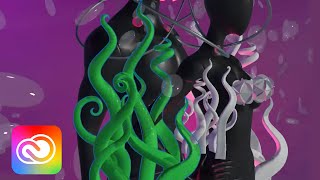
Introduction to 3D Design with Adobe Substance - Part 1
Digital artist Jasmyn Johnson demonstrates 3D design using Adobe Substance Stager and Sampler, covering model selection, shape creation, material application, lighting, and rendering techniques for custom 3D compositions.
Food Lettering Animations in Adobe Fresco - Part 2
Learn digital lettering and animation techniques with artist Belinda Kou as she creates and animates food-themed quotes in Adobe Fresco, sharing professional tips and insights along the way.
Food Lettering Animations in Adobe Fresco - Part 1
Learn digital lettering and animation techniques to create custom food-themed quotes in Adobe Fresco. Gain insights on composition, sketching, refining, and adding details to bring your lettering to life.
Introduction to Adobe Fresco - Part 1
Explore Adobe Fresco's basics with Kyle T. Webster: learn interface navigation, brush types, layers, selection tools, and essential drawing techniques for digital art creation.
Illustration Masterclass - Creating Dynamic Poses in Digital Art
Learn techniques to create dynamic poses in illustrations, including line of action, weight distribution, foreshortening, and twisting. Enhance your digital art skills with practical demos and expert tips.
Self-Portrait Composites in Photoshop - Part 1
Learn to create stunning self-portrait composites in Photoshop with photographer Alexus Roberts. Master essential tools, techniques, and creative processes for blending self-portraits with stock images to produce captivating artwork.
Creating Smooth Transition Videos for TikTok - Part 2
Aprenda técnicas avançadas de transição para TikTok com Jillian Nicole Smith, incluindo mascaramento e modelos de motion graphics no Premiere Pro para criar vídeos envolventes e profissionais.
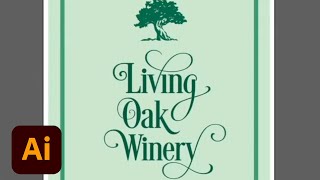
Creating a Hand-Lettered Look with Fonts - Adobe Fonts Show Episode 24
Discover techniques to create a hand-lettered look using fonts, exploring special features and unique touches. Learn to spot suitable fonts and utilize their distinctive characteristics for personalized designs.
Creating 3D Designs with Adobe Tools - Part 2
Learn to create playful 3D illustrations using Adobe tools. Design characters, packaging, and a store for the Wonky Toy project. Explore composition, materials, lighting, and build processes in 3D design.
Creating 3D Illustrations with Adobe Dimension, Illustrator, and Photoshop - Part 1
Learn to create stunning 3D illustrations using Adobe Dimension, Illustrator, and Photoshop with Visual Designer Anu Manohar. Explore letterform design, composition techniques, and advanced 3D rendering methods.
Designing Business Cards with Illustrator - Marketing Challenge
Learn to create impactful business cards using Illustrator's type tools, blending modes, and design techniques. Gain practical skills for professional card layouts and typography in this hands-on tutorial.
Creating a Modern Logo in Adobe Illustrator - Challenge Tutorial
Learn to design a sleek, modern logo using Illustrator's type tools, simple shapes, and advanced features like rotation and alignment. Perfect for aspiring graphic designers seeking to enhance their skills.
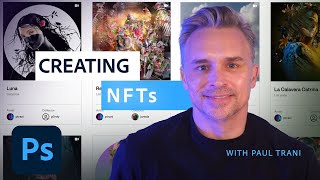
Creating and Minting NFTs in Photoshop - A Masterclass
Learn to create, mint, and auction NFTs using Photoshop. Covers NFT basics, wallet setup, pricing strategies, artwork process, and Content Credentials. Ideal for artists exploring the NFT market.

Photography Masterclass: Syncing Across Desktop, Cloud, and Mobile in Lightroom
Explore Lightroom syncing across desktop, cloud, and mobile platforms. Learn to manage photo collections, troubleshoot sync issues, and optimize workflow in this comprehensive masterclass.
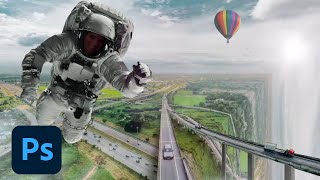
Compositing Surreal Photos in Photoshop - Part 1
Learn advanced photo compositing techniques to create surreal urban and nature landscapes using Adobe Photoshop. Master masking, color matching, and photo manipulation to bring impossible worlds to life.
Illustrator Daily Creative Challenge: Typography-Based Social Media Post Design
Learn to create eye-catching typography-based social media posts using Illustrator's type tools. Explore font activation, text hierarchy, custom type design, and alignment techniques in this hands-on challenge.
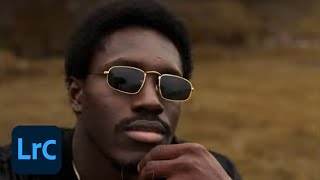
Cinematic Photo Editing in Lightroom Classic and Photoshop - Part 1
Learn cinematic photo editing techniques in Lightroom and Photoshop with photographer Idara Ekpoh. Master color grading, dodging and burning, selective adjustments, and creative effects to elevate your images.
Emulating Pencils and Graphite in Photoshop - Digital Drawing Techniques
Explore digital pencil drawing techniques in Photoshop using custom brushes to emulate traditional graphite tools. Learn shading, texturing, and various pencil effects for realistic digital artwork.
Bringing Illustrations to Life: From Illustrator to Photoshop - Part 1
Learn to create dynamic space-themed illustrations using Adobe tools. Follow Michael Fugoso's process from sketching in Illustrator to adding textures in Photoshop and bringing designs to life in Aero.
Creative Basics 101 - How to Make a Logo
Learn logo design essentials, from sketching to vectorization, with expert guidance on principles, common mistakes, and practical techniques for creating effective and visually appealing logos.
Illustrator Basics - Creative Workflow and Tools Introduction
Learn Illustrator basics with experts Nick Longo and Andrew Hochradel. Explore tools, workflows, and essential techniques for vector graphics, shape building, typography, and file management in this comprehensive tutorial.