
Zoom Tutorial
Master Zoom essentials: joining meetings, screen sharing, breakout rooms, polls, and security features. Learn optimal settings and best practices for hosting effective online meetings and video conferences.

Advanced Zoom Tutorial - Zoom Like a Pro! Includes Zoom Breakout Rooms Tutorial
Explore advanced Zoom features like breakout rooms, virtual backgrounds, and screen sharing. Learn to customize settings, manage participants, and enhance your video conferencing experience.
Best Video Conferencing Setup and Live Streaming Setup Explained
Learn to create a professional video conferencing and live streaming setup, covering camera selection, lighting, audio equipment, and software integration for high-quality online presentations and meetings.

Gmail Basics Tutorial
Master Gmail's features, from basic messaging to advanced tools like filters and integrations. Enhance productivity with chat, calendar, and task management functionalities.

OpenMeetings - Video, Audio, Screen Sharing Conference Room
Explore OpenMeetings: Free, self-hosted video conferencing solution. Set up your own secure platform for meetings, webinars, and presentations with full control and customization options.

Leveraging ZoomISO for Enhanced Zoom Control - The Zoom Workshop
Explore ZoomISO's capabilities for enhancing Zoom meetings with NDI streams, dynamic events, and integration with Ecamm Live. Learn setup, troubleshooting, and advanced features from industry experts.

Managing Zoom Technology for Professional Presentations - The Zoom Workshop
Master Zoom tech for professional presentations. Learn video, audio, lighting, and execution tips. Explore features like waiting rooms, chat, and reactions. Discover Stream Deck integration and green screen usage for enhanced virtual meetings.

How to Map Out an Effective Zoom Meeting
Learn to plan and execute engaging Zoom meetings with expert Adrian Salisbury. Covers goal-setting, tech setup, personality, scenes, branding, and tools like Ecamm Live to elevate your virtual presentations.
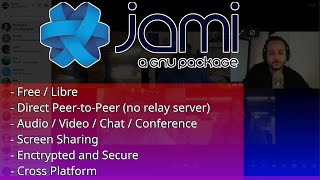
Jami - An Open Source, Peer-to-Peer, Audio, Video, Conferencing, Chat, and Screen Sharing System
Explore Jami: A peer-to-peer communication system offering audio/video calls, conferencing, chat, and screen sharing without servers. Learn installation, setup, and key features of this open-source alternative.

Ask the Experts: Choosing the Right Poly Solutions for Different Meeting Rooms
Explore innovative solutions for Microsoft Teams Rooms with Poly's space profiling approach. Learn to identify optimal setups for diverse collaboration spaces and enhance meeting experiences.
Manage Meetings, Conferences and Events with Microsoft Teams
Learn to plan and manage Microsoft Teams meetings, conferences, and live events. Discover audio conferencing, video sharing, and advanced features to enhance collaboration and communication in your organization.
Jitsi Meet - A Self Hosted, Open Source, Free Alternative to GoToMeeting, Join.Me, Zoom, and More
Explore Jitsi Meet: A free, open-source alternative for online meetings. Learn to set up your own instance or use the hosted version for secure, cost-effective video conferencing.

Google Workspace Basics: Sheets, Docs, Slides, Forms, and Meet Tutorial
Comprehensive tutorial on Google Workspace apps: Sheets, Docs, Slides, Forms, and Meet. Learn essential features, collaboration tools, and productivity tips for seamless workflow and efficient project management.

Microsoft Teams for Beginners - Comprehensive Tutorial
Comprehensive guide to Microsoft Teams 365: interface navigation, team creation, messaging, meetings, collaboration tools, and advanced features for seamless digital teamwork and productivity.
Google Workspace Basics - Drive, Collaboration, and Core Features Tutorial
Comprehensive tutorial on Google Workspace essentials, covering Drive, collaboration tools, and core features. Learn to create, manage, and share files efficiently across various Google apps.

Google Workspace Basics - Full Course Tutorial
Comprehensive tutorial covering Google Workspace apps including Drive, Sheets, Docs, Slides, Forms, and Meet. Learn essential features, collaboration tools, and productivity tips for efficient work in the cloud.
Google Workspace for Business Tutorial - 2024
Master Google Workspace for Business essentials in minutes. Learn key features and functionalities to enhance productivity and collaboration in your organization.
Continuous Optimization - Two Years of Webex Improvements Based on Apache Dolph
Discover how Cisco Webex leveraged Apache Dolph over two years to achieve continuous optimization, driving improvements and innovations in their communication platform.

Intelligent by Design - Can Cybersecurity Cope with AI
Explore AI's impact on cybersecurity, potential threats, and defense strategies with Darktrace's Nicole Eagan. Learn about IoT vulnerabilities and machine learning applications in digital protection.
Adventures in Video Conferencing
Explore security vulnerabilities in popular video conferencing platforms, uncovering potential risks and discussing mitigation strategies for safer online communication.
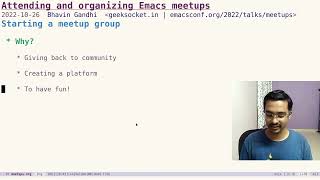
Attending and Organizing Emacs Meetups
Discover the benefits of Emacs meetups, learn how to find and join them, and get tips on organizing your own. Gain insights on making connections and enhancing your Emacs experience through community engagement.