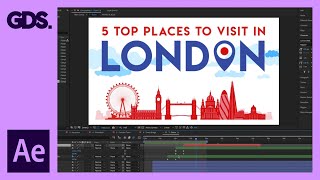
Animate a Simple 2D Scene in After Effects - Adobe After Effects for Beginners
Learn to animate a simple 2D composition in After Effects with step-by-step guidance on anchor points, scaling, and creating cloud movements for beginners.

Track Mattes in After Effects - Adobe After Effects for Beginners
Learn to use track mattes in After Effects for advanced masking techniques. Explore applications with text, images, and video to enhance your motion graphics and visual effects skills.
Masking in After Effects - Adobe After Effects for Beginners
Learn masking techniques in Adobe After Effects, including simple shapes, pen tool, and paths from Illustrator. Enhance your video editing skills with practical demonstrations and expert guidance.
Creating Shapes in After Effects - Adobe After Effects for Beginners
Learn to create and manipulate various shapes in After Effects, including using the shape builder tool, editing simple shapes, and creating shapes from type and vectors.
Careers in VFX - Escape Studios Webinar
Comprehensive Q&A session addressing various aspects of VFX careers, from software skills and showreel tips to industry trends and job opportunities. Ideal for aspiring VFX professionals seeking practical insights.
Let's Make an Asset in Houdini - VFX Festival Workshop with Mark Spevick
Intermediate Houdini workshop on creating assets and transferring to Maya using Houdini engine plugin. Covers network creation, parameters, nodes, and digital asset creation.
Industry Spotlight- Marlon R. Nunez – Realistic Portraiture - ZBrush 2022
Explore realistic portraiture techniques in ZBrush with industry expert Marlon R. Nunez. Learn head blocking, perspective, lip sculpting, eye and ear detailing, and achieving likeness in digital character creation.

ZBrushLIVE Industry Spotlight- AMC – Creative Studio - ZBrush 2022
Explore ZBrush's role in various industries as top professionals demonstrate real-world workflows, from character creation to prop design, in this insightful industry spotlight session.
How to Do Character Turnaround in After Effects - Workflow Part 1
Learn to create character turnarounds in After Effects with step-by-step guidance on shapes, keyframes, controllers, and expressions for efficient 2D animation workflows.
How to Rig Any Character in After Effects Using DUIK
Learn to create a functional character rig in After Effects using DUIK Bassel. Master retrofitting, arm and leg rigging, and character animation techniques in this comprehensive tutorial.

An Ultimate Guide to After Effects Character Rigging
Comprehensive comparison of After Effects character rigging tools, exploring pros and cons of Puppet Pin, DUIK Bassel, Rubberhose, Limber, Character Tool, and Puppet Tool for informed decision-making.
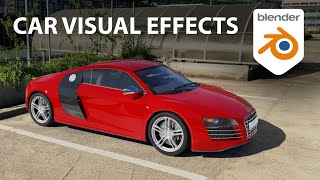
Add Cars to Your Videos With Blender - VFX on a Cloud Computer
Learn to seamlessly integrate 3D car models into videos using Blender. Master camera tracking, lighting, rendering, and compositing techniques for realistic visual effects.
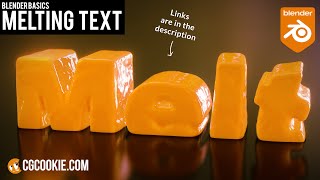
Make a Melting Text Effect in Blender - Fluid Sims VFX Tutorial
Learn to create a melting text effect in Blender using fluid simulations. This step-by-step tutorial covers text creation, simulation setup, liquid properties, and camera settings for a visually striking VFX result.
Edit, Reframe, Color Grade 360° Video Like a Pro with Mistika Boutique
Learn to edit, reframe, and color grade 360° videos professionally using Mistika Boutique's free Educational Edition. Master advanced techniques like object removal, stabilization, and VR headset preview for high-quality immersive content.

Creatively Using Text Animators in After Effects
Learn creative techniques for using After Effects text animators to create unique animations, including tapered strokes, path arrows, abstract dot patterns, and 3D extruded rotating designs.
Build a Render-Bot in After Effects
Learn to automate After Effects by creating templates and building a render-bot using Dataclay's Templater plugin. Save time on repetitive tasks and streamline your motion design workflow.
Working With Cameras in After Effects
Comprehensive guide to using cameras in After Effects, covering camera types, settings, and techniques for creating dynamic 3D scenes and realistic camera movements.
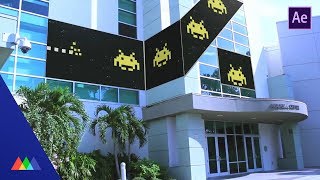
Creating Multi-Screen Projects in After Effects
Learn techniques for animating multi-screen video displays in After Effects, including project setup, client deliverables, and handling different screen resolutions and shapes for seamless content across multiple displays.
Making Giants - The Vines
Learn advanced Cinema 4D techniques for creating animated vines using splines, sweep NURBS, and X-Particles. Master low-poly modeling, tapering, and complex particle systems for realistic plant growth effects.
Making Giants - The Details
Learn advanced Cinema 4D techniques to enhance 3D scenes with realistic details, improved lighting, and strategic object placement for better visual storytelling and viewer engagement.
Making Giants - The Plant
Aprenda a modelar, texturizar e animar uma planta gigante em Cinema 4D, explorando técnicas avançadas de design 3D e rigging para criar movimentos fluidos e orgânicos.