
Circle Physics Colliders in Game Engine Development
Learn to implement circle physics colliders in game engines, covering component creation, UI integration, serialization, and bug fixing for improved collision detection.

Content Browser Panel - ImGui Drag Drop for Game Engines
Learn to implement a content browser panel with ImGui drag and drop functionality in game engine development, enhancing asset management and user interaction.

ImGui Thumbnail Layout - Content Browser Panel for Game Engine Series
Learn to create a content browser panel with thumbnail layout using ImGui, enhancing your game engine's user interface and asset management capabilities.

Content Browser and Asset Panel in Game Engine Development
Explore the implementation of a content browser and asset panel in game engine development, focusing on efficient asset management and organization.

Editor Camera - Game Engine Series
Explore game engine development with a focus on implementing an editor camera, enhancing your skills in 3D graphics and interactive design.
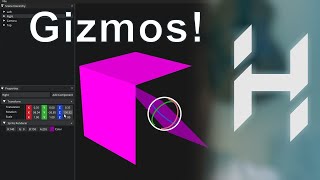
Transformation Gizmos - Game Engine Series
Explore advanced techniques for implementing transformation gizmos in game engines, enhancing 3D object manipulation and scene editing capabilities.

Open and Save File Dialogs in Game Engine Development
Learn to implement open and save file dialogs in game engine development, enhancing user interaction and file management capabilities.

Making the Hazelnut Editor Look Good - Game Engine Series
Enhance the visual appeal of the Hazelnut game engine editor with expert guidance on UI design, layout optimization, and aesthetic improvements.
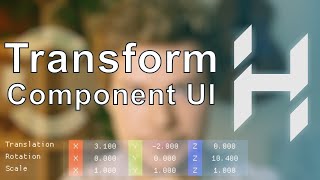
Transform Component UI - Game Engine Series
Learn to create and implement a Transform Component UI in game engine development, enhancing your skills in 3D object manipulation and scene management.

Drawing Component UI - Game Engine Series
Learn to create and implement a user interface for drawing components in game engine development, enhancing your skills in UI design and functionality.

Camera Component UI - Game Engine Series
Learn to implement a camera component UI in game engine development, focusing on user interaction and visual representation of camera properties.

Properties Panel in Game Engine Development
Explore the intricacies of implementing a properties panel in game engine development, enhancing your understanding of user interface design and functionality.

Scene Hierarchy Panel - Game Engine Series
Explore the Scene Hierarchy Panel in game engine development, learning its structure, functionality, and implementation for efficient scene management and organization.

Next Steps and Dockspace in Game Engine Development
Learn to implement dockspace functionality and explore next steps in game engine development, enhancing your skills in creating flexible and user-friendly interfaces.

Creating a JavaScript Stopwatch
Build a functional stopwatch using HTML, CSS, and JavaScript. Learn to implement start, stop, reset, and lap recording features in this hands-on coding tutorial.

Design, UI, and UX for Developers - Essential Knowledge and Best Practices
Explore UI/UX essentials for developers: design process, common mistakes, tools, and best practices. Gain insights to enhance your projects and collaborate effectively with designers.

How to Understand Code Error Messages and Fix Your Problems
Learn to decipher and resolve common coding errors with expert advice on reading error messages, troubleshooting techniques, and best practices for handling various types of errors in software development.

Code a Dark/Light Theme Toggle with JavaScript, CSS, and HTML
Learn to create a dark/light mode toggle using HTML, CSS, and JavaScript. Explore toggle switch coding, theme implementation with CSS variables, and system preference detection via media queries.

Coding an Alarm Clock with JavaScript, CSS, and HTML
Learn to build a functional alarm clock using HTML, CSS, and JavaScript, including features like setting alarm time, ringing, and snooze functionality.
Live-Code a Tip Calculator - HTML, CSS and JavaScript
Build an interactive tip calculator using HTML, CSS, and JavaScript in this casual coding session with Leanne and Michael, tackling Scrimba's Weekly Web Dev Challenge.
Age in Days Calculator - Live Coding with HTML, CSS, and JavaScript
Build an interactive age calculator using HTML, CSS, and JavaScript to determine your exact age in days, enhancing your web development skills.